Page 2 - PRECAUTIONS
3 PRECAUTIONS For your safety Please pay special attention to the fol-lowing simple guidelines. Breaking therules may be dangerous or illegal. In-car safety Do not use your mobile phone when driving a vehicle except from in emer-gency cases. Always park the vehicleand take the ignition before using ...
Page 3 - C A L L; A N S W E R; E N D; E X I T; IMPORTANT NOTICE
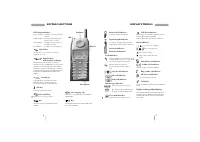
This telephone is designed for use in both GSM900 and GSM 1800 networks. Handover betweenthe two types of network takes place automatical-ly and seamlessly. Introduction Making a call Enter phone number. Press C A L L Answering a call The telephone rings. Press A N S W E R Ending a call Press E N D ...
Page 5 - Insert SIM card; O K; Insert rechargeable battery; BEFORE YOU START
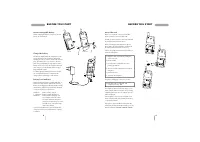
Insert SIM card Before you can make a call on your mobile phone you have to insert the SIM card. Should you have forgotten to insert the SIM cardthe telephone will ask you to do so. Before inserting the SIM card into the phone please make sure that any plastic remains fromthe frame punching have bee...
Page 6 - MAKING YOUR FIRST CALL
Selection of language The display language of your phone is normallythe national language of the country in which youpurchased your SIM card. If this is not the case thedisplay language will be English. You have theoption of choosing between different languages. If by mistake you select a language w...
Page 7 - OPTIONS WHEN IN CONVERSATION
Muting the microphone While having a call, you may wish to have a pri-vate conversation with someone else. You willhear everything your caller says but you cannotbe heard by the caller. To switch off the microphone: 1. Press M E N U 2. Select M i c r o p h o n e o f f To return to your telephone con...
Page 8 - Voice mail number
You can store names and telephone numbers in a phone book. The entries are stored on the SIMcard and the number of entries is dependent onthe capacity of the SIM card. The length of a name or a telephone number depends on your SIM card. There are several characters available on eachkey, as shown in ...
Page 9 - ALTERNATIVE PHONE BOOKS
How to see the status of your phone book The telephone can display the total number of locations on your SIM card and inform you howmany of these are free. 1. Press to enter the List menu system. 2. Select P h o n e b o o k and press S E L E C T 3. Select S t a t u s and press O K Prefix telephone n...
Page 11 - EVENTS
Events Your phone acts as a calendar enabling you tokeep a check on different events such as meet-ings, phone calls to be made, birthdays, etc. Thecalendar is active even though your telephone isswitched off. How to add a new event 1. Press to enter the List menu system. 2. Select E v e n t s and pr...
Page 14 - SETUP MENU SYSTEM
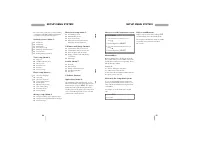
How to access the Setup menu system 1. Press M E N U 2. Select the menu you want to access using 3. Confirm by pressing S E L E C T 4. Select the sub menu you want to access using 5. Confirm by pressing S E L E C T Menu numbers On the right hand side in the first line of the dis-play you will always...
Page 15 - How to activate call divert for all calls; CALL DIVERT
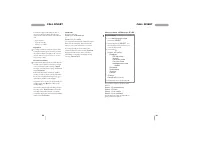
How to activate call divert for all calls 1. Press M E N U 2. Select N e t w o r k s e r v i c e s by pressing S E L E C T 3. Confirm by pressing S E L E C T once more to indicate that you want access to the call divert menu. 4. Select using D i v e r t a l l c a l l s R e g i s t e r – A l l s e r ...
Page 17 - PHONE SETUP
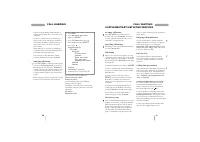
This menu offers you the possibility of setting someof the telephone's options according to your ownpersonal wishes. How to set up options 1. Press M E N U 2. Select P h o n e s e t u p using 3. Confirm by pressing S E L E C T 4. Select using either L a n g u a g e D i a l s e t u p N e t w o r k s ...
Page 18 - Event auto delete; Power saving
35 PHONE SETUP PHONE SETUP 34 Note: If your phone has been without power for more than 8 hours you should set the time anddate function again. Otherwise you may risk thatall functions using the time and date feature maynot be active. Event auto delete Your phone will automatically delete an event as...
Page 19 - PHONE BOOK SETUP
Send message setup Before you can send a message, your networkoperator's telephone number and name for thisspecial service have to be entered. However,many network operators have already stored thisinformation for you on your SIM card. In that caseyou just have to press O K in the Service centre opt...
Page 20 - SECURITY
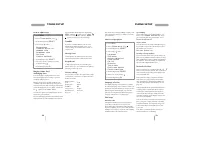
39 SECURITY CALL TIMERS AND CHARGE /SECURITY 38 How to enable, disable and changePIN codes 1. Press M E N U 2. Select S e c u r i t y using 3. Confirm by pressing S E L E C T 4. Select using either P I N c o d e – P I N c o d e o n – P I N c o d e o f f – P I N c o d e c h a n g e – C h a n g e P I ...
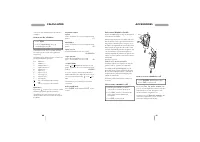
Page 21 - How to use the calculator; ACCESSORIES; Professional Handsfree Car Kit; CALCULATOR
You can use your mobile phone as an ordinarycalculator. How to use the calculator 1. Press M E N U 2. Select C a l c u l a t o r using 3. Confirm by pressing O K Your telephone now acts as a normal calculator. The equal-sign ( = ) is found on the right hand function key. Hold down the relevant key f...
Page 22 - Voice controlled handsfree car kit; Basic Car Kit
If you want to switch from handsfree mode to normal mode, just lift the handset and cradle asone complete unit – and back again for returningto handsfree. The switching is performed auto-matically. GSM 909 Executive The GSM 909 Executive is based on the combina-tion of the GSM 909 DUAL or GSM 909 DU...
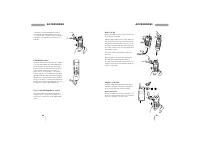
Page 23 - Desktop charger; Headset; Belt clip
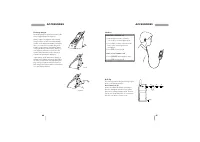
45 Desktop charger The desktop charger is powered by means of thecharger supplied with your telephone. When you place the telephone in the desktopcharger you have to make sure that the batterysymbols on the display start flashing. The batterytakes 1 to 5 hours to become fully charged de-pending on t...
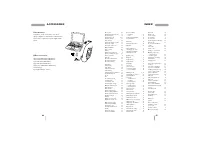
Page 24 - Data Interface
47 INDEX ACCESSORIES 46 A ccessories 41 Alternative phone books 17 Answered calls 19 Answering a call 4, 11 Any key answer 33 Auto answer 41 Automatic delete, events 35 Automatic redial 33 Automatic switch off 41 B arred numbers 17 Basic car kit 43 Battery 8 Battery level indicator 8 Before sending ...
Page 25 - BOSCH EASY SETS; Accessories for Bosch mobile phones
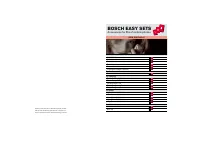
For the car GSM 909 ExecutiveVoice Controlled Handsfree Car KitProfessional Handsfree Car KitBasic Car KitSimple Car HolderCigarlighter Charger 12V/24V For the computer Data Interface For charging Desktop ChargerTravel Charger - EUTravel Charger - UKTravel Charger - AUSTravel Charger - US For power ...