Page 2 - Contents; Important safety information
Contents 1. Important safety information 2. Product Structure 3. Before first use 4. Instructions for use 5. Filter Replacement 6. Troubleshooting 7. Warranty 01 04 05 10 16 19 20
Page 3 - Danger
1. Important safety information ● Check if the voltage indicated on the bottom of the appliance corresponds to the local mains voltage before you connect the appliance. ● If the mains cord is damaged, you must have it replaced by distributor, or a service center authorized by distributor or similarl...
Page 4 - C a u t io n
● This appliance is not a substitute for proper ventilation, regular vacuum cleaning or use of an extractor hood or fan while cooking. ● If the wall socket used to power the appliance has poor connections, the plug of the appliance becomes hot. Make sure you plug the appliance into a properly connec...
Page 5 - FCC NOTE: Reminding of part 15
FCC NOTE: Reminding of part 15 This device complies with part 15 of the FCC Rules. Operation is subject to the follow-ing two conditions: (1) This device may not cause harmful interference, and (2) this device must accept any interference received, including interference that may cause undesired ope...
Page 6 - Description for the function of display panel
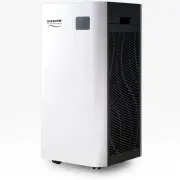
2. Product Structure 9 ① Air Outlet ② Touch Panel ③ Digital Display ④ Composite Filter ⑤ Pre-Filter ⑥ Filter Cover ⑦ Dust Sensor ⑧ Power Supply Inlet ⑨ Wheel A1: Temperature( ℃ ) A2: Humidity (%RH)A3: WIFI iconA4: PM2.5 dataA5: PM2.5 iconA6: PM2.5 unit iconA7 : "Filter life" icon A8: Filter ...
Page 7 - Learn about the air purifier indicator; Filter cover disassembly and installation method
3. Before first use Read this user manual carefully before you use the appliance and save it for future reference. 3.1 Learn about the air purifier indicator Air Quality Indicator 3.2 Filter cover disassembly and installation method Reminder: Air quality is not displayed in standby mode considering ...
Page 8 - Filter installation
Reinstall the filter cover: align and insert the fixed groove, and apply pressure on the “ ” icon on the filter cover to secure the filter cover. 3.3 Filter installation Steps [1] Remove all packaging materials and place the machine on a dry, stable, level surface. [2] Press the “ ” icon on the filt...
Page 12 - Instructions for use; Control panel function description
4. Instructions for use 4.1 Control panel function description 4.2 Plug in the power supply 4.3 Turn on the air purifier Reminder: In standby mode, the dust sensor is off. To turn off the machine, unplug the product from the power cord in standby mode. Note: When the machine is turned on, the defaul...
Page 13 - Fan speed adjustment
In the working state, touch the round button of “ ” icon to enter the timed shutdown setting state, the time is 8h, and the corresponding indicator lights up; touch the round button again, the timed shutdown setting is closed, and indicator lights down. When use APP set the countdown, there are 2H /...
Page 14 - Sc an QR c ode to
The filter life is defined as 2160 hours. When the filters have been running for 2160hours, the replace-ment filter indicator light starts to flash, reminding the user that the filter needs to be replaced and that the filter life need to be reset.In the working state, when the replacement filter ind...
Page 16 - Click Finish network
14 05 Click Finish network configuration. 04 Input wifi password. 05 04 06 06 Connecting.
Page 17 - Device added; Clean air purifier
15 07 07 Device added successfully. 4.12 Clean air purifier Regularly clean the inside and outside of the body to prevent dust from collecting on the inside and outside. 1). Wipe away dust with a soft dry cloth from the body of the purifier. 2). Clean the air inlet and the air outlet with a soft dry...
Page 18 - Filter replacement
5. Filter replacement 5.1 Steps Note: When the filter replacement indicator is lit and the buzzer sounds awkward, the user is reminded that the new filter needs to be replaced, but the purifier can still work normally. Note: Please turn off the power and cut off the power plug before replacing the f...
Page 20 - The reference time for replacing the filter screen
[8] Repeat the above steps and replace the air purification screen on the other side of the product.After replacing the new filter, plug in the power plug and press the “ ” button for 3 seconds to reset the filter life. When the indicator is off means filter reset is complete. Note: Please turn off ...
Page 22 - Cleaning Instructions; WARNING
For warranty service contact Customer Service at 1-888-372-8518, 7:00 a.m. - 4:00 p.m., PST, or email [email protected] Monday - Friday Unplug from electrical supply source before cleaning.After servicing, any safety device (including grilles and blades) must be reinstalled or remounted as previousl...