Page 4 - TABLE OF CONTENTS; SECTION
TABLE OF CONTENTS SECTION PAGE NO. Important Safety Instructions ………….. 1-2 Appliance Details ………………………… 2 Operating Instructions …………………… 3-6 Cleaning ………………………………….. 7 Electrical Connections …………………... 8 Installation ………………………………… 9-10 Trouble Shooting and Error Codes ……. 11-12 Warranty …………………………...
Page 5 - IMPORTANT SAFETY INSTRUCTIONS; IMPORTANT; before any maintenance can be performed.
IMPORTANT SAFETY INSTRUCTIONS IMPORTANT : Read the assembly instruction section and safety precautions of this booklet carefully before removing the contents of this carton. 1. This appliance is not intended for use by persons (including children) with reduced physical, sensory or mental capabilitie...
Page 6 - DO NOT
21. All cabinetry and materials used in the installation must be able to withstand a minimum temperature of 80°C whilst in use. Certain types of vinyl or laminate kitchen furniture are particularly prone to heat damage or discolouration at temperatures below the guidelines given above. Any damage ca...
Page 7 - OPERATING INSTRUCTIONS; Turning On and Turning Off the Cooktop Appliance
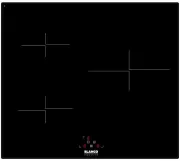
OPERATING INSTRUCTIONS The basic layout of the induction cooktop is shown in the diagrams below. DESCRIPTION DESCRIPTION 01 On/off power touch control 07 Cooking Zone Power (LHR) and timer LED display 02 Timer/Zone Power (LHR) touch control 08 Timer LED display 03 Timer/Zone Power (LHF) touch contro...
Page 9 - Minute Minder Function
Minute Minder Function The Minute Minder function is a timer that does not affect any operation on the appliance, but can be used as a reminder to take action (add a spice, turn meat etc.). 1. The appliance must be in Operating-Mode (any cooking zone can be running). 2. Press the Increase power/time...
Page 10 - Cooking zone power LED display; COOKING ZONE TIME LIMITS (BY POWER LEVEL); POWER LEVEL
TOUCH CONTROL SAFETY FUNCTIONS The following safety functions are available to avoid unintended operations of the cooktop control: Overflow Cut-off Function The cooktop has a sensor that detects if liquids are spilled on the control panel. When this happens, an error function (Er03) will flash and t...
Page 11 - CLEANING; CLEANING THE COOKTOP; immediately or permanent damage may occur.; NOT; covered under warranty.
CLEANING NOTE: Cleaning and maintenance operations must only be carried out when the cooktop is cool (all residual heat indicators are off). The appliance should be disconnected from the power outlet or turned off at your isolation switch before commencing any cleaning process. Do not use plastic, p...
Page 12 - ELECTRICAL CONNECTIONS; LOCAL AUTHORITY REQUIREMENTS; The cooktops can be connected to either a single phase
ELECTRICAL CONNECTIONS LOCAL AUTHORITY REQUIREMENTS Installation is only permitted by a licensed electrician, and carried out according to instructions provided by the manufacturer. Incorrect installation might cause harm and damage, for which the manufacturer accepts no responsibility. ELECTRICAL I...
Page 13 - INSTALLATION; PREPARATION FOR INSTALLATION AND USE; CHOOSING A LOCATION FOR THE APPLIANCE
INSTALLATION The adjacent furniture must be able to withstand a minimum temperature rise of 100°C above the ambient temperature of the room it is located in, during periods of use. The power supply to the appliance must be cut off before any adjustments or maintenance work is done on it. The applian...
Page 14 - INSTALLATION OF BUILT IN COOKTOP
INSTALLATION OF BUILT IN COOKTOP In order to prevent leakage of any liquids on the work bench and fix the appliance to the bench, a special sealing tape is supplied together with your oven. Place the cooktop glass down on a clean cloth on a stable flat surface & apply this seal around the bottom...
Page 15 - TROUBLESHOOTING AND ERROR CODES; A fuse has blown – Check fuse box.
TROUBLESHOOTING AND ERROR CODES The appliance or a cooking zone doesn’t start: The electrical connection to the power is faulty – Call an electrician. A fuse has blown – Check fuse box. The Key Lock function is active – reset as per the manual. The control panel buttons are coated in grease ...
Page 16 - RESETTING THE INTERNAL SOFTWARE SYSTEM; If the error codes EC or E4 appear, please do the following:
RESETTING THE INTERNAL SOFTWARE SYSTEM If the error codes EC or E4 appear, please do the following: a) Remove all cookware from the cooktop. Have an inductive pot or pan with a bottom diameter of at least 16cm close by for use during the procedure. b) Remove the appliance from the power supply for a...
Page 17 - We appreciate your feedback.
We appreciate your feedback. Please review our products on www. blanco-australia.com 7 13