Page 2 - Specifications; PRECAUTIONS TO AVOID POSSIBLE
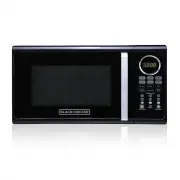
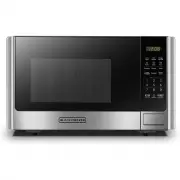
Specifications EN-2 Model:Rated Voltage:Rated Input Power(Microwave): Rated Output Power(Microwave):Oven Capacity:Turntable Diameter:External Dimensions:Net Weight: 120V~ 60Hz 10.6 inch 1350W 900W 0.9 Cu.ft (485X X292.5mm) Approx. Lbs (1 kg) 19.1 X 15.9 X 11.5 inch EM925ACP- 405 3.7 30.2 PRECAUTIONS...
Page 4 - GROUNDING INSTRUCTIONS
EN-4 i) Do not overheat the liquid. ii) Stir the liquid both before and halfway through heating it. iii) Do not use straight-sided containers with narrow necks.iv) After heating, allow the container to stand in the microwave oven for a short time before removing the container. v) Use extreme care wh...
Page 5 - CAUTION; Personal Injury Hazard; R a d i o I n t e r f e r e n c e; CONTAINERS
EN-5 CAUTION Personal Injury Hazard Tightly-closed could explode. Closed containers should be opened and plastic pouches should be pierced before cooking. 1. Fill a microwave-safe container with 1 cup of cold water (250ml) along with the container in question. 2. Cook on maximum power for 1 minute. ...
Page 7 - Names of Oven Parts and Accessories; Turntable Installation
A) Control panel B) Turntable shaft C) Turntable ring assembly D) Glass tray E) Observation window F) Door assembly G) Safety interlock system F G A C B E D SETTING UP YOUR OVEN Names of Oven Parts and Accessories Remove the oven and all materials from the carton and oven cavity. Hub (underside) Gla...
Page 8 - Installation; Countertop Installation
Installation A minimum clearance of 3.0 inches (7.5cm) is required between the oven and any adjacent walls. One side must be open.(1) Leave a minimum clearance of 12 inches (30cm) above the oven. (2) Do not remove the legs from the bottom of the oven. (3) Blocking the intake and/or outlet openings c...
Page 9 - Control Panel and Features; OPERATION
Control Panel and Features OPERATION (1) Time Cook(2) Time Defrost(3) Power(4) Clock(5) Auto menu: Popcorn, Potato, Pizza, Frozen vegetable, Beverage, Dinner plate(6) Number Buttons:0-9(7) Weight Defrost(8) Kitchen Timer function cooking: press once to stop oven; twice to stop and clear all entries....
Page 11 - Time Defrost Function; Weight Defrost Function
7. Time Defrost Function (1) Press " TIME DEFROST ", LED will display "dEF2". (2) Press number pads to input defrosting time. The effective time range is 00:01~99:99. (3) The default microwave power is power level 3. If you want to change the power level, press " POWER " once...
Page 12 - POPCORN
8 . a)Press " POPCORN " repeatedly until the number you wish appears in the display, "1.75","3.0","3.5" Oz will display in order. For example, press "POPCORN" once, "1.75" appears. 10 . a) Press " FROZEN VEGETABLE " repeatedly until the number ...
Page 13 - PIZZA; ULTI STAGE COOKING
14. MEMORY FUNCTION 13 . PIZZA a) Press " PIZZA " repeatedly until the number you wish appears in the display, "4.0","8.0","14.0" oz will display in order. For example, press "PIZZA" once, "4.0" appears.b) Press " START/+30 SEC. " to cook, buzz...
Page 14 - LOCK FUNCTION FOR CHILDREN
19. OTHER SPECIFICATIONS (1) In standby state , if the set clock digital tube displays current time, the icon " : " would flash; otherwise, it shows " 0:00 ". (2) In setting function state, LED displays corresponding setting.(3) In working or pause state, LED displays surplus cooking...
Page 15 - Maintenance
Troubleshooting Check your problem by referencing the chart below and trying the solutions for each problem. TROUBLE Oven will not start POSSIBLE CAUSE POSSIBLE REMEDY a. Electrical cord for oven is not plugged in. b. Door is open. c. Wrong operation is set. a. Plug into the outlet. b. Close the doo...
Page 16 - ONE YEAR LIMITED WARRANTY; SAVE THIS FOR YOUR RECORDS
EN-16 ONE YEAR LIMITED WARRANTY This product carries a warranty stating that it will be free from defects in material and workmanship for a period of one year from the date of purchase. This warranty is valid for the original retail purchaser from the date of initial retail purchase and is not trans...
Page 17 - PRECAUCIONES PARA EVITAR POSIBLE; Especificaciones
(a) No intente operar este horno con la puerta abierta ya que esto puede causar una exposición dañina a energía de microondas. Es importante no q uebrar u obstruir los cierres de seguridad. (b) No ubicar ningún objeto entre la pared frontal del horno y la puerta ni permitir que residuos (c) No opera...
Page 18 - ADVERTENCIA; INSTRUCCIONES DE SEGURIDAD
SP-3 ADVERTENCIA Con el fin de reducir el riesgo de que se produ z can que- maduras, una descarga eléctrica, un incendio, lesiones o exposiciones a la energía microondas excesiva al mo-mento de usar este electrodoméstico, siga las siguientesprecauciones de seguridad básicas: INSTRUCCIONES DE SEGURID...
Page 19 - KONTEYNER
SP-4 i) No sobrecaliente los líquidos.ii) Remueva el líquido antes y a la mitad del proceso de calentamiento.iii) No utilice envases o recipientes de lados verticales con cuellos angostos.iv) Después de calentar, deje que el envase o recipiente repose dentro del horno a microon-das durante un period...
Page 20 - CONTENEDOR
SP-5 1. Un cable de abastecimiento corto reduce los riesgos derivados de enredarse o 2. Cordones más largos o cables de más extensión están disponibles y pueden ser 3. Si se utiliza un cordón largo o conjuntos de cables de extensión: La clasificación eléctrica del juego de cables o la clasificación ...
Page 21 - Materiales que se pueden usar en el horno a microondas; Materiales a ser evitados en el horno a microondas
SP-6 Materiales que se pueden usar en el horno a microondas Observaciones Bandeja doradora Siga las instrucciones del fabricante. El fondo de la bandeja debe estar al menos a 5 mm arriba del plato giratorio. El uso incorrecto puede resultar en la rotura del plato giratorio. Elementos para comida Use...
Page 22 - PREPARANDO SU HORNO A; Instalación del plato giratorio; MICROONDAS
PREPARANDO SU HORNO A Nombres de las partes y accesorios Retire el horno y todos los materiales de su caja y de la cavidad del horno. Panel de controlEje para bandeja giratoria C) Conjunto aro giratorio D) Bandeja de vidrio Ventana para observación Sistema de seguridad de cierre G) F ) Conjunto puer...
Page 23 - Previo a la instalación; Instalación
Previo a la instalación Retire todo el material de embalaje y los accesorios. Examine el horno para descubrir si este tiene algún daño como ser abolladuras o la puerta desviada o rota. Gabinete: Quite todo el film protector que encuentre en la superficie del gabinete. No quite la tapa de Mica color ...
Page 24 - FUNCIONAMIENTO; Panel de control y funciones
(1) Tie m po de c o cc ion (2) Des c ong por tie m po ( 3 ) P (4) Reloj (7) Des c ong por peso (8) Te m poriz a dor fun c tion (9) Detener/borr a r: oten c a l (11) Ini c i a r/+ 3 0seg. . (10) Me m ori a fun c tion (5) Auto m enus: Pop c orn, P a p a s, Pizz a , Veget a les c ongel a dos, Bebid a ,...
Page 25 - OPERACIÓN
OPERACIÓN 1 . N N ii v v e e ll d d e e p p o o tt e e n n c c ii a a 2 . (2) Presione las teclas de número e introduzca la hora actual. Por ejemplo, la hora actual es parpadeará y el reloj será iluminado. (4) Si la entrada de números no está dentro del rango de 1:00-12:59, el ajuste no será valido ...
Page 30 - MANTENIMIENTO; localizaci n de defectos
MANTENIMIENTO Esta guía de mantenimiento y problemas ha sido desarrollada para que el usuario pueda referirse a ella en casode que algún problema se presente con el aparato. Usted debe revisar esta guía antes de llamar a serviciotécnico y determinar que lo que esta presentado el horno no sea posible...
Page 31 - GARANT A LIMITADA POR UN AÑO; GUARDE ESTO PARA SUS REGISTROS
SP-16 GARANT A LIMITADA POR UN AÑO Este producto cuenta con una garantía por defectos de materiales y fabricación por el período de un año a partir de la fecha de compra. Esta garantía es válida para el comprador minorista original desde la fecha de compra inicial y no es transferible. Guarde su com...