Page 2 - Specifications; PRECAUTIONS TO AVOID POSSIBLE
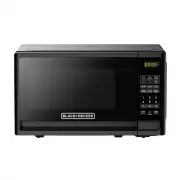
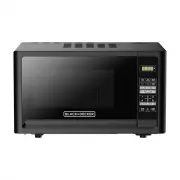
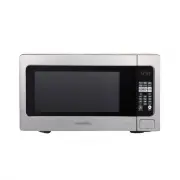
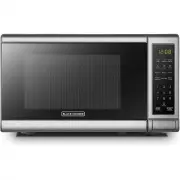
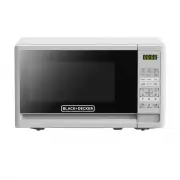
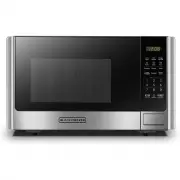
Specifications EN-2 Model:Rated Voltage:Rated Input Power(Microwave): Rated Output Power(Microwave):Oven Capacity:Turntable Diameter:External Dimensions:Net Weight: 120V~ 60Hz 10 inch 1050W 0.7 Cu.ft (440X323X259mm) Approx. X 12.7 X 10.2 inch EM720CFO-B/EM720CFO-W 700W 21. Lbs (9.7 kg) 4 17.3 PRECAU...
Page 3 - When using electrical appliances basic safety precautions; WARNING
IMPORTANT SAFETY INSTRUCTIONS 1. Read all instructions before using the appliance. 2. Read and follow the specific: "PRECAUTIONS TO AVOID POSSIBLE EXPOSURE TO EXCESSIVE MICROWAVE ENERGY" found on page . 3. This appliance must be grounded. Connect only to properly grounded outlet. See "GR...
Page 6 - GROUNDING INSTRUCTIONS
GROUNDING INSTRUCTIONS This appliance must be grounded. In the event of an electrical short circuit, grounding reduces the risk of electric shock by providing an escape wire for the electric current. This appliance is equipped with a cord having a grounding wire with a grounding plug. The plug must ...
Page 8 - RADIO INTERFERENCE; Operation of the microwave oven may cause interference; This device complies
RADIO INTERFERENCE 1. Operation of the microwave oven may cause interference to your radio, TV or similar equipment. 2. When there is interference, it may be reduced or eliminated by taking the following measures: (1). Clean door and sealing surface of the oven.(2). Reorient the receiving antenna of...
Page 9 - UTENSILS; Note
Tightly-closed utensils could explode. Closed containers should be opened and plastic pouches should be pierced before cooking.See the instructions on "Materials you can use in microwave oven or to be avoided in microwave oven."There may be certain non-metallic utensils that are not safe to ...
Page 11 - Names of Oven Parts and Accessories; Turntable Installation
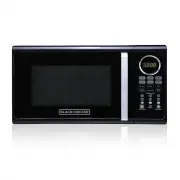
A) Control panel B) Turntable shaft C) Turntable ring assembly D) Glass tray E) Observation window F) Door assembly G) Safety interlock system F G A C B E D SETTING UP YOUR OVEN Names of Oven Parts and Accessories Remove the oven and all materials from the carton and oven cavity. Hub (underside) Gla...
Page 12 - Installation; Countertop Installation
Installation A minimum clearance of 3.0 inches (7.5cm) is required between the oven and any adjacent walls. One side must be open.(1) Leave a minimum clearance of 12 inches (30cm) above the oven. (2) Do not remove the legs from the bottom of the oven. (3) Blocking the intake and/or outlet openings c...
Page 13 - Control Panel and Features; OPERATION
Control Panel and Features OPERATION (1) Time Cook(2) Time Defrost(3) Power(4) Clock(5) Auto menu: Popcorn, Potato, Pizza, Frozen vegetable, Beverage, Dinner plate(6) Number Buttons:0-9(7) Weight Defrost(8) Kitchen Timer function cooking: press once to stop oven; twice to stop and clear all entries....
Page 19 - Maintenance
Troubleshooting Check your problem by referencing the chart below and trying the solutions for each problem. TROUBLE Oven will not start POSSIBLE CAUSE POSSIBLE REMEDY a. Electrical cord for oven is not plugged in. b. Door is open. c. Wrong operation is set. a. Plug into the outlet. b. Close the doo...
Page 20 - ONE YEAR LIMITED WARRANTY; SAVE THIS FOR YOUR RECORDS
EN-20 ONE YEAR LIMITED WARRANTY This product carries a warranty stating that it will be free from defects in material and workmanship for a period of one year from the date of purchase. This warranty is valid for the original retail purchaser from the date of initial retail purchase and is not trans...
Page 21 - Especificaciones; PRECAUCIONES PARA EVITAR
SP-2 Alimentación: Potencia de entrada de microondas: Potencia de salida de Microondas Diámetro de P ato Gi atoria: Dimensiones Externas (An. x Prof. x Al.): Peso Neto: 120 V ~ 60 Hz Capacidad de Horno: Modelo: Especificaciones 10 pulg (255mm) 1050 0.7 Pies cubicos Aproximadamente 21. lbs (9. kg) EM...
Page 22 - INSTRUCCIONES DE SEGURIDAD
ADVERTENCIA- Al utilizar aparatos eléctricos, se deben seguir siempre las precauciones básicas de seguridad, que incluyen las siguientes. Para reducir el riesgo de quemaduras, descargas eléctricas, incendios, lesiones a personas o exposición excesiva a energía de microondas. 1. Lea todas las instruc...
Page 27 - INTERFERENCIA DE RADIO; Este aparato cumple
INTERFERENCIA DE RADIO 1. El funcionamiento del horno microondas puede causar interferencias en su radio, televisor o equipos similares. 2. Cuando hay interferencia, ésta puede reducirse o eliminarse tomando las siguientes medidas: (1). Limpie la puerta y la superficie de sellado del microondas. (2)...
Page 28 - UTENSILIOS; Prueba de los utensilios de cocina:
UTENSILIOS PRECAUCIÓN- Riesgo de lesiones personales: Los recipientes demasiado cerrados podrían explotar. Los recipientes cerrados deben abrirse y las bolsas de plástico deben perforarse antes de cocinar. Consulte las instrucciones en "{Materiales que puede utilizar en el horno microondas o Mat...
Page 29 - Materiales que se pueden usar en el horno a microondas; Materiales a ser evitados en el horno a microondas
Materiales que se pueden usar en el horno a microondas Observaciones Bandeja doradora Siga las instrucciones del fabricante. El fondo de la bandeja debe estar al menos a 5 mm arriba del plato giratorio. El uso incorrecto puede resultar en la rotura del plato giratorio. Elementos para comida Use sola...
Page 30 - PREPARANDO SU HORNO A; Instalación del plato giratorio; MICROONDAS
PREPARANDO SU HORNO A Nombres de las partes y accesorios Retire el horno y todos los materiales de su caja y de la cavidad del horno. Panel de controlEje para bandeja giratoria C) Conjunto aro giratorio D) Bandeja de vidrioVentana para observación Sistema de seguridad de cierre G) F ) Conjunto puert...
Page 31 - Previo a la instalación; Instalación
Previo a la instalación Retire todo el material de embalaje y los accesorios. Examine el horno para descubrir si este tiene algún daño como ser abolladuras o la puerta desviada o rota. Gabinete: Quite todo el film protector que encuentre en la superficie del gabinete. No quite la tapa de Mica color ...
Page 32 - FUNCIONAMIENTO
(1) Tie m po de c o cc ion (2) Des c ong por tie m po ( 3 ) P (4) Reloj (7) Des c ong por peso (8) Te m poriz a dor fun c tion (9) Detener/borr a r: oten c a l (11) Ini c i a r/+ 3 0seg. . (10) Me m ori a fun c tion (5) Auto m enus: Pop c orn, P a p a s, Pizz a , Veget a les c ongel a dos, Bebid a ,...
Page 33 - OPERACIÓN
OPERACIÓN 1 . N N ii v v e e ll d d e e p p o o tt e e n n c c ii a a 2 . (2) Presione las teclas de número e introduzca la hora actual. Por ejemplo, la hora actual es parpadeará y el reloj será iluminado. (4) Si la entrada de números no está dentro del rango de 1:00-12:59, el ajuste no será valido ...
Page 38 - MANTENIMIENTO; localizaci n de defectos
MANTENIMIENTO Esta guía de mantenimiento y problemas ha sido desarrollada para que el usuario pueda referirse a ella en casode que algún problema se presente con el aparato. Usted debe revisar esta guía antes de llamar a serviciotécnico y determinar que lo que esta presentado el horno no sea posible...
Page 39 - GARANT A LIMITADA POR UN AÑO; GUARDE ESTO PARA SUS REGISTROS
SP-20 GARANT A LIMITADA POR UN AÑO Este producto cuenta con una garantía por defectos de materiales y fabricación por el período de un año a partir de la fecha de compra. Esta garantía es válida para el comprador minorista original desde la fecha de compra inicial y no es transferible. Guarde su com...