Page 3 - o rta n t th a t; Sp ec i f i c at i o n s
PRECAUTIONS TO AVOID POSSIBLE EXPOSURE TO EXCESSIVE MICROWAVE ENERGY (a) Do not attempt to operate this oven with the door open since operation can result in harmful exposure to microwave energ y. It is important not to defeat or tamper with the safety interlocks. (b) Do not place any object between...
Page 4 - IMPORTANT SAFETY INSTRUCTIONS
WARNING - 1. Read all instructions before using the appliance. 2. Read and follow the specific: EXCESSIVE MICROWAVE ENERGY" found on page 2. combustible materials are placed inside the oven to facilitate cooking. only to properly grounded outlet. See f o u n d on page accordance with the provide...
Page 5 - of electric shock by providing an escape wire for the; GROUNDING INSTRUCTIONS; THIS COULD RESULT IN VERY HOT LIQUID SUDDENLY BOILING OVER WHEN; reduces the risk; SA E THESE INSTRUCTIONS; on top of the appliance surface when the appliance is in
stand in the microwave oven for a short time before removing the container. spoon or other utensil into the container. This appliance must be grounded. In the event of an electrical short circuit, grounding of electric shock by providing an escape wire for the appliance is equipped with a cord havin...
Page 6 - RADIO INTERFERENCE
1. Operation of the microwave oven may cause interference to your radio, TV or similar 2. When there is interference, it may be reduced or eliminated by taking the following 1) Clean door and sealing surface of the oven2) Reorient the receiving antenna of radio or television.3) Relocate the microwav...
Page 7 - UTENSILS; Mat er i al s y o u c an u s e i n m i c r o w av e o v en
Personal Injury Hazard Tightly-closed utensils could explode. Closed containers should be opened and plastic pierced before cooking. Utensil Test: 1. Fill a microwave-safe container with 1 cup of cold water (250ml) along with the 2. Cook on maximum power for 1 minute. 3. Carefully feel the utensil. ...
Page 9 - PART NAMES
PART NAMES 1 Microwave oven door with see-through window 2 Door hinges 3 Waveguide cover: DO NOT REMOVE. 4 Turntable motor shaft 5 Microwave oven light It will light when microwave oven is operating or door is open. 6 Rack holders 7 Safety door latches The microwave oven will not operate unless the ...
Page 10 - CONTROL PANEL
CONTROL PANEL Number next to the control panel key illustration indicates pages on which there are feature descriptions and usage information. The 7-digit Interactive Display spells out operating steps and shows cooking hints. `''''g k .h 1 1 Note:For detailed information,please go to relative page ...
Page 11 - To Set the Clock; NOTE; STOP clear; MANUAL COOKING; Tim e counting down; Interrupting Cooking; STOP; STOP; User pref; START
• Before operating your new oven make sure you read and understand this Use and Care Guide completely. • The clock can be disabled when the microwave is first To Set the Clock • Suppose you want to enter the correct time of day 10:59 NOTE STOP clear Press the to: 1. Erase if you make a mistake durin...
Page 12 - Setting Timed Cooking With Power Level; Tim counting down
This feature lets you program a specific cook time and power. For best results, there are 10 power level settings in addition to HIGH (100%) power. 0 5 3 This is a time-saving pad. It is a simplified feature that lets you quickly set and start microwave cooking at 100% power. 1. 2. For best results ...
Page 13 - To Set Power Level; Using the Rack; Manual Defrost
To Set Power Level Using lower power levels increases the cooking time which is recommended for foods such as cheese, milk and long slow cooking of meats. Consult cookbook or recipes for specific recommendations. There are eleven preset power levels. PRESS POWER LEVEL PAD NUMBER OF TIMES FOR DESIRED...
Page 14 - SENSOR COOKING; Using Sensor Settings:; Sensor Cook; sensor cook; NOTES for SENSOR COOKING
SENSOR COOKING Sensor cooking has an electronic controlled sensor that detects the vapor (moisture and humidity) emitted from the food as it heats. The sensor adjusts the cooking times and power level for various foods and quantities automatically. Using Sensor Settings: interior of the oven are dry...
Page 15 - Sensor Cook chart; Sensor Reheat chart; Dinner Plate; Sensor
SENSOR COOKING Sensor Cook chart Place rice and twice as much liquid (water, chicken or vegetable stock) in a 2 quart microwave dish.Cover with plastic wrap and vent. After cooking, 1-2 cups Breakfast 1-3 slices 10 oz./ 20 oz. 8-12 oz . Place bacon strips on a microwave bacon rack for best results. ...
Page 16 - Popcorn; Veggies; Vegetables chart; NOTES; ONE TOUCH COOK; Amount; Time counting down
Popcorn Veggies Vegetables chart FOOD AMOUNT PROCEDURE Wash and place in casserole. Add no water if vegetables have just been washed. Cover with lid for tender vegetables. Use plastic wrap for tender-crisp vegetables. Press the vegetables pad 2 to 5 minutes. Place in casserole. Add 1-4 tbsp. water. ...
Page 17 - Baked Potato chart; Potato; Snacks
• Suppose you want to reheat 3 hotdogs. 1. Snack Menu Snack Menu is for cooking/heating foods that take a short amount of time! Snack Menu chart FOOD AMOUNT PROCEDURE Place hot dog in bun. Wrap each with paper towel or napkin. Use for frozen microwave pizza. Remove from package and unwrap. Follow pa...
Page 18 - MELT; AMOUNT; Soften
The oven uses low power to melt and soften items. 1. See the following table. 2. 3. 4. 2 Setting Melt/Soften Time counting down DIRECTION CATEGORY BUTTER MELT TABLE CHOCOLATE Unwrap and place in microwavable container. cooking to complete melting. AMOUNT Chocolate chips or squares of baking chocolat...
Page 19 - AUTO COOKING; Quick Meals chart
Auto Cook <Quick Meals> • Suppose you want to cook Hot Cereal for 1 serving . 1. 2. AUTO COOKING NOTES automatically set for optimum cooking. Quick Meals chart FOOD AMOUNT PROCEDURE Use individual packets or bulk cereal in your favorite variety: oatmeal, oat bran, cream of wheat, farina or whe...
Page 20 - Stuffed Mushrooms
<Dinner Recipes • Suppose you want to cook Garlic shrimp. 1. 2. <Dinner Recipes> Garlic Shrimp Stuffed Mushrooms Asiago Red Potatoes 3. 4. 5. 6. Touch: Display Shows: Time counting down AUTO COOKING ¼ cup butter 6 cloves garlic, minced 2 tablespoons chopped fresh chives 2 tablespoons lemon ...
Page 21 - hite Chicken Chili
Lemon and Shrimp Risotto W hite Chicken Chili AUTO COOKING 2 teaspoons butter 2 teaspoons olive oil 2 tablespoons finely chopped shallot 4 cups chicken broth ¼ cup fresh squeezed lemon juice 2 cups risotto 1 pound medium shrimp, peeled and deveined 1 cup frozen peas, thawed 2 teaspoons grated lemon ...
Page 22 - Weight conversion table; To enter weight; Using Auto Defrost; AUTO DEFROST; Auto; lbs
The auto defrost feature provides you with the best defrosting method for frozen foods. The cooking guide will show you which defrost sequence is recommended for the food you are defrosting. For added convenience, the Auto Defrost includes a built-in beep mechanism that reminds you to check, turn ov...
Page 23 - BEEF
Auto Defrost Table NOTE: Meat of irregular shape and large, fatty cuts of meat should have the narrow or fatty areas shielded with foil at the beginning of the defrost sequence. M AT BEEP SPECIAL INSTRUCTIONS BEEF Ground Beef, Bulk Ground Beef, Patties Round Steak Tenderloin Steak Stew Beef Pot Roas...
Page 25 - Defrosting Tips
Defrosting Tips net weight in pounds and tenths of pounds (the weight of the food minus the container). twist-ties that often come with frozen food bags, and replace them with strings or elastic bands. oven. suitable container. solidly the food is frozen. defrost. Shallow packages will defrost more ...
Page 26 - CONVENIENT FEATURES; Option; Time of day
CONVENIENT FEATURES Option Key press The microwave oven has settings that allow you to customize the operation for your convenience. Below setting function. To re-enable the clock follow clock instructions. The clock can be microwave is first plugged in and the key is selected. k, the display will s...
Page 28 - Display Shows:
CONVENIENT FEATURES 1. 2. If the display shows kg, pressing thebutton will reset the oven controls to lbs. To returnto kg, you will have to again press six times and then (6).S NOTE • Suppose you want to toggle weight between pounds & kilograms. etting Weight Lb/Kg J Touch: Display Shows: 3. 4. ...
Page 29 - Timer starts; Setting Kitchen Timer; Timer; ff; Turnt ab; sing Cooktop Light; Turntable
CONVENIENT FEATURES Your microwave oven can be used as a kitchen timer. You can set up to 99 minutes, 99 seconds. Timer starts counting down 1. 2. 3. 0 3 0 The kitchen timer can be used while the microwave oven is running. 1. 2. 3.U The pad controls the 2-speed vent fan. If the vent fan is OFF the f...
Page 30 - MA INTENA NCE
Tr o u b l es h o o t i n g Check your problem by using the chart below and try the solutions for each problem. If the microwave oven still does not work properly, contact the nearest authorized service center. TROUB L E Oven will not start POSSIB L E CA USE POSSIB L E REMEDY a. Electrical cord for ...
Page 32 - BEFORE YOU CALL FOR SERVICE; Refer to the following checklist before you call for service.
BEFORE YOU CALL FOR SERVICE Refer to the following checklist before you call for service. If oven does not work:1. Check that power cord is securely plugged in.2. Check that door is firmly closed.3. Check that the cooking time is set.4. Check for tripped circuit breaker. If there is sparking in the ...
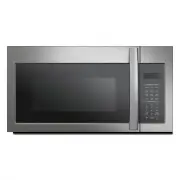


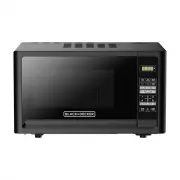 Black & Decker EM031MFOP1
User Manual
Black & Decker EM031MFOP1
User Manual
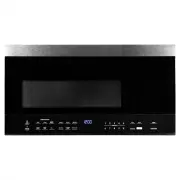 Black & Decker EM044K6BBP1
User Manual
Black & Decker EM044K6BBP1
User Manual
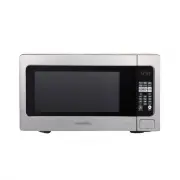 Black & Decker EM262AMY-PHB
User Manual
Black & Decker EM262AMY-PHB
User Manual
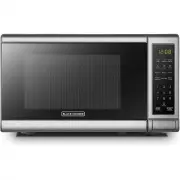 Black & Decker EM720CB7
User Manual
Black & Decker EM720CB7
User Manual
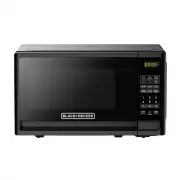 Black & Decker EM720CFOB
User Manual
Black & Decker EM720CFOB
User Manual
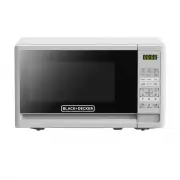 Black & Decker EM720CFOW
User Manual
Black & Decker EM720CFOW
User Manual
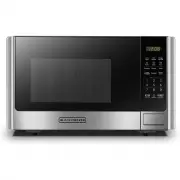 Black & Decker EM925AB9
User Manual
Black & Decker EM925AB9
User Manual
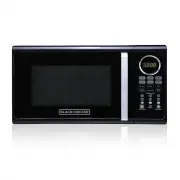 Black & Decker EM925ACP-P2
User Manual
Black & Decker EM925ACP-P2
User Manual