Page 3 - Contents
3 SAFETY INFORMATION . . . . . . . . . . . . . . . . . . . . . . . . . . . . . . . . . . . . . . . . . . . . . . . . . . . . . . . . . . . . . . . . . . . 4 Precautions to avoid possible exposure to excessive microwave energy: . . . . . . . . . . . . . . . . . . . . . . . . . . . . . . . . . 4IMPORT...
Page 4 - SAFETY INFORMATION; IMPORTANT; READ; Warning
4 SAFETY INFORMATION For your safety, the information in this manual must be followed to minimize the risk of fire or explosion or to prevent property damage, personal injury, or loss of life. Precautions to avoid possible exposure to excessive microwave energy: 1 Do not attempt to operate this micr...
Page 5 - Unpacking and examining your microwave; Grounding instructions
5 Unpacking and examining your microwave Open the bottom of the carton, bend the carton flaps back, and tilt the microwave oven over to rest on the plasticfoam pad. Lift the carton off the microwave oven and remove all packing materials, including the User Guide , Installation Guide , templates (2),...
Page 6 - ABOUT YOUR MICROWAVE OVEN; Notes; Grounding plug
6 The microwave oven is equipped with a 3-prong grounding plug. It must be plugged into a wall recep-tacle that is properly installed and grounded. DO NOT UNDER ANY CIRCUMSTANCES CUT OR REMOVE THE GROUNDING PIN FROM THE PLUG. DO NOT USE AN EXTENSION CORD. If the power supply cord is too short, have ...
Page 7 - ABOUT MICROWAVE COOKING; Cookware and cooking materials; This device complies with part 18 of the FCC Rules.
7 ABOUT MICROWAVE COOKING • Arrange food carefully. Place thickest areas towards outside of the dish. • Watch the cooking time. Cook for the shortest amount of time indicated and add more as needed. Food severely overcooked can smoke or ignite. • Cover foods while cooking. Check the recipe or cookbo...
Page 8 - MATERIAL
8 Materials you can use Materials to be avoided MATERIAL REMARKS Browning dish Follow the manufacturer’s instructions. The bottom of the browning dish must be at least 3/16-in. (5mm) above the turntable. Incorrect usage may cause the turntable to break. Dinnerware Use microwave-safe only. Follow the...
Page 9 - BOTTOM; Features; Package contents; Microwave oven
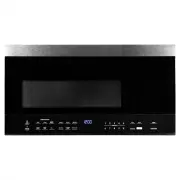
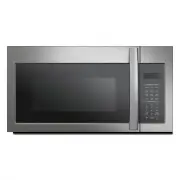
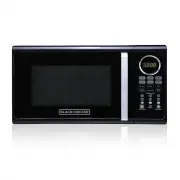
9 Window Control panel Safety interlock system Vent openings Waveguide coverDO NOT REMOVE Turntable Surface lights Grease filters BOTTOM Features • Sensor cooking • 10 variable power levels • Add 30 seconds and express cooking • 1000W of power • Exhaust fan with two speeds • Task lighting • Child lo...
Page 10 - Control panel; ITEM
10 Control panel # ITEM DESCRIPTION 1 Light Press to turn on/off the light underneath your microwave. See “Using the light” on page 1 2 SENSOR COOKING Detects the humidity released by your cooking food and adjusts the cooking time based on the type and amount of food cooking. 3 Popcorn Press to cook...
Page 11 - Installing the turntable; Using your microwave; Tips for the best results
11 Installing the turntable 1 Place the turntable ring in the round depression in the bottom of the microwave oven so that it turns freely. 2 Place the glass turntable (flat side up) on the turntable ring so that the hub engages the turntable shaft in the bottom of the oven. The glass turntable shou...
Page 12 - Wrapping in paper towels or waxed paper; Cooking in your microwave; Time Cook; , then use the number pad to enter the cooking time that you want.; Power Level; Start; Note; For example, to enter 3 minutes and 15 seconds, press; while cooking to check the power level.; Note
12 Wrapping in paper towels or waxed paper Sandwiches and many other food types containing pre baked bread should be wrapped prior to placing in the microwave to help prevent the food items from drying out while heating. Cooking in your microwave 1 Press Time Cook , then use the number pad to enter ...
Page 13 - Cooking with multiple cooking stages; Setting the clock; Using the Timer; Cooking quickly; Clock; to check the time while cooking.; You can use the timer while the microwave is cooking.; You can not quick start when using the defrost feature.
13 Cooking with multiple cooking stages For best results, some microwave recipes call for different power levels or different lengths of time forcooking. Your microwave may be set to change from one stage to another automatically (two stagesmaximum). 1 Press Time Cook , then use the number pad to en...
Page 14 - Defrosting in your microwave; Cooking with the sensor
14 Defrosting in your microwave 1 Press Defrost repeatedly to select “MEAT,” “POULTRY,” or “FISH.” 2 Press START . 3 Use the number pad to enter the weight of the item to be defrosted (in pounds). For example, 10 = 1.0 lbs. 4 Press START to start defrosting. The remaining cooking time is displayed. ...
Page 15 - Pizza; Rice; Vegetable; repeatedly to select the number of cups:; START
15 Pizza The pizza setting cooks from one to two slices (6- 8 oz.) of pizza automatically. • Press Pizza , then press START . Potato The potato setting cooks from two to four potatoes automatically. 1 Poke holes in your potatoes skin 5-6 times with a fork. Do not cover your potatoes. 2 Press Potato ...
Page 16 - Using the stop/clear button; CAUTION
16 Popcorn 1 Press Popcorn repeatedly to select your popcorn bag’s weight: 2 Press START . Beverage The beverage setting heats one two three cups of a beverage. Use the table below to determine the setting to use. 1 Press Beverage repeatedly to select the number of servings: 2 Press START . Using th...
Page 17 - Cleaning and maintaining your microwave; Cleaning the outside of your microwave; Cleaning the inside of your microwave
17 Cleaning and maintaining your microwave Cleaning the outside of your microwave Exterior The outside surface is pre-coated steel and plastic. Clean the outside with mild soap and water, then rinse and drywith a soft cloth. Do not use any type of household or abrasive cleaner. Door Wipe the window ...
Page 19 - Replacing the lights
19 4 Remove the charcoal filter by pushing it inwards, then lift up and pull it out of the microwave. 5 Insert the new charcoal filter, close the vent grill, and secure with the vent grill screws. 6 Plug the microwave back in or turn the power back on at the main circuit breaker. Replacing the light...
Page 21 - Troubleshooting
21 Troubleshooting If you have a problem with your microwave, review the following chart for a possible solution. If the microwave still does not work properly, contact the nearest authorized service center. PROBLEM POSSIBLE CAUSE POSSIBLE SOLUTION Microwave will not start The electrical cord is not...
Page 22 - Specifications
22 Specifications Model Rated voltage 120V / 60 Hz Rated input power 1550W Rated output power 1000W Microwave capacity 1.6 cu. ft. Turntable diameter 13.5 in. (34.5 cm) External dimensions ( WxHxD) 31.3 × 16.4 × 15.0 in. (79.5 × 41.7 × 38.2 cm) Internal dimensions ( WxHxD) 20.24 × 9.25 × 14.41 in. (...
Page 23 - ONE YEAR LIMITED WARRANTY; stating; SAVE THIS FOR YOUR RECORDS; Midea America Corp
ONE YEAR LIMITED WARRANTY This product carries a warranty stating that it will be free from defects in material and workmanship for a period of one year from the date of purchase. This warranty is valid for the original retail purchaser from the date of initial retail purchase and is not transferabl...