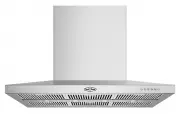
Page 2 - Welcome to Beefeater.; BEFORE USING YOUR APPLIANCE; CONTENTS
2 CONTENTS Thank you for purchasing a Beefeater cooker hood. You’ve chosen a product that brings with it decades of professional experience and innovation. Ingenious and stylish, it has been designed with you in mind. So whenever you use it, you can be safe in the knowledge that you’ll get great res...
Page 3 - ELECTRICAL CONNECTION; IMPORTANT SAFETY INSTRUCTIONS
3 SAFETY This manual explains the proper use of your new Beefeater canopy cooker hood. Please read this manual carefully before using the product. This manual should be kept in a safe place for handy reference. This cooker hood is a domestic appliance which has been manufactured and tested to comply...
Page 4 - Technical Specification; PRODUCT DESCRIPTION; Components list
4 PRODUCT DESCRIPTION Technical Specification • Power supply: 220~240 volts 50Hz Connects to 10A power point • Motors: 2 x 260 watts • Lights: 4 x 3 watt, 12 volts LED Additional items required for installation • Worm drive clamps, duct tape or cable ties • Ducting accessories PRODUCT DESCRIPTION PA...
Page 5 - Dimensions; COOKER HOOD INSTALLATION
5 COOKER HOOD INSTALLATION Dimensions MODEL WIDTH HEIGHT DEPTH WEIGHT BRC214SA 1200mm 780~1077mm 730mm 50.2kg COOKER HOOD INSTALLATION 630 780~1077 610 172 730 ø200 403 1220 60
Page 6 - Failure to install the
* If the instructions of the cooker specifies a greater distance than the minimum height stated, then that shall be the minimum height for the installation ** Installation height as specified in AS/NZS5601.1 and/or the local authority Regulations 2. Mark the location for flue cover wall mouting brac...
Page 8 - Circuit connection for gas solenoid valve:; Insert power cord to power outlet.
8 COOKER HOOD INSTALLATION Circuit connection for gas solenoid valve: Wiring from rangehood Power supply for solenoid valve Solenoid valve Br own Br own G re y G re y 8. Insert power cord to power outlet. Power supply for solenoid To gas solenoid 9. Ensure locking tab of lower flue cover is bent bef...
Page 9 - Speeds; Turing on/off the lamp; The cooker hood is not intended for continuous use over; USING THE COOKER HOOD
9 USING THE COOKER HOOD 1 3 5 2 4 6 6 5 4 3 2 1 You can also use the remote controller to control the cooker hood. The control method is the same. Before using the remote controller, please install the battery. Unscrew the locking screw. Pull the battery bracket backward. Insert the battery (battery...
Page 10 - Stainless steel surface; MAINTENANCE AND CLEANING
10 MAINTENANCE AND CLEANING WARNING! Before maintenance or cleaning is carried out, the cooker hood should be disconnected from the main power supply. Ensure the cooker hood is switched off at the wall socket and the plug removed. WARNING! External surfaces are susceptible to scratches and abrasions...
Page 11 - TROUBLESHOOTING GUIDE
11 TROUBLESHOOTING TROUBLESHOOTING GUIDE PROBLEM REMEDY The cooker hood will not start Check that cooker hood is connected to an electrical supply. Check that a fan speed has been selected. The cooker hood is not working Check that fan speed is high enough. Check that the grease filters are clean. C...
Page 12 - TYPICAL INSTALLATIONS SHOWING ACCESSORY APPLICATIONS
12 TYPICAL INSTALLATIONS TYPICAL INSTALLATIONS SHOWING ACCESSORY APPLICATIONS ROOF COWL ACCESSORY FLUE FLUE WALL VENT 90˚ ELBOW ACCESSORY Some installations may require a vertical discharge cowl. (extension may be required, depending on installation) (extension may be required, depending on installa...
Page 14 - NOTES; Warranty; Important Notice
14 NOTES NOTES This document sets out the terms and conditions of the product warranties for BeefEater Appliances. It is an important document. Please keep it with your proof of purchase documents in a safe place for future reference should there be a manufacturing defect in your Appliance. This war...