Page 2 - English; Using ASUS FlexSave; Searching for your preset username and password; To search for your preset username and password:; Query
2 English Using the hard disk drive (HDD) 1. Pull out the USB cable from the external hard drive. 2. Connect the USB cable to your computer’s USB port. Using ASUS FlexSave ASUS FlexSave is an application that allows you to easily transfer and back up data to your ASUS external hard drive. Searching ...
Page 3 - Changing your username and password
English 3 3. Key in the product’s serial key, which can be found in the orange label on the product package. 4. When done, click OK . The preset username and password is displayed. NOTE : You may change your username and password. Refer to the next section Changing your username and password for mor...
Page 4 - Transferring data to your external hard drive; Creating a Backup Plan
4 English Transferring data to your external hard drive To transfer data to your external hard drive: 1. Connect the external hard drive to your computer’s USB port. ASUS FlexSave automatically launches. 2. From the ASUS FlexSave main screen, select Easy Transfer . 3. From the Local pane, locate the...
Page 5 - Using the Backup button
English 5 NOTE : If you have not assigned a name for your Backup Plan, the default name would be My Backup . 4. Select the files or folders that you want to back up. You may select the root directory to select all files in the external hard drive. Click Reset to cancel the file/folder selection. 5. ...
Page 6 - Notices; CE Mark Warning; REACH
6 English Notices CE Mark Warning This is a Class B product, in a domestic environment, this product may cause radio interference, in which case the user may be required to take adequate measures. REACH Complying with the REACH (Registration, Evaluation, Authorisation, and Restriction of Chemicals) ...
Page 7 - 繁體中文; 使用硬碟(HDD); 搜尋您的預設使用者名稱與密碼
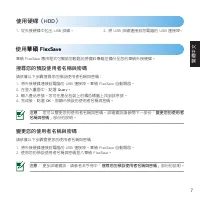
繁體中文 使用硬碟(HDD) 1. 從外接硬碟中拉出 USB 排線。 2. 將 USB 排線連接到您電腦的 USB 連接埠。 使用��� �������� ��� �������� 華碩 FlexSave 應用程式可幫助您輕鬆地將資料傳輸並備份至您的華碩外接硬碟。 搜尋您的預設使用者名稱與密碼 請依據以下步驟搜尋您的預設使用者名稱與密碼: 1. 將外接硬碟連接到電腦的 USB 連接埠。華碩 FlexSave 自動開啟。2. 在登入畫面中,點選 Query 。 3. 輸入產品序號。您可在產品包裝上的橘色標籤上找到該序號。4. 完成後,點選 OK ,即顯示預設的使用者名稱與密碼。 注意 : 您可以...
Page 8 - 傳輸資料至外接硬碟
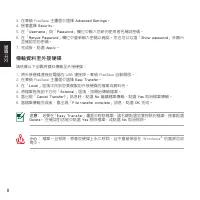
繁體中文 傳輸資料至外接硬碟 請依據以下步驟將資料傳輸至外接硬碟: : 1. 將外接硬碟連接到電腦的 USB 連接埠。華碩 FlexSave 自動開啟。2. 在華碩 FlexSave 主畫面中選擇 Easy Transfer 。 3. 在「 Local 」區塊中找到您要複製到外接硬碟的檔案或資料夾。 4. 將檔案拖曳到下方的「 External 」區塊,即開始傳輸檔案。 5. 當出現「 Cancel Transfer? 」訊息時,點選 No 繼續檔案傳輸,點選 Yes 取消檔案傳輸。 6. 當檔案傳輸完成後,會出現「 File transfer complete 」訊息,點選 OK 完成。 小...
Page 9 - 備份資料; 建立一份備份計劃
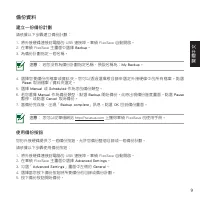
繁體中文 備份資料 建立一份備份計劃 請依據以下步驟建立備份計劃: 1. 將外接硬碟連接到電腦的 USB 連接埠。華碩 FlexSave 自動開啟。2. 在華碩 FlexSave 主畫面中選擇 Backup 。 3. 為備份計劃指定一個名稱。 注意 : 若您沒有為備份計劃指定名稱,預設名稱為: My Backup 。 4. 選擇您要備份的檔案或資料夾。您可以透過選擇根目錄來選定外接硬碟中的所有檔案。點選 Reset 取消檔案 / 資料夾選定。 5. 選擇 Manual 或 Scheduled 作為您的備份類型。 6. 若您選擇 Manual 作為備份類型,點選 Backup 開始備份。此時出現...
Page 10 - 簡體中文; 使用硬盤(HDD); 搜索您的默認用戶名與密碼
10 簡體中文 使用硬盤(HDD) 1. 從外接硬盤中拉出 USB 數據線。 2. 將 U S B 數 據 線 連 接 到 您電腦 的 U S B 接 口。 使用��� �������� ��� �������� 華碩 FlexSave 應用程序可幫助您輕鬆地將數據傳輸並備份至您的華碩外接硬盤。 搜索您的默認用戶名與密碼 請依據以下步驟搜索您的默認用戶名與密碼: 1. 將外接硬盤連接到電腦的 USB 接口。華碩 FlexSave 自動開啟。2. 在登錄畫面中,點擊【Query】。3. 輸入產品序列號。您可在產品包裝上的橘色標籤上找到該序列號。4. 完成後,點擊【OK】,即顯示默認的用戶名與密碼...
Page 11 - 傳輸數據至外接硬盤
簡體中文 11 傳輸數據至外接硬盤 請依據以下步驟將數據傳輸至外接硬盤: : 1. 將外接硬盤連接到電腦的 USB 接口。華碩 FlexSave 自動開啟。2. 在華碩 FlexSave 主畫面中選擇【Easy Transfer】。3. 在“Local”區域中找到您要複製到外接硬盤的文件或文件夾。4. 將文件拖曳到“External”區域,即開始文件傳輸。 5. 當出現“Cancel Transfer?”信息時,點擊【No】繼續文件傳輸,點擊【Yes】取消文件傳 輸。 6. 當文件傳輸完成後,會出現“File transfer complete”信息,點擊【OK】完成。 小心: 文件一旦被刪除...
Page 12 - 備份數據; 創建一份備份計劃
12 簡體中文 備份數據 創建一份備份計劃 請依據以下步驟創建備份計劃: 1. 將外接硬盤連接到電腦的 USB 接口。華碩 FlexSave 自動開啟。2. 在華碩 FlexSave 主畫面中選擇【Backup】。3. 為備份計劃指定一個名稱。 注意: 若您沒有為備份計劃指定名稱,默認名稱為:My Backup。 4. 選擇您要備份的文件或文件夾。您可以通過選擇根目錄來選定外接硬盤中的所有文件。點擊 【Reset】取消文件/文件夾選定。 5. 選擇【Manual】或【Scheduled】作為您的備份類型。6. 若您選擇【Manual】作為備份類型,點擊【Backup】開始備份。此時出現備份進度...
Page 13 - ançais; Utiliser le disque dur externe; Obtenir votre nom d’utilisateur et mot de passe
Fr ançais 13 Utiliser le disque dur externe 1. Sortez le câble USB du disque dur externe. 2. Connectez le câble USB à l’un des ports USB de votre ordinateur. Utiliser ASUS FlexSave ASUS FlexSave est une application vous permettant de transférer ou d’effectuer une copie de sauvegarde de vos données s...
Page 14 - Français; Transférer des données sur le disque dur externe
14 Français Transférer des données sur le disque dur externe Pour transférer des données sur le disque dur externe : 1. Connectez le disque dur externe à l’un des ports USB de votre ordinateur. ASUS FlexSave s’exécute automatiquement. 2. À partir de l’écran principal d’ASUS FlexSave, sélectionnez Ea...
Page 15 - Sauvegarde de données; Créer un plan de sauvegarde
Fr ançais 15 Sauvegarde de données Créer un plan de sauvegarde Pour créer un plan de sauvegarde : 1. Connectez le disque dur externe à l’un des ports USB de votre ordinateur. ASUS FlexSave s’exécute automatiquement. 2. À partir de l’écran principal d’ASUS FlexSave, sélectionnez Backup (Sauvegarder)....
Page 16 - eutsch; Verwenden von ASUS FlexSave; Voreingestellten Benutzernamen und Kennwort finden
16 D eutsch Verwenden des Festplattenlaufwerks (HDD) 1. Ziehen Sie das USB-Kabel aus dem Gehäuse der externen Festplatte heraus. 2. Stecken Sie den Stecker des USB-Kabels in einen Freien USB-Anschluss Ihres Computers. Verwenden von ASUS FlexSave ASUS FlexSave ist ein Programm mit dem Sie Daten ganz ...
Page 17 - Daten zur externeen Festplatte übertragen
D eutsch 1 Daten zur externeen Festplatte übertragen So übertragen Sie Daten zu Ihrer externen Festplatte: 1. Verbinden Sie die externe Festplatte mit einen USB-Anschluss Ihres Computers. ASUS FlexSave wird daraufhin automatisch gestartet. 2. Wählen Sie im ASUS FlexSave-Hauptfenster Easy Transfer . ...
Page 18 - Sichern von Daten; Erstellen eines Sicherungsplanes
1 D eutsch Sichern von Daten Erstellen eines Sicherungsplanes So erstellen Sie einen Sicherungsplan: 1. Verbinden Sie die externe Festplatte mit einen USB-Anschluss Ihres Computers. ASUS FlexSave wird daraufhin automatisch gestartet. 2. Wählen Sie im ASUS FlexSave-Hauptfenster Backup . 3. Weisen Sie...
Page 19 - Italiano; ASUS FlexSave; Ricerca del nome utente e della password predefinita; Modifica del nome utente e della password.
Italiano 1 Utilizzo del Disco Rigido (HDD) 1. Estrarre il cavo USB dall’unità disco rigido. 2. Collegare il cavo USB alla porta USB del computer. ASUS FlexSave ASUS FlexSave è un’ applicazione per eseguire facilmente una copia di riserva dei dati sul disco rigido esterno ASUS. Ricerca del nome utent...
Page 20 - Trasferimento dati sul disco rigido esterno
20 Italiano Trasferimento dati sul disco rigido esterno Per trasferire i dati sul disco rigido esterno: 1. Collegare il disco rigido esterno alla porta USB del computer e si avvia automaticamente ASUS FlexSave. 2. Dalla schermata principale ASUS FlexSave, selezionare Easy Transfer . 3. Dal pannello ...
Page 21 - Backup dei Dati; Creazione di un piano di backup
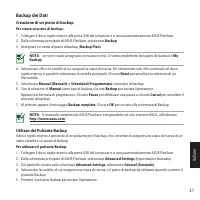
Italiano 21 Backup dei Dati Creazione di un piano di backup Per creare un piano di backup: 1. Collegare il disco rigido esterno alla porta USB del computer e si avvia automaticamente ASUS FlexSave. 2. Dalla schermata principale di ASUS FlexSave, selezionare Backup . 3. Assegnare un nome al piano di ...
Page 22 - ユーザー名とパスワードを検索する
22 日 本 語 ハードディスクドライブ(HDD)を使用する 1. 本���������������������� 本���������������������� ����������� します。 2. ��������コンピュ�タ�の���ポ�ト�接 続します。 ASUS FlexSave を使用する A��� Flex�ave は、本�へのデ�タ転送とデ�タのバックアップが、簡単�行え�アプリ��ションです。 ユーザー名とパスワードを検索する 手順 1. 本��コンピュ�タ�の���ポ�ト�接続す�と、A��� Flex�ave が自動的�起動します。2. ログオン画面から「 Query ...
Page 23 - 本機にデータを転送する
日 本 語 23 本機にデータを転送する 手順 1. 本��コンピュ�タ�の���ポ�ト�接続す�と、A��� Flex�ave が自動的�起動します。2. A��� Flex�ave メイン画面から「 Easy Transfer 」�選択します。 3. 「 Local 」から本��コピ�す�ファイ�/フォ�ダ��参照します。 4. ファイ��「 External 」�ドラッグ&ドロップし�ファイ�の転送�開始します。 5. 「 Cancel Transfer? 」と�うメッセ�ジが表示��ます。ファイ�転送�実行す�場合は「 No 」�クリックし、 実行しな�場合は「 Yes 」�クリックし...
Page 24 - データをバックアップする; バックアッププランを作成する
24 日 本 語 データをバックアップする バックアッププランを作成する 手順 1. 本��コンピュ�タ�の���ポ�ト�接続す�と、A��� Flex�ave が自動的�起動します。2. A��� Flex�ave メイン画面から「 Backup 」�選択します。 3. 「 Backup Plan 」の名前�決め、入力します。 �ackup Plan の名前�入力しなかった場合、初期設定の「 My Backup 」が割り当�ら�ます。 4. バックアップす�ファイ�/フォ�ダ��選択します。��トディレクトリ�選択し�、本��保存したファイ ��全�選択す�こともで�ます。選択�解除す��は...
Page 25 - 한국어; ASUS FlexSave 사용; 기본 설정된 사용자 이름 및 암호 검색
25 한국어 하드 디스크 드라이브(HDD) 사용 1. 외장 하드 드라이브에서 USB 케이블을 꺼냅니 다. 2. USB 케이블을 컴퓨터의 USB 포트에 연결합니 다. ASUS FlexSave 사용 ASUS FlexSave는 데이터를 ASUS 외장 하드 드라이브에 손쉽게 전송 및 백업할 수 있는 응용 프로그램입니다. 기본 설정된 사용자 이름 및 암호 검색 기본 설정된 사용자 이름 및 암호 검색 방법: 1. 외장 하드 드라이브를 컴퓨터의 USB 포트에 연결합니다. ASUS FlexSave가 자동으로 실행됩니다.2. 로그인 화면에서 Que...
Page 26 - 외장 하드 드라이브로 데이터 전송
26 한국어 외장 하드 드라이브로 데이터 전송 외장 하드 드라이브로 데이터를 전송하는 방법: 1. 외장 하드 드라이브를 컴퓨터의 USB 포트에 연결합니다. ASUS FlexSave가 자동으로 실행됩니다.2. ASUS FlexSave 주 화면에서 Easy Transfer (쉬운 전송) 을 선택합니다. 3. Local (로컬) 창에서 외장 하드 드라이브로 복사하고자 하는 파일 또는 폴더의 위치를 찾습니다. 4. 파일을 External (외부) 창에 끌어서 놓아 파일 전송을 시작합니다. 5. Cancel Transfer? (전송을 취소하...
Page 27 - 데이터 백업; 백업 계획 만들기; 백업 버튼 사용
27 한국어 데이터 백업 백업 계획 만들기 백업 계획을 만드는 방법: 1. 외장 하드 드라이브를 컴퓨터의 USB 포트에 연결합니다. ASUS FlexSave가 자동으로 실행됩니다.2. ASUS FlexSave 주 화면에서 Backup (백업) 을 선택합니다.. 3. Backup Plan (백업 계획) 의 이름을 지정합니다. 참고 : 백업 계획의 이름을 지정하지 않은 경우에는 기본 이름이 My Backup 이 됩니다 . 4. 백업하고자 하는 파일 또는 폴더를 선택합니다. 루트 디렉터리를 선택하여 외장 하드 드라이브의 모든 파일을 선택...
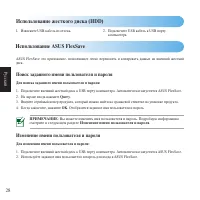
Page 28 - Русский; Использование ASUS FlexSave; Поиск заданного имени пользователя и пароля; Для поиска заданного имени пользователя и пароля:; ПРИМЕЧАНИЕ; Изменение имени пользователя и пароля.; Изменение имени пользователя и пароля; Для изменения имени пользователя и пароля:
28 Русский Использование жесткого диска (HDD) 1. Извлеките USB кабель из отсека. 2. Подключите USB кабель к USB порту компьютера. Использование ASUS FlexSave ASUS FlexSave это приложение, позволяющее легко переносить и копировать данные на внешний жесткий диск. Поиск заданного имени пользователя и п...
Page 29 - Перенос данных на внешний жесткий диск
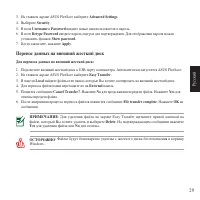
Русский 29 Перенос данных на внешний жесткий диск Для переноса данных на внешний жесткий диск: 1. Подключите внешний жесткий диск к USB порту компьютера. Автоматически запустится ASUS FlexSave.2. На главном экране ASUS FlexSave выберите Easy Transfer . 3. В панели Local найдите файлы или папки, кото...
Page 30 - Резервное копирование данных; Создание профиля для резервного копирования; Для создания профиля резервного копирования:; Backup Plan; Использование кнопки Backup
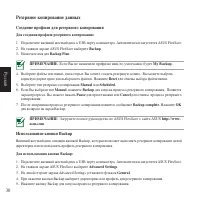
30 Русский Резервное копирование данных Создание профиля для резервного копирования Для создания профиля резервного копирования: 1. Подключите внешний жесткий диск к USB порту компьютера. Автоматически запустится ASUS FlexSave.2. На главном экране ASUS FlexSave выберите Backup . 3. Назначьте имя для...
Page 31 - Čeština; Používání ASUS FlexSave; Hledání přednastaveného uživatelského jména a hesla; Změna uživatelského jména a hesla
Čeština 31 Používání pevného disku (HDD) 1. Vysuňte kabel USB z externího pevného disku. 2. Připojte kabel USB k portu USB počítače. Používání ASUS FlexSave ASUS FlexSave je aplikace, která vám umožňuje snadno přenášet a zálohovat data na externím pevném disku ASUS. Hledání přednastaveného uživatels...
Page 32 - Přenášení dat na externí pevný disk
32 Čeština Přenášení dat na externí pevný disk Pokyny pro přenášení dat na externí pevný disk: 1. Připojte externí pevný disk k portu USB počítače. Automaticky se spustí ASUS FlexSave.2. Na hlavní obrazovce ASUS FlexSave vyberte Easy Transfer (Snadný přenos) . 3. V podokně Local (Místní) vyhledejte ...
Page 33 - Zálohování dat; Vytvoření plánu zálohování; Pokyny pro vytvoření plánu zálohování:
Čeština 33 Zálohování dat Vytvoření plánu zálohování Pokyny pro vytvoření plánu zálohování: 1. Připojte externí pevný disk k portu USB počítače. Automaticky se spustí ASUS FlexSave.2. Na hlavní obrazovce ASUS FlexSave vyberte Backup (Zálohovat) . 3. Přiřaďte název pro Backup Plan (Plán zálohování) ....
Page 34 - Az ASUS FlexSave használata; Az előre beállított felhasználónév és jelszó keresése
34 M agyar A merevlemez-meghajtó (HDD) használata 1. Húzza ki az USB-kábelt a külső merevlemez- meghajtóból. 2. Csatlakoztassa az USB-kábelt a számítógép USB portjához. Az ASUS FlexSave használata Az ASUS FlexSave olyan alkalmazás, amely lehetővé teszi az adatok átvitelét és biztonsági mentését az A...
Page 35 - agy; Adatok átvitele a külső merevlemez-meghajtóra
M agy ar 35 Adatok átvitele a külső merevlemez-meghajtóra Adatok átviteléhez a külső merevlemez-meghajtóra: 1. Csatlakoztassa a külső merevlemez-meghajtót a számítógép USB portjához. Az ASUS FlexSave automatikusan elindul. 2. Az ASUS FlexSave főképernyőn jelölje ki az Easy Transfer (Egyszerű áttölté...
Page 36 - Adatok biztonsági mentése; Mentési terv létrehozása
36 M agyar Adatok biztonsági mentése Mentési terv létrehozása Mentési terv létrehozásához: 1. Csatlakoztassa a külső merevlemez-meghajtót a számítógép USB portjához. Az ASUS FlexSave automatikusan elindul. 2. Az ASUS FlexSave főképernyőn jelölje ki az Backup (Biztonsági mentés) elemet. 3. Nevezze el...
Page 37 - Polsk; Korzystanie z ASUS FlexSave; Wyszukiwanie wstępnie ustawionych nazwy użytkownika i hasła
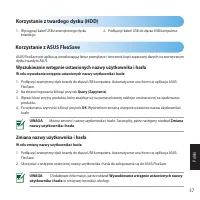
Polsk i 3 Korzystanie z twardego dysku (HDD) 1. Wyciągnąć kabel USB z zewnętrznego dysku twardego. 2. Podłączyć kabel USB do złącza USB komputera. Korzystanie z ASUS FlexSave ASUS FlexSave jest aplikacją umożliwiającą łatwe przesyłanie i tworzenie kopii zapasowej danych na zewnętrznym dysku twardym ...
Page 38 - Przesyłanie danych na zewnętrzny dysk twardy
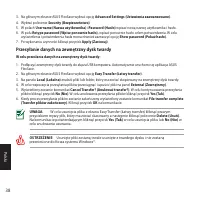
3 Polski Przesyłanie danych na zewnętrzny dysk twardy W celu przesłania danych na zewnętrzny dysk twardy: 1. Podłączyć zewnętrzny dysk twardy do złącza USB komputera. Automatycznie uruchomi się aplikacja ASUS FlexSave. 2. Na głównym ekranie ASUS FlexSave wybrać opcję Easy Transfer (Łatwy transfer) ....
Page 39 - Wykonywanie kopii zapasowej danych; Tworzenie planu kopii zapasowej
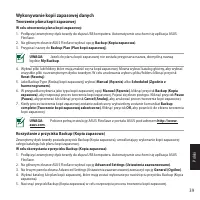
Polsk i 3 Wykonywanie kopii zapasowej danych Tworzenie planu kopii zapasowej W celu utworzenia planu kopii zapasowej: 1. Podłączyć zewnętrzny dysk twardy do złącza USB komputera. Automatycznie uruchomi się aplikacja ASUS FlexSave. 2. Na głównym ekranie ASUS FlexSave wybrać opcję Backup (Kopia zapaso...
Page 40 - Utilizar o ASUS FlexSave; Procurar o nome de utilizador e a palavra-passe predefinidos; Alterar o nome de utilizador e a palavra-passe
40 Por tuguês Utilizar a unidade de disco rígido (HDD) 1. Retire o cabo USB do disco rígido externo. 2. Ligue o cabo USB à porta USB do computador. Utilizar o ASUS FlexSave O ASUS FlexSave é uma aplicação que permite facilmente transferir e efectuar a cópia de segurança de dados do seu disco rígido ...
Page 41 - Transferir dados para o seu disco rígido externo
Por tuguês 41 Transferir dados para o seu disco rígido externo Para transferir dados para o seu disco rígido externo: 1. Ligue o disco rígido externo à porta USB do computador. O ASUS FlexSave será automaticamente executado.2. No ecrã principal do ASUS FlexSave, seleccione Easy Transfer (Transferênc...
Page 42 - Efectuar cópia de segurança de dados; Criar um plano de cópia de segurança
42 Por tuguês Efectuar cópia de segurança de dados Criar um plano de cópia de segurança Para criar um plano de cópia de segurança: 1. Ligue o disco rígido externo à porta USB do computador. O ASUS FlexSave será automaticamente executado.2. No ecrã principal do ASUS FlexSave, seleccione Backup (Cópia...
Page 43 - Română; Utilizarea aplicaţiei ASUS FlexSave; Căutarea numelui de utilizator şi a parolei prestabilite
43 Română Utilizarea unităţii de hard disk (HDD) 1. Scoateţi cablul USB de la hard diskul extern. 2. Conectaţi cablul USB la portul USB de pe computer. Utilizarea aplicaţiei ASUS FlexSave ASUS FlexSave este o aplicaţie care vă permite să transferaţi uşor şi să realizaţi copii de rezervă ale datelor ...
Page 44 - Transferul datelor pe hard diskul extern
44 Română Transferul datelor pe hard diskul extern Pentru a transfera date pe hard diskul extern: 1. Conectaţi hard diskul extern la portul USB de pe computer. ASUS FlexSave se lansează automat.2. În ecranul principal ASUS FlexSave, selectaţi Easy Transfer (Transfer uşor) . 3. În panoul Local , loca...
Page 45 - Copierea de rezervă a datelor; Crearea unui plan de rezervă
45 Română Copierea de rezervă a datelor Crearea unui plan de rezervă Pentru a crea un plan de rezervă: 1. Conectaţi hard diskul extern la portul USB de pe computer. ASUS FlexSave se lansează automat.2. În ecranul principal ASUS FlexSave, selectaţi Backup (Copiere de rezervă) . 3. Atribuiţi un nume p...
Page 46 - Slo; Používanie aplikácie ASUS FlexSave; Vyhľadanie prednastaveného používateľského mena a hesla; Zmena používateľského mena a hesla
46 Slo vensky Používanie mechaniky pevného disku (HDD) 1. Z externého pevného disku vytiahnite USB kábel. 2. USB kábel pripojte k USB portu počítača. Používanie aplikácie ASUS FlexSave ASUS FlexSave je aplikácia, ktorá vám umožňuje jednoduchým spôsobom prenášať a zálohovať údaje na externom disku AS...
Page 47 - Prenos údajov do externého pevného disku; Prenos údajov do externého pevného disku:
Slo vensk y 4 Prenos údajov do externého pevného disku Prenos údajov do externého pevného disku: 1. Externý pevný disk pripojte k USB portu počítača. Aplikácia ASUS FlexSave sa spustí automaticky.2. V rámci hlavnej obrazovky aplikácie ASUS FlexSave si zvoľte Easy Transfer (Jednoduchý prenos) . 3. Na...
Page 48 - Zálohovanie údajov; Vytvorenie plánu zálohovania; Vytvorenie plánu zálohovania:
4 Slo vensky Zálohovanie údajov Vytvorenie plánu zálohovania Vytvorenie plánu zálohovania: 1. Externý pevný disk pripojte k USB portu počítača. Aplikácia ASUS FlexSave sa spustí automaticky.2. V rámci hlavnej obrazovky aplikácie ASUS FlexSave si zvoľte Backup (Zálohovať) . 3. Priraďte akýkoľvek názo...
Page 49 - Uporaba ASUS FlexSave; Iskanje vnaprej nastavljenega uporabniškega imena in gesla; Spreminjanje uporabniškega imena in gesla
Slo venščina 4 Uporaba pogona trdega diska (HDD) 1. Iz zunanjega trdega diska izvlecite kabel USB. 2. Kabel USB povežite z vrati USB vašega računalnika. Uporaba ASUS FlexSave ASUS FlexSave je aplikacija, ki vam omogoča enostaven prenos in varnostno kopiranje podatkov na zunanji trdi disk ASUS. Iskan...
Page 50 - Prenos podatkov na zunanji trdi disk; Kako prenesti podatke na zunanji trdi disk:
50 Slo venščina Prenos podatkov na zunanji trdi disk Kako prenesti podatke na zunanji trdi disk: 1. Zunanji trdi disk priključite v vrata USB na računalniku. ASUS FlexSave se samodejno zažene.2. Na glavnem zaslonu ASUS FlexSave izberite Easy Transfer (Preprost prenos) . 3. V podoknu Local (Lokalno) ...
Page 51 - Varnostno kopiranje podatkov; Ustvarjanje načrta varnostnega kopiranja
Slo venščina 51 Varnostno kopiranje podatkov Ustvarjanje načrta varnostnega kopiranja Kako ustvariti načrt varnostnega kopiranja: 1. Zunanji trdi disk priključite v vrata USB na računalniku. ASUS FlexSave se samodejno zažene.2. Na glavnem zaslonu ASUS FlexSave izberite Backup (Varnostno kopiraj) . 3...
Page 52 - Español; Utilizar ASUS FlexSave; Buscar su nombre de usuario y contraseña predefinidos
52 Español Utilizar la unidad de disco duro (HDD) 1. Retire el cable USB de la unidad de disco duro externo. 2. Conecte el cable USB al puerto USB del equipo. Utilizar ASUS FlexSave ASUS FlexSave es una aplicación que permite transferir datos fácilmente a la unidad de disco duro externa ASUS y reali...
Page 53 - Transferir datos a la unidad de disco duro externa
Español 53 Transferir datos a la unidad de disco duro externa Para transferir datos a la unidad de disco duro externa 1. Conecte la unidad de disco duro externa al puerto USB del equipo. ASUS FlexSave se iniciará automáticamente. 2. En la pantalla principal de ASUS FlexSave, seleccione Easy Transfer...
Page 54 - Hacer copias de seguridad de los datos; Crear un plan de copia de seguridad
54 Español Hacer copias de seguridad de los datos Crear un plan de copia de seguridad Para crear un plan de copia de seguridad: 1. Conecte la unidad de disco duro externa al puerto USB del equipo. ASUS FlexSave se iniciará automáticamente.2. En la pantalla principal de ASUS FlexSave, seleccione Back...
Page 55 - ไทย; การใช้ ASUS FlexSave; การค้นหาชื่อผู้ใช้และรหัสผ่านพรีเซ็ตของคุณ
ไทย 55 การใช้ฮาร์ดดิสก์ไดรฟ์ (HDD) 1. ดึงสายเคเบิล USB ออกจากฮาร์ดไดรฟ์ภายนอก 2. เชื่อมต่อสายเคเบิล USB เข้ากับพอร์ต USB ของคอมพิวเตอร์ของคุณ การใช้ ASUS FlexSave ASUS FlexSave เป็นแอปพลิเคชั่นที่อนุญาตให้คุณถ่ายโอน และสำรองข้อมูลไปยังฮาร์ดไดรฟ์ภายนอก ASUS ของคุณได้อย่างง่ายดาย การค้นหาชื่อผู้ใช้และ...
Page 56 - การถ่ายโอนข้อมูลไปยังฮาร์ดไดรฟ์ภายนอกของคุณ; ในการถ่ายโอนข้อมูลไปยังฮาร์ดไดรฟ์ภายนอกของคุณ:
56 ไทย การถ่ายโอนข้อมูลไปยังฮาร์ดไดรฟ์ภายนอกของคุณ ในการถ่ายโอนข้อมูลไปยังฮาร์ดไดรฟ์ภายนอกของคุณ: 1. เชื่อมต่อฮาร์ดไดรฟ์ภายนอกเข้ากับพอร์ต USB ของคอมพิวเตอร์ของคุณ ASUS FlexSave จะเปิดขึ้นโดย อัตโนมัติ 2. จากหน้าจอหลัก ASUS FlexSave, เลือก Easy Transfer (ถ่ายโอนอย่างง่าย) . 3. จากหน้าต่าง Local (ท้อ...
Page 57 - การสํารองข้อมูล; การสร้างแผนสํารอง
ไทย 57 การสำรองข้อมูล การสร้างแผนสำรอง ในการสร้างแผนสำรอง: 1. เชื่อมต่อฮาร์ดไดรฟ์ภายนอกเข้ากับพอร์ต USB ของคอมพิวเตอร์ของคุณ ASUS FlexSave จะเปิดขึ้นโดย อัตโนมัติ 2. จากหน้าจอหลัก ASUS FlexSave, เลือก Backup (สำรอง) . 3. กำหนดชื่อสำหรับ Backup Plan (แผนสำรอง) หมายเหต : ถ้าคุณยังไม่ได้กำหนดชื่อสำหรับ...
Page 58 - ASUS FlexSave’in Kullanımı; Önceden tanımlı kullanıcı adınızı ve parolanızı arama
5 Tür kç e Sabit disk sürücüsünün (HDD) kullanımı 1. USB kablosunu harici sabit diskten çıkarın. 2. USB kablosunu bilgisayarınızın USB bağlantı noktasına takın. ASUS FlexSave’in Kullanımı ASUS FlexSave, verileri ASUS harici sabit diskinize kolayca aktarmanıza ve yedeklemenize imkan tanıyan bir uygul...
Page 59 - Harici diskinize veri aktarımı; Harici diskinize veri aktarmak için:
Tür kç e 5 Harici diskinize veri aktarımı Harici diskinize veri aktarmak için: 1. Harici sabit diski bilgisayarınızın USB bağlantı noktasına takın. ASUS FlexSave otomatik olarak başlar.2. ASUS FlexSave ana ekranından Easy Transfer (Kolay Aktarım) seçeneğini seçin. 3. Local (Yerel) bölmesinden harici...
Page 60 - Veri yedekleme; Yedekleme Planı Oluşturma
60 Tür kç e Veri yedekleme Yedekleme Planı Oluşturma Yedekleme Planı oluşturmak için: 1. Harici sabit diski bilgisayarınızın USB bağlantı noktasına takın. ASUS FlexSave otomatik olarak başlar.2. ASUS FlexSave ana ekranından Backup (Yedekle) seçeneğini seçin. 3. Backup Plan ( Yedekleme Planı) için bi...
Page 61 - Українськ; Користування жорстким диском; Пошук попередньо встановлених імені користувача і паролю
61 Українськ а Користування жорстким диском 1. Витягніть із зовнішнього дисководу кабель USB. 2. Підключіть кабель USB до порту USB комп’ютера. Користування ASUS FlexSave ASUS FlexSave – це задача, яка надає можливість легко передавати дані на зовнішній жорсткий диск ASUS і створювати на ньому резер...
Page 62 - Передача даних на зовнішній жорсткий диск; Щоб передавати дані на зовнішній жорсткий диск:
62 Українськ а Передача даних на зовнішній жорсткий диск Щоб передавати дані на зовнішній жорсткий диск: 1. Підключіть зовнішній жорсткий диск до порту USB комп’ютера. Автоматично запуститься ASUS FlexSave.2. На головному екрані ASUS FlexSave виберіть Easy Transfer (Легка передача) . 3. На панелі Lo...
Page 63 - Резервне копіювання даних; Створення плану резервного копіювання
63 Українськ а Резервне копіювання даних Створення плану резервного копіювання Щоб створити план резервного копіювання: 1. Підключіть зовнішній жорсткий диск до порту USB комп’ютера. Автоматично запуститься ASUS FlexSave.2. На головному екрані ASUS FlexSave виберіть Backup (Резервне копіювання) . 3....










 Asus 1001P-MU17-WT
User Manual
Asus 1001P-MU17-WT
User Manual
 Asus 1 E1309
User Manual
Asus 1 E1309
User Manual
 Asus 1015E
User Manual
Asus 1015E
User Manual
 Asus 1064E - PIKE Storage Controller SAS
User Manual
Asus 1064E - PIKE Storage Controller SAS
User Manual
 Asus 136-480A
User Manual
Asus 136-480A
User Manual
 Asus 1225 Series
User Manual
Asus 1225 Series
User Manual
 Asus 13VH192C
Manual
Asus 13VH192C
Manual
 Asus 1U
User Manual
Asus 1U
User Manual
 Asus 1U Rackmount Barebone Server RS160-E3/PS4
User Manual
Asus 1U Rackmount Barebone Server RS160-E3/PS4
User Manual
 Asus 200/266 MHZ FSB AGP 4X
User Manual
Asus 200/266 MHZ FSB AGP 4X
User Manual
 Asus 1U Rackmount Chassis Kit R10-A2P4
User Manual
Asus 1U Rackmount Chassis Kit R10-A2P4
User Manual
 Asus 24T1E
User Manual
Asus 24T1E
User Manual
 Asus 22T1E
User Manual
Asus 22T1E
User Manual