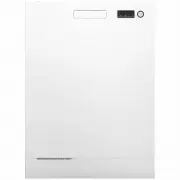
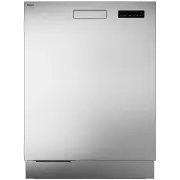
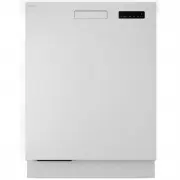
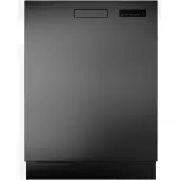
Page 2 - Contents
3 Your dishwasher ........................................ 4 Safety instructions ..................................... 5 Child lock ..................................................... 5 Installation .................................................... 5 Overflow guard ................................
Page 3 - Welcome to your new ASKO dishwasher. This is a first time setup.; Your dishwasher
Welcome to our growing ASKO family! We are proud of our appliances. We hope that this appliance will be an appreciated and dependableaid for many years to come. Please read the operating instructions before use. They include general tips, information about thesettings and adjustments you can make, a...
Page 4 - Safety instructions
• Read the operating instructions and keep them in a safe place!• Number of place settings: 16• Never use the dishwasher for any purpose other than that specified in these operating instructions. • Do not load the dishwasher door or dishwasher baskets with anything other than dishes. • The door shou...
Page 5 - Child lock; Installation; Overflow guard
• Children should be supervised to ensure that they do not play with the appliance. • Children must be watched. Do not allow children to use or play with the dishwasher. Be especially vigilant when the door is open.Some detergent may remain inside! After adding detergent, alwaysstart the dishwasher ...
Page 6 - Disposal
Winter storage/Transport Store the dishwasher above freezing temperature and avoid long transport distances in very coldweather. Transport the dishwasher upright or laying on its back. Handle the front corners of the dishwasher with care so that they do not get bent, which can affectdoor opening. Wa...
Page 7 - Before washing for the first time
Water hardness In order to achieve good dishwashing results, the dishwasher needs soft water (water with low mineralcontent). Hard water leaves a white coating on dishes and the dishwasher. Checking water hardness Contact the local water utility to check the water hardness in your area. This is impo...
Page 8 - Top up rinse aid; MAX; Top up auto dose; MAX
Top up rinse aid Top up the rinse aid compartment with rinse aid if you have selected Rinse aid 1 - 5. Lift up to open Press to close 1. Open the rinse aid compartment lid. 2. Carefully top the rinse aid up to the marked level MAX . 3. Wipe up any splashes of rinse aid around the compartment. 4. Clo...
Page 9 - Doses of dishwasher detergent gel
NOTE! Use only dishwasher detergent gel in the automatic dose compartment! Do not use dishwasherdetergent powder. Washing up liquid must not be used as the foam that forms prevents thedishwasher from operating effectively. Some thick dishwasher detergent gels are not suitable for the automatic dose ...
Page 10 - Save energy and water; Greener dishwashing
Save energy and water When using a dishwasher in a residential setting, less energy and water are generally used comparedto washing the dishes by hand. Do not rinse under running water Do not rinse the dishes under running water as this will lead to increased energy and waterconsumption. Simply scra...
Page 11 - Fragile dishes; Fragile decoration; Loading affects the results; Loading the dishwasher
Fragile dishes Some cookware is not dishwasher safe. This can be for several reasons. Some materials cannotwithstand high heat, others can be damaged by dishwasher detergent. Exercise caution with, for example, handmade items, fragile decoration, crystal/glassware, silver,copper, tin, aluminium, woo...
Page 12 - Raising the top cutlery tray
The dishwasher baskets The dishwasher is equipped with a top cutlery tray, an upper basket and a lower basket with a cutlerybasket. The appearance of the baskets may differ depending on the dishwasher setup. Top cutlery tray The top cutlery tray has space for cutlery, ladles, whisks, serving cutlery...
Page 13 - Upper basket; Adjustable plate supports
Upper basket Place glasses, cups, bowls, side plates and saucers in the upper basket. All dirty surfaces shouldface inwards and downwards! Place wine glasses on the wine glass shelf and knives in the knifestand on the right. Knife stand Extra supports for wine glasses can be fitted. (Inside the encl...
Page 14 - Raising the upper basket; Lowering the upper basket
Raising the upper basket 1. Pull out the upper basket. 2. Grab the sides of the upper basket with both hands and lift it up. Lowering the upper basket 1. Pull out the upper basket. 2. Hold the sides of the upper basket with both hands and push the two locking handles in to lower the upper basket. 14...
Page 15 - Lower basket
Lower basket Place plates, side plates, serving dishes, pots and cutlery (in the cutlery basket) in the lower basket. Fit the cutlery holder to achieve maximum loading capacity. (Found inside the enclosed plastic bag.) Adjustable plate supports The adjustable plate supports can be adjusted to suit t...
Page 16 - Washing large plates
Vase and bottle holder Adaptable power zones The dishwasher's two adaptable power zones can be opened in two different positions or turnedoff. For vases and bottles For pots and pans For higher spray pressure in thelower spray arm Pre-selected at factory: Off Leave the power zones open if you want a...
Page 17 - Cutlery basket; Fold-down section for small items
Cutlery basket Place cutlery with the handles facing down, except for knives, and spread them out as much aspossible. Ensure that spoons do not stack inside each other. The cutlery basket is best placed in the middle at the front of the lower basket to achieve the bestdishwashing performance from th...
Page 18 - Manual detergent compartment; Using the dishwasher
Add detergent You have two options for adding detergent – manual or automatic. To activate Auto dose see thechapter, Settings . The manual detergent compartment can be used as a supplement even when Auto dose is activated (for example, for bleach or if the automatic dose compartment is empty). Follo...
Page 19 - Select program; Eco; Heavy
Start/Stop Select program mode Select program Select option On/Off On/Off Open the door and press . Also turn the water tap on if it is turned off. Select program To select a program, press or until the desired program is shown on the display. Select a program to suit the type of dishes and how dirt...
Page 20 - Time program
Quick pro 2) A fast and effective program for slightly dried leftovers. (This program is not intended for burnt foodsuch as on oven dishes.) The Automatic door opening option is important for ensuring the best drying results. Preheated (30 min + 20 min) A dishwashing program with a preheating phase ...
Page 21 - Select program mode
Rinse and hold Used to rinse dishes while you wait for the dishwasher to become fully loaded. Self-cleaning Self-cleaning program for hygienic cleaning of the dishwasher tub, spray arms and spray pipes. This program should be run (with no dishes in the machine) using normal dishwasher detergent orci...
Page 22 - Select option; Automatic door opening; Stopping or changing a program
Select option Available options are dimly lit. Select the options ( , ) to activate them. The options glow brighter when activated. (The options you can select vary between programs.) Automatic door opening The dishwasher door opens automatically, which shortens the program time and improves the dry...
Page 23 - If you want to load more dishes
Status light The status light at the bottom of the dishwasher provides information by means of 3 different colours. Status light Blue - Load more The program has started, but you can still load more dishes. Red - Do not load You should not load any more dishes (risk of poorer dishwashing result). A ...
Page 24 - Once the program has finished; For the best drying results; Unloading the dishwasher
Once the program has finished The end of the program is indicated by one short signal from the buzzer. The chapter Settings describes how to change the settings for this function. The end of the program is also indicated by the status light turning green. Once the dishwasher door is opened and the p...
Page 25 - Program chart
Consumption values 1) Final rinse Number of rinses Main wash Number of prewashes Program mode / Option Program Water cons. (liter ) Energy (approx. kWh) Dishwashing time (approx. hrs:min) 10.6 0.57 2:58 35 °C 2 51 °C 1 3) Eco 2) 11.5 1.2 2:45 60 °C 2 65 °C 1 3) Heavy 11.5 -18.5 0.9 -1.4 2:15-2:55 60...
Page 26 - Preparations; Connect to a network and pair; Network symbol on the display; WiFi connection
Connect Life You can remote control this dishwasher with your smartphone/tablet. Connect the dishwasher toyour wireless network to be able to remote control and start the dishwasher using the Connect Life app. The app can be used to find information, change settings, start a program and monitor thed...
Page 28 - Alternatives
Open the door and press . To open the dishwasher Settings menu, press or until Settings menu is shown on the display and confirm your selection with . To exit the dishwasher's Settings menu, select Exit and confirm your selection with . Confirm setting Select setting Alternatives Settings You can ch...
Page 31 - Care and cleaning
Top up rinse aid When the rinse aid needs topping up, the above symbol lights on the display. Lift up to open Press to close 1. Open the rinse aid compartment lid. 2. Carefully top the rinse aid up to the marked level MAX . 3. Wipe up any splashes of rinse aid around the compartment. 4. Close the li...
Page 32 - Clean the automatic dose compartment; Clean the filters
NOTE! Use only dishwasher detergent gel in the automatic dose compartment! Do not use dishwasherdetergent powder. Washing up liquid must not be used as the foam that forms prevents thedishwasher from operating effectively. Some thick dishwasher detergent gels are not suitable for the automatic dose ...
Page 34 - Cleaning the spray arms; Top spray arm; Lower spray arm
Cleaning the spray arms Holes and bearings can sometimes become blocked. Remove any debris using a pin or somethingsimilar. The spray arms also have holes on their undersides. To facilitate cleaning, you can remove the spray arms. Remember to fit them firmly back into placeafter cleaning. Top spray ...
Page 35 - Clean the outside of the dishwasher; Door and door seal; Remove blockages; Unblocking the drainage pump
Clean the outside of the dishwasher Door and door seal Open the door. Clean the sides of the door and the door seal regularly with a slightly damp cloth.Clean the door seal at the lower front edge of the dishwasher with a washing-up brush. Display Keep the display and the buttons clean. If necessary...
Page 36 - Unblocking the inlet hose filter
Drainage pump stop NOTE! Do not forget to refit the drainage pump stop. Unblocking the inlet hose filter If the water supply contains small particles, the outer filter on the inlet hose may become blocked,which results in the Water inlet fault error message. 1. Turn the machine off using and remove ...
Page 37 - Troubleshooting
Action Error messages Unblocking the drainage pump. See the chapter, Care and cleaning . If the problem persists, contact your nearest service centre. Overfilling water 1 F10 See "Water remains in the dishwasher" under "Problem" in thetable below. If the problem persists, contact you...
Page 38 - General; Action
General Action Possible causes Problem Wait a moment then try again. You have pressed the displaytoo soon after opening the door. The display does not react whenpressed. See the chapter Safety instructions . Child lock or Automatic childlock is activated. Open the door. The display onlyreacts to use...
Page 47 - Electrical connection; Push to open
Electrical connection Information about the electrical connection can be found on the compliance plate. This specificationmust match the electricity supply. The dishwasher must be connected to an earthed wall socket. The electric wall socket must be placed outside of the installation area to be easi...
Page 48 - Number of cycles; ASKO Service
Information about your product There is a QR code on the compliance plate. Scan the code to view information about your product. Contact your nearest service centre Read the chapter Troubleshooting before contacting the service centre. If you have encountered a problem that you cannot resolve, pleas...
Page 49 - Information for test institute; Technical information
Information on energy labelling AS/NZS 2007 Australian standard: 16 Number of place settings: Eco 1) , Automatic door opening Dishwashing programs: 2:58 hours:minutes Program time: Cold water 20 °C Connection: IEC 60704-2-3 Test method for noise measurement: 1) This dishwashing program is the standa...