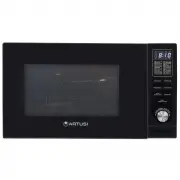
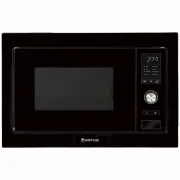
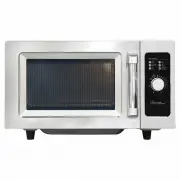
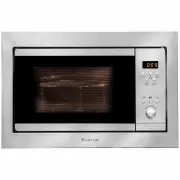
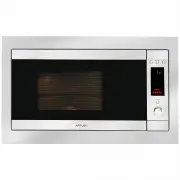
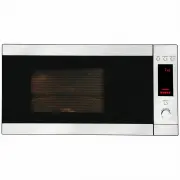
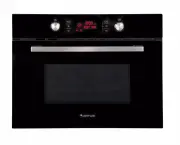
Page 3 - ADDENDUM; PRECAUTIONS TO AVOID POSSIBLE EXPOSURE; Sp ec i f i c at i o n s
(a) Do not attempt to operate this oven with the door o p e n s i n c e t h i s c a n r e s u l t i n h a r m f u l e x p o s u r e t o microwave energy. It is important not to break or tamper with the safety interlocks. (b) Do not place any object between the oven front face and the door or allow s...
Page 7 - WARNING: When the appliance is operated in the
READ CAREFULLY AND KEEP FOR FUTUREREFERENCE means of an external timer or separate remote-control system. 26.The appliances are not intended to be operated by when the appliance is operating. 27. The temperature of accessible surfaces may be high 28. WARNING: When the appliance is operated in the ad...
Page 9 - C A U T I O N; Personal Injury Hazard
CLEANING Be sure to unplug the appliance from the power supply. 1. Clean the cavity of the oven after using with a slightly damp cloth.2. Clean the accessories in the usual way in soapy water.3. The door frame and seal and neighbouring parts must be cleaned carefully with a damp cloth when they are ...
Page 10 - Mat er i al s y o u c an u s e i n m i c r o w av e o v en; Mat er i al s t o b e av o i d ed i n m i c r o w av e o v en
Mat er i al s y o u c an u s e i n m i c r o w av e o v en Utensils Remarks Follow manufacturer’s instructions. The bottom of browning dish must beat least 3/16 inch (5mm) above the turntable. Incorrect usage may causethe turntable to break.Microwave-safe only. Follow manufacturer's instructions. Do...
Page 11 - SETTING UP YOUR OVEN; Nam es of Ov en Par ts and Ac c es s or i es; Tur ntabl e Ins tal l ati on
A) Control panelB) Turntable shaftC) Turntable ring assemblyD) Glass trayE) Observation windowF) Door assemblyG) Safety interlock system SETTING UP YOUR OVEN Nam es of Ov en Par ts and Ac c es s or i es Remove the oven and all materials from the carton and oven cavity. Your oven comes with the follo...
Page 12 - Counter top Installation; Installation
Remove all packing material and accessories.Examine the oven for any damage such as dents or broken door. Do not install if oven isdamaged. Counter top Installation Cabi net: Remove any protective film found on the microwave oven cabinet surface. Do not remove the light brown Mica covert h at i s at...
Page 13 - Operation Instructions
12 Operation Instructions 1) Press " " once, the screen display "P100". 2) Turn " " to adjust the hour figures, the input time should be within 0--23. 3) Press " ", the minute figures will flash. 3) Press " " to confirm, and the screen displays "P 80"....
Page 18 - Trouble shooting
Ac c or di ng to Was te of El ec tr i c al and El ec tr oni c Equi pm ent(WEEE) di r ec ti v e, WEEE s houl d be s epar atel y c ol l ec ted andtr eated. If at any ti m e i n futur e y ou need to di s pos e of thi spr oduc t pl eas e do NOT di s pos e of thi s pr oduc t w i th hous ehol dw as te. Pl...
Page 19 - Warranty Card; ffi
Warranty Card Worldwide Appliances Pty Limited A.B.N. 45868077422O ffi ce: 48-50 Moore Street, Leichhardt N.S.W 2040 Post:Locked Bag 3000, Annandale, N.S.W 2038 P: 1300 694 583WARRANTY REGISTRATION Your ongoing satisfaction with your artusi product is important to us. We ask that you complete the en...
Page 20 - (a) These terms and conditions do not affect your; continued
4 Please complete and send to ARTUSI at: REPLY PAID 83617 LEICHHARDT NSW 2040 Last Name: First Name: Address: State: Postcode: Email: Home Phone: Mobile: Purchase Date: / / (Please attach proof of purchase to validate warranty) MODEL NUMBER SERIAL NUMBER (if you cannot locate the serial number pleas...