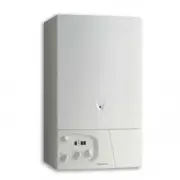
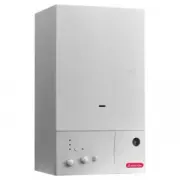
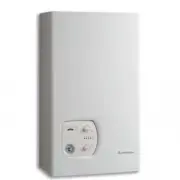
Page 3 - CUSTOMER CARE; Page; Contents
3 CUSTOMER CARE Page Guarantee ............................................................................................................................................................2Statutory Requirements ............................................................................................
Page 5 - USER’S INSTRUCTIONS
5 USER’S INSTRUCTIONS 1. Control panel 31 27 26 35 29 Fig 1 34 32 33 Control panel (fig. 1) 26.- Display27.- On/off push button and power on indicator light29.- Reset push button and red indicator locking light 30.- Cylinder Hot water start button and temperature setting (System Plus only) 31.- Cent...
Page 6 - Switching on and filling instructions
6 2. How to Use Switching on and filling instructions 1. Check the pressure in the central heating system is above 0.7 bar and below 1.5 bar with the pressure gauge 16 (fig.1), should it be neccessary to re-pressurise the system,ensure the filling loop 45 (fig. 2) is attached, open the filling taps ...
Page 7 - Practical information
7 Anti-freeze and anti-sieze modes Provided the ON/OFF button is on (green light), the water pressure is adequate and the boiler has not shut down due to anerror, the anti-freeze and ant-sieze operations will remain active.When the anti-freeze comes on, one of two codes will be displayed with the sn...
Page 8 - Setting the time clock; Setting the mechanical clock
8 3 6 9 12 Fig. 3 1. General layoutThe mechanical clock covers a 24 hour period. Each tappet represents 15 minutes A (Fig. 4). An override switch is located onthe clock B (Fig 4). 2. To set the timeTo set the time of day, grasp the outer edge of the dial and turn slowly clockwise until the correct t...
Page 9 - Setting the Digital Clock
9 6. Setting the time clock (continued) P ro g . h m Day Manual switch Summer andwinter timesetting Reset Enter weekday/s Enterthe hours Week-daysflash Enterminutes Enter switching times Imput time Automatic Manual Continuous Operation Operation Operation The switching If the current You can only ti...
Page 11 - INSTALLER’S INSTRUCTIONS
11 1.- Steel chassis complete with expansion vessel 2.- Sealed chamber3.- Burner and heat exchanger assembly4.- Air / gas connection5.- 24 V modulating fan6.- Gas valve 7.- Ignition electrode 8.- Ionisation probe 9.- Ignitor 10.- Combustion products manifold11.- Siphon12.- Silencer13.- Electrical bo...
Page 13 - Installation Requirements
13 Reference StandardsIn the United Kingdom, the installation and initial start up oft h e b o i l e r m u s t b e b y a C O R G I R e g i s t e r e d i n s t a l l e r i naccordance with the installation standards currently in effect,as well as with any and all local health and safety standardsi.e....
Page 17 - Installing the Boiler
17 Please check that you are familiar with the installation requirements before commencing work (Section 10). The installation accessories described in the following list are included in the boiler packaging: - Hanging bracket- A paper template (showing the dimensions of the boiler with 5 mm side cl...
Page 19 - Connecting the Flue
19 5 Ø 60/100 mm 11 8 Fig. 17 3 6 9 12 Fig. 16 The boiler should only be installed with a flue system supplied by MTS (GB) Limited.These kits are supplied separately to the appliance in order to respond to different installation solutions. For more informationwith regard to the inlet/outlet accessor...
Page 23 - Connecting the flue; IN
23 12.4 Fitting the twin pipe (Ø80/80) N OTE : S EE PAGE 24 FOR MAXIMUM AND MINIMUM FLUE RUNS (T ABLE C) Where it is not possible to terminate the flue within the distance permitted for coaxial flues, the twin flue pipe can be used byfitting a special adaptor to the flue connector and using the aper...
Page 24 - TABLE
24 123,5 20 0 10 7 25 Fig. 27 ø 1 0 0 60 mm In the event that twin flue pipes are used, and the boiler has a side clearance of less than 60mm from the wall, it is necessaryto cut a larger diameter hole for the flue pipe, this should be ø10 cm, this will then allow for easier assembly of the air inta...
Page 25 - AIR INTAKE MUST NOT BE
25 EXHAUST AIR INTAKE AIR INTAKE AIR INTAKE MUST NOT BE FITTED ABOVE THE EXHAUST N OTE : D RAWINGS ARE INDICATIVE OF FLUEING OPTIONS ONLY . T YPE 1 T YPE 5 T YPE 4 T YPE 3 T YPE 2 Fig. 29 12.4 Fitting the twin pipe flue (Ø80/80) (continued)
Page 26 - Electrical connections; System A
26 Making the Electrical Connections Hinge down the electrical box to gain access to theelectrical connections. Push in the tabs P (Fig. 30)on either side of the boiler and pivot the box for-ward. Remove the PCB cover (see Section 18.4).Connect the live neutral and earth wires to the maincable. If u...
Page 28 - Fitting the mechanical and digital time clocks; G B
28 13.1 Fitting the mechanical and digital time clocks To fit the integral time clock it is necessary to proceed asfollows; - Isolate the electical supply to the appliance; - Remove the front panel as described in Section 18.1.1; - Remove the plastic cover on the right hand side (Fig. 33)and pull ou...
Page 29 - Electrical Connections
29 F IG . 38 13. Electrical Connections (continued) 13.2 Connecting Zone Valves (System A) The boiler can be connected to a central heating system that usestwo zone valves to allow connection to an indirect storage cylinder. There are two wiring diagrams shown, one for the connection to anUnvented C...
Page 31 - MTS
31 W IRING D IAGRAM FOR C ONNECTION TO AN MTS U NVENTED C YLINDER D IAGRAM A
Page 32 - Commissioning and Testing; Initial preparation
32 14. Commissioning and Testing 14.1 Initial preparation M T S ( G B ) L i m i t e d s u p p o r t t h e i n i t i a t i v e . I n Sections 24 and 25 (pages 60 and 61) of this manual the Commissioning Checklist and Service Interval Record can be found. It is important that this is completed inthe p...
Page 33 - Commissioning and testing; Adjusting the CO; Adjustment screw; Fitting the external sensor
33 14. Commissioning and testing (continued) 14.3 Adjusting the CO 2 Adjustment screw Fig. 40 14.4 Gas Conversion To convert from Natural Gas (G20) to LPG (G31), it isnecessary to insert a diaphragm and restrictor between thegas valve and air/gas arm. Once the conversion has been made, the CO 2 sett...
Page 34 - Operational checks
34 14.8 Completion F o r t h e R e p u b l i c o f I r e l a n d i t i s n e c e s s a r y t o c o m p l e t e a“Declaration of Conformity” to indicate compliance to I.S.813. Anexample of this is given in the current edition of I.S.813. Inaddition it is necessary to complete theCommissioning Checkli...
Page 35 - Instructing the end user
35 14. Commissioning and testing (continued) 14.10 Instructing the end user 1. Hand over these instructions and explain how to use the time clock and room thermostat (if fitted) and explain howto register the guarantee; 2 . S h o w t h e e n d u s e r h o w t o s w i t c h t h e a p p l i a n c e o ...
Page 37 - Sequence of operation; Central Heating Mode
37 16. Sequence of operation Activation of the time clock and/or room thermostat starts the boiler. The display panel indicates the flow temperature s in central heating as illustrated below: With the boiler in rest, the diverter valve is in the domestic hot water position, activation of the central...
Page 38 - Adjustments and settings; DISPLAY; nd digit; Reset push button; Recalling the basic configuration :
38 The boiler is delivered with pre-set values described in menus 3 and 4. All settings must only be changed by the installer or a qualified person. To gain access to the setting buttons please, open the front control panel cover P) and follow the instructions below. 17. Adjustments and settings DIS...
Page 39 - x times
39 Menu - 2 - Boiler conditions Indicates the conditions or the configurations of the boiler 5 ” Menu - 1 - Default register Record the last 10 defaults x times once DISPLAY ACTION CONFIGURATION Note -- is displayed if no default is recorded Section Digit 1 Digit 2 Digit 3 and 4 Last default occured...
Page 40 - once; to
40 once F a c to ry s e tt in g DISPLAY ACTION CONFIGURATION Menu - 3 - Boiler options x times Rubrique Elément 1 Elément 2 Elément 3 et 4 Inactive 3 0 -- DHW thermostatic kit fitted to boiler? (fix DHW temp to 65°C) 3 1 0 : non 1 : oui Optional programmer action 3 2 0: on heating and reheating of t...
Page 44 - CH anti cycling delay setting :; Display; Adjustements and Setting; or
44 CH anti cycling delay setting : If you would like to change the setting of CH anti cycling delay, if you want 3 mn ,please proceed as follow : (note : the factory setting is 2 mn 30 seconds and the following explanation refer to menu 4 section 8) Display 17. Adjustements and Setting (continued) 1...
Page 45 - SERVICING INSTRUCTIONS; To Gain General Access; Replacement of parts
45 SERVICING INSTRUCTIONS Fig. 47 Fig. 45 Fig. 46 Fig. 48 A T h e l i f e o f i n d i v i d u a l c o m p o n e n t s v a r y a n d t h e y w i l l n e e dservicing or replacing as and when faults develop.The fault finding sequence chart in Section 19 will help to locatew h i c h c o m p o n e n t i...
Page 46 - Access to the Combustion Chamber
46 18.2 Access to the Combustion Chamber D Fig. 49 Fig. 50 Fig. 51 Fig. 52 Fig. 53 Fig. 54 Fig. 55 Fig. 56 Fig. 57 E 18.2.1 Removing the air gas assembly 1. Isolate the gas supply to the boiler;2. Carry out step 18.1.1;3. Remove the silencer (Fig. 49); 9. Remove the air gas assembly and combustion c...
Page 50 - Access to the Water Circuit; Remove the clip “Q2” and “Q3” from the heating return and the pump (
50 18.3 Access to the Water Circuit Important! Before any component is removed, the boiler must be drained of all water. 18.3.1 Drain down Close the flow and return isolating valve and open the pressure relief valve. 18.3.2 Removing the 3 way valve 1. Carry out step 1.2.1 and 1.2.3;2. Remove the cli...
Page 53 - 1 Removing the water pressure switch; Access to the Control System; R e l e a s e t h e t h r e e c l i p s W 2 a n d r e m o v e t h e
53 18.3.11 Removing the water pressure switch 1. Remove the casing as in step 18.1.1;2. Pull off the connections. Then remove the pressure switch by releasing it’s securing clip (see Fig. 103). Fig. 103 18.3.10 Removing the pressure gauge 1. Carry out step 18.4.6;2. Remove the pressure gauge by rele...
Page 55 - Incorrect function
55 19. Incorrect function In case of problem, or when the boiler has displayed an error code, the display flashes 2 digits. Please refer to the table belowto diagnose the fault. For faults 01 and 03, A appears on the display, the boiler is locked and the reset button illuminates (28). To reset the b...
Page 56 - Incorrect function; Fault
56 21. Incorrect function 20. Gas conversion If the boiler is not set for the gas type, converson kits are available. To convert the boiler, please use exclusively MTS parts andproceed as it is mentioned in the instruction manual provided with the conversion kit. If these solutions do not cure the f...
Page 57 - Maintenance Instructions; Cleaning the primary exchanger; Operational test
57 22. Maintenance Instructions 22.1 General remarks It is recommended that the following inspections be carriedout on the boiler at least once a year; 1. Check the seals in the water group, and if necessary, replace the gasket and restore the seal to perfect workingorder; 2. Check the seals in the ...
Page 58 - Short spares list
58 616 407 537 554 Rep. Désignation Référence Autre Type Date de à Key N Description Manf. Pt. N Other Type Manf. date from to Zeich. Bezeichnung Teilnummer Andere Typ Datum ab bis de a Senal Designación Referencia Otro Typo Fecha Rifer.figura Descrizione Codice Altra Tipo Data da a fr S Y S TE M A ...
Page 59 - Model
59 24. Technical data Model 24 kW 30 kW CE certificate 1312-BP-4083 1312-BP-4084 Performance category **** **** NoX class 5 5 Category II2H3P II2H3P Heating output 80°C/60°C kW 5 to 21 6 to 27 Heating output 50°C/30°C kW 6 to 23 7 to 29 Variable cylinder heating power PN max kW 25,1 30,2 Nominal gas...
Page 61 - COMMISSIONING ENG’S NAME; G A S B O I L E R C O M M I S S I O N I N G C H E C K L I S T; Benchmark Commissioning Checklist
BENCHMARK No. FOR ALL BOILERS CONFIRM THE FOLLOWING BOILER SERIAL No. NOTIFICATION No. CONTROLS To comply with the Building Regulation, each section must have a tick in one or other of the boxes THE SYSTEM HAS BEEN FLUSHED IN ACCORDANCE WITH THE BOILER MANUFACTURER’S INSTRUCTIONS?THE SYSTEM CLEANER ...
Page 62 - S E R V I C E I N T E R VA L R E C O R D; Service Interval Record
S E R V I C E I N T E R VA L R E C O R D It is recommended that your heating system is serviced regularly and that you complete the appropriate Service Interval Record Below. Service Provider. Before completing the appropriate Service Interval Record below, please ensure you have carried out the ser...
Page 63 - ERMS AND
63 Please read these terms and conditions which are inaddition to any terms and conditions detailed in this bookor any registration card supplied with your appliance. A charge will be made to the owner of the appliance if: ∑ The reason for any service visit is as a direct result of a failure to inst...