Arc AR2S - Manuals
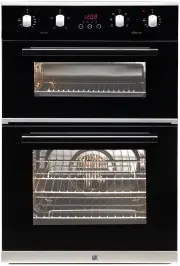
User Manual Arc AR2S


Summary
3 2 Dear Customer, Congratulations on purchasing your new product from Home Appliances. To register your Parts and Labour Warranty, some conditions apply, please refer to your warranty card for more details and contact our Customer Care team on: 1800 444 357 Our Customer Care Centre is there to ensu...
5 4 NOTE: This User Instruction Manual contains important information, including safety & installation points, which will enable you to get the most out of your appliance. Please keep it in a safe place so that it is easily available for future reference; for you or any person not familiar with ...
7 6 A. Control Panel B. Cooking mode selection knob C. Cooking temperature selection knob D. Electronic programmer -Allows you to programmer the desired cooking by selecting the cooking time and the end cooking time. It can also be used as a timer (only available on certain models) E. Oven indicatio...