Page 2 - Contents
Contents 1.Safety Warnings...................................................................................12.Product Overview.................................................................................53.Choosing the right Cookware................................................................
Page 3 - Electrical Shock Hazard; work or maintenance on it.; Cut Hazard; appliance as it could reduce your installation costs.
1 Ⅰ . Safety Warnings Your safety is important to us. Please read this information before using your cooktop. 1.Installation ① Electrical Shock Hazard • Disconnect the appliance from the mains electricity supply before carrying out any work or maintenance on it. • Connection to a good earth wiring s...
Page 4 - Operation and maintenance; Important safety instructions
2 2.Operation and maintenance ① Electrical Shock Hazard • Do not cook on a broken or cracked cooktop. If the cooktop surface should break or crack, switch the appliance off immediately at the mains power supply (wall switch)and contact a qualified technician. • Switch the cooktop off at the wall bef...
Page 6 - Congratulations
4 •WARNING: The appliance and its accessible parts become hot during use. Care should be taken to avoid touching heating elem ents.Children less than 8 years of age shall be kept away unless continuouslysupervised. •This appliance can be used by children aged from 8 years and above and persons with ...
Page 8 - Heating zone selection controls
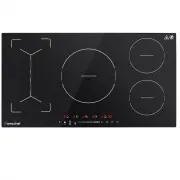
6 2.Control Panel 1. Heating zone selection controls 2. Timer control3. Power/Timer regulating key 4. keylock control 5. ON/OFF control 6. Boost function control7. Flex Zone control/BBQ function control8. Pause function control9. Keep warm function control
Page 9 - A Wo r d on In d uct i on Co ok i ng; Before using your New Induction cooktop
7 A Wo r d on In d uct i on Co ok i ng Induction cooking is a safe, advanced, efficient, and economical cooking technology. It works by electromagnetic vibrations generating heat directly in the pan, rather thanindirectly through heating the glass surface. The glass becomes hot only because the pane...
Page 10 - . Choosing the right Cookware
8 Ⅲ . Choosing the right Cookware • Only use cookware with a base suitable for induction cooking. Look for the induction symbol on the packaging or on the bottom of the pan. • You can check whether your cookware is suitable by carrying out a magnet test. Move a magnet towards the base of the pan. If...
Page 11 - Pan dimensions; The base diameter of induction cookware; Using the Cooktop; Place a suitable pan on the cooking zone that you wish to use.; Cooking zone
9 Pan dimensions The cooking zones are up to a limit, automatically adapted to the diameter of the pan. However the bottom of this pan must have a minimum of diameter according to thecorresponding cooking zone. To obtain the best efficiency of your cooktop, pleaseplace the pan in the centre of the c...
Page 12 - automatically switch off. You will need to start again at step 1.; If the display flashes
10 Or Or a. If you don’t select a heat zone within 1 minute, the induction cooktop will automatically switch off. You will need to start again at step 1. b. You can modify the heat setting at any time during cooking. c. If slide along the “—”, power will vary from stage 2 to stage 8. Press “-”, powe...
Page 13 - Using the Boost; Using the Boost to get larger power
11 Or and then Or and then Make sure the power display shows “0”, then shows “H”. and then ③ Turn the whole cooktop off by touching the ON/OFF control. ④ Beware of hot surfaces ‘H’ will show which cooking zone is hot to touch. It will disappear when the surface has cooled down to a safetemperature. ...
Page 14 - power stage which was set before boost.; Restrictions when using
12 power stage which was set before boost. ④ If you want to cancel the Boost during this 5 minutes, touch the heating zone selection button, an indicator next to the key will flash. And then touch the Boost button. Theheating zone will go back to the power stage which was set before boost. 2.Restric...
Page 16 - Power management function; loading of the cooking zones exceeds 3600 W.; Using the Keep warm; Keep warm function is suitable for keeping food warm.
14 2.3 In group b, you can use three zones at the same time if you don’t active the boost,but the max power level collocation is 7-level, 7-level, 7-level. Power management function • Cooking zones are grouped according to the two phases in the cooktop (see illustration). Each phase has a maximum el...
Page 17 - Using the Keep warm to get stable temperature; Touch the heating zone selection button that you wish to use keep
15 1.Using the Keep warm to get stable temperature ① Touch the heating zone selection button that you wish to use keep warm,an indicator next to the key will flash. ② Touch the keep warm button “-” and hold for 3 seconds , the cooking zone indicator will display “A”. ③ To cancel the keep warm functi...
Page 18 - Flex zone; cooking needs anytime.
16 ③ To cancel the pause status, touch the button , then the cooking zone will go back to the power stage which you set before. Flex zone • This area can be used as a single zone or as two different zones, accordingly to the cooking needs anytime. • Flexible area is made of two independent inductors...
Page 19 - As two independent zones
17 1.As big zone ① Touch the heating zone selection button that you hope to go into flex zone cooking, an indicator next to the key will flash. ② Touch the flex Zone selection button, to activate the flexible area as a single big zone, the power level indicators of the front zone and the rear zone w...
Page 20 - To lock the controls
18 Using the Barbecue function BBQ is the function that used at the flex zone mode which will allow the pan surfacetemperature stay at a reasonable level. 1.Touch the heating zone selection button that you wish to use BBQ , an indicator next to the key will flash. 2. Touch the flex zone button and h...
Page 21 - Power level
19 When the cooktop is in the lock mode, all the controls are disable except the ON/OFF, youcan always turn the induction cooktop off with the ON/OFF control in an emergency, but youshall unlock the cooktop first in the next operation. 3.Over-Temperature Protection A temperature sensor equipped can ...
Page 22 - Using the Timer; Using the Timer as a Minute Minder; If you are not selecting any cooking zone; Setting the timer to turn one cooking zone off
20 Using the Timer You can use the timer in two different ways: • You can use it as a minute minder. In this case, the timer will not turn any cooking zone off when the set time is up. • You can set it to turn one cooking zone off after the set time is up.• You can set the timer up to 99 minutes. 1....
Page 23 - Setting the timer to turn more than one cooking zone off
21 Cooking zones set for this feature will: ① Touching the heating zone selection control that you want to set the timer for. (e.g. zone 1#) ② Touch timer control , the minder indicator will start flashing and “30” will show in the timer display. ③ Set the time by touching the “-” or “+” control. Hi...
Page 25 - Cooking Tips; Simmering, cooking rice
23 Ⅴ . Cooking Guidelines Take care when frying as the oil and fat heat up very quickly, particularly if you’re using Power Boost. At extremely high temperatures oil and fat will ignitespontaneously and this presents a serious fire risk. Cooking Tips • When food comes to the boil, reduce the tempera...
Page 26 - Heat Setting s; Heat setting; • pancakes
24 • Cook any meat first, put it aside and keep warm. • Stir-fry the vegetables. When they are hot but still crisp, turn the cooking zone to a lower setting, return the meat to the pan and add your sauce. • Stir the ingredients gently to make sure they are heated through.• Serve immediately. Heat Se...
Page 28 - Hints and Tips; Problem; The controls are locked.
26 Spillovers on thetouch controls 1. Switch the power to the cooktop off. 2. Soak up the spill3. Wipe the touch control area with a clean dampsponge or cloth. 4. Wipe the area completelydry with a paper towel. 5. Switch the power to the cooktop back on. • The cooktop may beep and turn itself off, a...
Page 29 - See ‘Care and cleaning’.
27 The glass is beingscratched. Rough-edged cookware. Unsuitable, abrasive scourerorcleaning products being used. Use cookware with flat andsmooth bases. See ‘Choosing theright cookware’. See ‘Care and cleaning’. Some pans makecrackling or clickingnoises. This may be caused by theconstruction of you...
Page 30 - Please contact the supplier.
28 The inductioncooker or a cookingzone has turneditself offunexpectedly, a tonesounds and an errorcode is displayed(typically alternatingwith one or twodigits in the cookingtimer display). Technical fault. Please note down the errorletters and numbers, switchthe power to the induction cookeroff at ...
Page 31 - Selection of installation equipment
29 Ⅶ . Technical Specification Cooking cooktop IF7208S-5B5B4B2B2B Cooking Zones 5 Zones Supply Voltage 220-240V~, 50-60Hz Installed Electric Power 6800-7400W Product Size L×W×H(mm/in) 900X520X60 / 35.4X20.47X2.36 Building-in Dimensions A×B (mm/in) 870X490 / 34.25X19.29 Weight and Dimensions are appr...
Page 32 - mm; Before you install the cooktop , make sure that; requirements
30 Note: The safety distance between the hotplate and the cupboard above thehotplate should be at least 760 mm Before you install the cooktop , make sure that • the work surface is square and level, and no structural members interfere with space requirements • the work surface is made of a heat-resi...
Page 34 - Cautions; to enhance its reliability.; Connecting the cooktop to the mains power supply; that its temperature will not exceed 75 ̊C at any point.
32 Cautions 1. The induction hotplate must be installed by qualified personnel or technicians. We have professionals at your service. Please never conduct the operation by yourself. 2. The cooktop will not be installed directly above a dishwasher, fridge, freezer, washing machine or clothes dryer, a...