Page 2 - After Sales Support; Contents
After Sales Support (AU) 1300 886 649 (NZ) 0800 836 761 | [email protected] Contents 03 General Safety Instructions06 Product Overview07 Getting Started11 Instructions18 FAQs and Troubleshooting Guide20 Other Useful Information
Page 3 - General Safety Instructions; DANGER; CAUTION; Refrigerant matters; READ CAREFULLY AND KEEP FOR FUTURE REFERENCE; Responsible disposal
After Sales Support (AU) 1300 886 649 (NZ) 0800 836 761 | [email protected] 3 General Safety Instructions Pay particular attention to messages that follow this safety alert symbol or the words DANGER , WARNING or CAUTION . These words are used to alert you to a potential hazard that can seriously in...
Page 4 - Electrical safety; Do not attempt to alter or
After Sales Support (AU) 1300 886 649 (NZ) 0800 836 761 | [email protected] 4 To reduce the risk of fire, electric shock or injury, always follow basic safety precautions and accident prevention measures when using this appliance, including the following: Electrical safety • Voltage: Plug the applia...
Page 5 - Cleaning and maintenance; Installation
After Sales Support (AU) 1300 886 649 (NZ) 0800 836 761 | [email protected] 5 General Safety Instructions (Cont.) Cleaning and maintenance • Disconnect: Switch off and unplug the appliance from the mains socket before cleaning, maintenance or servicing. Failure to do so can result in electric shock,...
Page 6 - Product Overview; Scope of delivery; A Parts list; B Accessories bag
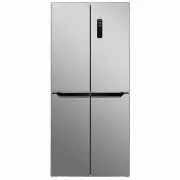
After Sales Support (AU) 1300 886 649 (NZ) 0800 836 761 | [email protected] 6 Product Overview Scope of delivery A Parts list 1 Door balconies (6) 2 Interior LED light 3 Removable glass shelves (2) 4 Anti-bacteria and deodorisation module 5 Chiller and crisper temperature control 6 Chiller drawer wi...
Page 7 - Getting Started; Unpacking; • Packaging materials:
After Sales Support (AU) 1300 886 649 (NZ) 0800 836 761 | [email protected] 7 NOTE: Due to continued product improvement, images and illustrations in this manual may vary slightly from the product purchased. All images in this manual are for reference purposes only. Parts are not necessarily picture...
Page 8 - Space requirements; Levelling the appliance; Doors
After Sales Support (AU) 1300 886 649 (NZ) 0800 836 761 | [email protected] 8 Getting Started (Cont.) Installation Space requirements • Door opening: Place the unit so there is enough space for the doors to open easily.• Clearances: Ensure that air can circulate freely around the back of the cabinet...
Page 10 - Electrical connection; Rubber buffers
After Sales Support (AU) 1300 886 649 (NZ) 0800 836 761 | [email protected] 10 Electrical connection • WARNING! It must be possible to disconnect the appliance from the mains power supply; the plug must therefore be easily accessible after installation. • Before plugging in your new fridge, let it s...
Page 11 - Control panel; LED display; Instructions
After Sales Support (AU) 1300 886 649 (NZ) 0800 836 761 | [email protected] 11 Control panel The control panel (Fig. 10) is located on the outside door of the refrigerator compart-ment. It enables you to view and adjust the temperature in the fridge and freezer compartments, select an operation mode...
Page 12 - Operation modes; Eco mode; °C and the FREEZER control is; °C for 50 hours, or until you exit the; Customised mode; Operation control feedback; To change a mode or adjust a temperature, you must first unlock
After Sales Support (AU) 1300 886 649 (NZ) 0800 836 761 | [email protected] 12 Instructions (Cont.) Operation modes The appliance can be set to four different operation modes: Eco —> Holiday —> Super Freezing —> Customised. • To choose the desired operation mode, touch the MODE control, rep...
Page 13 - Temperature control of the fridge compartment; Temperature control of the freezer compartment; °C to -22°C. The temperature display will then flash for 5 seconds,
After Sales Support (AU) 1300 886 649 (NZ) 0800 836 761 | [email protected] 13 Temperature control of the fridge compartment The temperature for the fridge compartment can be set in Customised and Super Freezing mode (see opposite for a description of the modes). To set the temperature in the fridge...
Page 14 - Fresh food storage; temperature inside the fridge compartment varies; two glass shelves can be positioned to suit; door balconies are suitable for storage of food and drink; The “fresh zone”; Chiller/crisper drawer
After Sales Support (AU) 1300 886 649 (NZ) 0800 836 761 | [email protected] 14 Fresh food storage The fridge compartment is suitable for short-term storage of all your fresh food. • The temperature inside the fridge compartment varies depending on the amount of food stored and the frequency of door ...
Page 15 - The; Crisper drawer; Fresh food storage tips; cooling efficiency and save energy, do not open the doors
After Sales Support (AU) 1300 886 649 (NZ) 0800 836 761 | [email protected] 15 Instructions (Cont.) • CHILLER: Push the temperature control knob upwards to the CHILLER position to store highly perishable foods in the CHILLER/CRISPER compartment. The temperature will now be lowered in the chiller com...
Page 16 - The freezer compartment; Storing frozen food; Do not remove items from the freezer if your hands are damp or wet as
After Sales Support (AU) 1300 886 649 (NZ) 0800 836 761 | [email protected] 16 Instructions (Cont.) The freezer compartment The freezer compartment (at the bottom of the appliance) is suitable for freezing domestic quantities of fresh food and long-term storage (up to three months) of frozen food. I...
Page 17 - Energy saving tips; Power failure; Moving the appliance
After Sales Support (AU) 1300 886 649 (NZ) 0800 836 761 | [email protected] 17 Instructions (Cont.) Energy saving tips • Locate the appliance in the coolest area of the room, away from heat-producing appliances and out of direct sunlight. • Let hot foods cool to room temperature before placing them ...
Page 18 - FAQs and Troubleshooting Guide; Problem
After Sales Support (AU) 1300 886 649 (NZ) 0800 836 761 | [email protected] 18 FAQs and Troubleshooting Guide Problem Possible cause The appliance does not operate. • It is not plugged in. Ensure it is properly plugged in and there is power at the socket (plug another appliance into the outlet to ch...
Page 20 - Other Useful Information; Cleaning the appliance
After Sales Support (AU) 1300 886 649 (NZ) 0800 836 761 | [email protected] 20 Other Useful Information Cleaning the appliance For hygienic reasons the appliance interior, including the interior accessories, should be cleaned regularly. • Set the fridge temperature control to the OFF position and un...
Page 21 - Service, repair and spare parts
After Sales Support (AU) 1300 886 649 (NZ) 0800 836 761 | [email protected] 21 Other Useful Information (Cont.) Service, repair and spare parts Do not attempt to alter or modify this appliance in any way. Do not attempt to repair or replace any part of the appliance unless it is specifically recomme...
Page 22 - Technical specifications; government requirements for the safety of electrical devices.; Compliance
After Sales Support (AU) 1300 886 649 (NZ) 0800 836 761 | [email protected] 22 Technical specifications Rated voltage, frequency and current 220-240V ~ 50Hz 1.5A Climate class T Electrical protection class I Input power 180W Defrost power 220W Lamp power 1x 3W, 1x 0.5W Refrigerant R600a (66g) Insula...
Page 24 - Warranty returns; Instruction Manual Revision Index
After Sales Support (AU) 1300 886 649 (NZ) 0800 836 761 | [email protected] 24 Warranty returns Should you for any reason need to return this product for a warranty claim, make sure to include all accessories with the product. Product does not work? If you encounter problems with this product, or if...