Page 2 - After Sales Support; Contents
After Sales Support (AU) 1300 886 649 (NZ) 0800 836 761 | [email protected] 2 Contents 03 General Safety Instructions 06 Product Overview 10 Installation 14 Features 16 Instructions 28 FAQs and Troubleshooting Guide 32 Other Useful Information
Page 3 - General Safety Instructions; using an electrical appliance, including the following:; Electrical safety and cord handling
After Sales Support (AU) 1300 886 649 (NZ) 0800 836 761 | [email protected] 3 General Safety Instructions IMPORTANT SAFETY INSTRUCTIONS READ CAREFULLY AND KEEP FOR FUTURE REFERENCE Read this manual thoroughly before first use, even if you are familiar with this type of product. The safety precaution...
Page 4 - Installation; • Ventilation: If there are any ventilation openings in the base,; Usage conditions and restrictions
After Sales Support (AU) 1300 886 649 (NZ) 0800 836 761 | [email protected] 4 General Safety Instructions (Cont.) • Inserting/removing the plug: Before you insert or remove the plug, make sure the appliance is switched off and the power is switched off at the electrical outlet. Remove by grasping th...
Page 6 - Product Overview; Scope of delivery
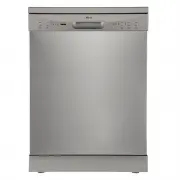
After Sales Support (AU) 1300 886 649 (NZ) 0800 836 761 | [email protected] 6 Product Overview Scope of delivery Dishwasher: front view, open1 Foldable cup rack 2 Upper basket3 Upper spray arm4 Inner pipe 5 Lower basket 6 Cutlery basket7 Rinse aid dispenser8 Detergent dispenser9 Door (with recessed ...
Page 7 - Dishwasher: rear view
After Sales Support (AU) 1300 886 649 (NZ) 0800 836 761 | [email protected] 7 Product Overview (Cont.) Dishwasher: rear view 10 12 11 10 Drain hose 11 Water supply hose (to be installed) 12 Power cord and plug
Page 8 - Operation buttons; Control panel
After Sales Support (AU) 1300 886 649 (NZ) 0800 836 761 | [email protected] 8 Product Overview (Cont.) Operation buttons 1 POWER Press this button to enter or exit the ready-to-use state. 2 PROGRAM Press this button to select the appropriate washing program, the selected program indicator will be li...
Page 9 - Display indicators
After Sales Support (AU) 1300 886 649 (NZ) 0800 836 761 | [email protected] 9 Display indicators 6 Program indicators Intensive For most heavily soiled crockery, such as pots, pans, casserole dishes and dishes that have been sitting with dried food on them for some time.ECO This is the standard prog...
Page 10 - Unpacking the appliance; Positioning the appliance
After Sales Support (AU) 1300 886 649 (NZ) 0800 836 761 | [email protected] 10 Installation DANGER! Make sure your electrical power is disconnected before installing the dishwasher. Failure to do so can result in death or electric shock. IMPORTANT! All relevant pipes and electrical equipment should ...
Page 11 - Levelling the appliance; Keep the screws! After
After Sales Support (AU) 1300 886 649 (NZ) 0800 836 761 | [email protected] 11 Levelling the appliance • Position the dishwasher on a level and sturdy floor. • If the floor is uneven, adjust the adjustable feet until it reaches a horizontal position; just screw the feet in or out a little (Fig. 1). ...
Page 12 - Cold water connection; Drain hose connection
After Sales Support (AU) 1300 886 649 (NZ) 0800 836 761 | [email protected] 12 Installation (Cont.) Cold water connection • Connect the cold water supply hose to a threaded 3/4” connector. During use, the dishwasher will heat up the water to the required temperature. Make sure the hose is not kinked...
Page 13 - Electrical connection; • Do not use an extension cord or an adaptor with this appliance.; Earthing; Before first use
After Sales Support (AU) 1300 886 649 (NZ) 0800 836 761 | [email protected] 13 Electrical connection Make sure that the electrical voltage and circuit frequency in your home correspond to those indicated on the appliance rating label and that the electrical system is sized for the maximum voltage on...
Page 14 - Features; Wash programs and cycles; Intensive
After Sales Support (AU) 1300 886 649 (NZ) 0800 836 761 | [email protected] 14 Features Wash programs and cycles * The ECO program was used for testing to the Australian standard AS/NZS 2007.1 (with 12 place settings, rinse aid setting on 6, upper basket in the lower position, and the door opened ab...
Page 16 - Loading; the dishwasher; Before loading the dishwasher baskets:; Protecting your glass and tableware; Instructions
After Sales Support (AU) 1300 886 649 (NZ) 0800 836 761 | [email protected] 16 Loading the dishwasher For best performance of your dishwasher, follow the loading guidelines in this manual. ATTENTION: Before loading the dishwasher baskets: It is not necessary to rinse the dishes under running water b...
Page 17 - Adjusting the upper basket height; Folding down the spike rows
After Sales Support (AU) 1300 886 649 (NZ) 0800 836 761 | [email protected] 17 Adjusting the upper basket height The height of the upper basket can easily be adjusted in order to accommodate taller dishes in either the upper or lower basket. To adjust the height of the upper basket, please follow th...
Page 18 - The upper basket; Upper basket, loaded to fit 12 place settings
After Sales Support (AU) 1300 886 649 (NZ) 0800 836 761 | [email protected] 18 Instructions (Cont.) The upper basket The upper basket is designed to hold more delicate and lighter tableware such as glasses, cups, small plates, bowls and shallow pans (as long as they are not too dirty). Position thes...
Page 19 - The lower basket; Lower basket, loaded to fit 12 place settings
After Sales Support (AU) 1300 886 649 (NZ) 0800 836 761 | [email protected] 19 Instructions (Cont.) The lower basket The lower basket is designed to hold dinner plates, larger items and the cutlery basket. To ensure the detergent dispenser lid can open freely, the maximum diameter for plates in fron...
Page 20 - Cup rack
After Sales Support (AU) 1300 886 649 (NZ) 0800 836 761 | [email protected] 20 Instructions (Cont.) Cup rack The cup rack is designed to hold smaller cups or similar lightweight items. It is also useful for washing serving cutlery, salad servers and similar utensils so that they do not obstruct the ...
Page 21 - Do not let any item extend through the bottom.
After Sales Support (AU) 1300 886 649 (NZ) 0800 836 761 | [email protected] 21 Instructions (Cont.) The cutlery basket Your new dishwasher is equipped with a removable cutlery basket with anti-nesting grid (Fig. 13). You can use it with the anti-nesting grid up or down, as convenient, anywhere in th...
Page 22 - Dishwasher detergent; Concentrated detergent; It is also a hazard to leave detergent in
After Sales Support (AU) 1300 886 649 (NZ) 0800 836 761 | [email protected] 22 Dishwasher detergent Dishwasher detergents have chemical ingredients that remove dirt, food and germs and transport them out of the dishwasher. Most commercially sold dishwasher detergents are suitable for this purpose; t...
Page 23 - The detergent dispenser
After Sales Support (AU) 1300 886 649 (NZ) 0800 836 761 | [email protected] 23 Instructions (Cont.) The detergent dispenser Adding detergent The table on page 15 lists the recommended amounts of detergent, generally one heaped tablespoonful, or 25–30g. However, water hardness and soiling levels affe...
Page 24 - Rinse aid; Filling the rinse aid dispenser
After Sales Support (AU) 1300 886 649 (NZ) 0800 836 761 | [email protected] 24 Instructions (Cont.) Rinse aid Rinse aid is automatically released during the last rinse to prevent water from forming droplets on your dishes, which can leave spots and streaks. It also improves drying by allowing water ...
Page 25 - When to refill the rinse aid dispenser; NOTE
After Sales Support (AU) 1300 886 649 (NZ) 0800 836 761 | [email protected] 25 Adjusting the rinse aid dose When you remove the cap from the rinse aid dispenser (Fig. 15), the dosage dial with six settings will be visible.• Always start with the dispenser set on “4”, as illustrated (Fig. 20). If spo...
Page 26 - Running the dishwasher; Starting a wash program; Setting a delayed start; START/PAUSE button to pause the machine.
After Sales Support (AU) 1300 886 649 (NZ) 0800 836 761 | [email protected] 26 Running the dishwasher Starting a wash program • Open the door and draw out the lower basket. Load your dishes and push the basket back into place. Then load the upper basket the same way (see pages 16-21 for details). • ...
Page 27 - Forgot to add a dish?; POWER
After Sales Support (AU) 1300 886 649 (NZ) 0800 836 761 | [email protected] 27 Instructions (Cont.) Forgot to add a dish? Additional dishes can be added any time before the detergent dispenser opens.• Press the START/PAUSE button to pause the washing. • Wait for 5 seconds, then open the door.• Add a...
Page 28 - FAQs and Troubleshooting Guide
After Sales Support (AU) 1300 886 649 (NZ) 0800 836 761 | [email protected] 28 The table below lists possible causes and solutions for common problems you may encounter with the dishwasher. If you follow all the instructions below but still cannot solve a problem, please contact our after sales supp...
Page 29 - Problem
After Sales Support (AU) 1300 886 649 (NZ) 0800 836 761 | [email protected] 29 Suds in the tub Inappropriate detergent Use only specific dishwasher detergent to avoid suds. If this occurs, open the dishwasher and let the suds evaporate. Add 3–4 litres of cold water to the tub, close the door securel...
Page 31 - — call for; Error codes
After Sales Support (AU) 1300 886 649 (NZ) 0800 836 761 | [email protected] 31 Code Meaning Possible Cause The “Rapid” indicator flashes frequently. Longer inlet time Faucet is not opened, or water intake is restricted, or water pressure is too low — check and ensure the faucet is open and your wate...
Page 32 - Other Useful Information; Cleaning the filter system
After Sales Support (AU) 1300 886 649 (NZ) 0800 836 761 | [email protected] 32 Other Useful Information Cleaning the filter system The filter system in the base of the wash cabinet efficiently removes food particles from the wash water, allowing it to be recycled during the wash. It prevents larger ...
Page 33 - Cleaning the spray arms
After Sales Support (AU) 1300 886 649 (NZ) 0800 836 761 | [email protected] 33 Other Useful Information (Cont.) WARNING! • When cleaning the filters take care not to contort their shape, which could compromise the washing performance. • Do not overtighten the filters. Put the filters back in sequenc...
Page 34 - Looking after your dishwasher; In special situations; Going on holidays
After Sales Support (AU) 1300 886 649 (NZ) 0800 836 761 | [email protected] 34 Other Useful Information (Cont.) Looking after your dishwasher • After every wash, turn off the water supply to the appliance and leave the door slightly ajar so moisture and odours are not trapped inside. • Before cleani...
Page 35 - Service, repair and spare parts
After Sales Support (AU) 1300 886 649 (NZ) 0800 836 761 | [email protected] 35 Other Useful Information (Cont.) Service, repair and spare parts If the appliance is damaged, do not attempt to repair it yourself. Do not disassemble or modify the appliance. If it requires repair or service, please cont...
Page 36 - Technical specifications
After Sales Support (AU) 1300 886 649 (NZ) 0800 836 761 | [email protected] 36 Other Useful Information (Cont.) Technical specifications Model Number AK-DW12P Capacity 12 place settings Rated voltage/frequency 220-240V~ 50Hz Power consumption 1760–2100W Standard cleaning cycle ECO Energy consumption...
Page 37 - Responsible disposal
After Sales Support (AU) 1300 886 649 (NZ) 0800 836 761 | [email protected] 37 Responsible disposal At the end of its working life, do not throw this appliance out with your household rubbish. Electrical and electronic products contain substances that can have a detrimental effect on the environment...
Page 38 - Warranty returns
After Sales Support (AU) 1300 886 649 (NZ) 0800 836 761 | [email protected] Warranty returns Should you for any reason need to return this product for a warranty claim, make sure to include all accessories with the product. Product does not work? If you encounter problems with this product, or if it...