Page 2 - GENERAL OPERATING INSTRUCTIONS; READ ALL INSTRUCTIONS BEFORE USING THIS APPLIANCE; Protect Your Investment with an Extended Warranty!
2 W W W . V I N O T E M P . C O M ! ! GENERAL OPERATING INSTRUCTIONS Remove all external and internal packaging from your appliance. Be sure that all parts have been included before discarding any packaging materials. You may want to keep the box and packing materials for use at a later date. Upon r...
Page 3 - Table of Contents
3 7 3 2 S o u t h R a c e t r a c k R o a d , H e n d e r s o n , N e v a d a 8 9 0 1 5 i n f o @ v i n o t e m p . c o m Table of Contents Important Safety Instructions ------------------------ 4 Electrical Connection ---------------------------------- 5 Specifications -----------------------------...
Page 4 - IMPORTANT SAFETY INSTRUCTIONS; For Children; CONNECTION” on page 5.
4 W W W . V I N O T E M P . C O M ! ! IMPORTANT SAFETY INSTRUCTIONS To reduce the risk of fire, electrical shock or injury when using your appliance, follow these basic precautions: Read these instructions carefully before using your refrigerator, and keep it carefully. If you follow the instruction...
Page 5 - ELECTRICAL CONNECTION
5 7 3 2 S o u t h R a c e t r a c k R o a d , H e n d e r s o n , N e v a d a 8 9 0 1 5 i n f o @ v i n o t e m p . c o m • As with any appliance, close supervision is necessary when used by children. • Keep cord away from heated surface. • Do not operate this appliance if it has a damaged cord or p...
Page 6 - Model
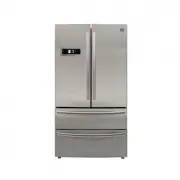
6 W W W . V I N O T E M P . C O M ! ! SPECIFICATIONS PRODUCT DESCRIPTION 1) Display 2) Left door for refrigerator compartment 3) Upper door for freezer compartment 4) Lower door for freezer compartment 5) Door handle 6) Right door for refrigerator compartment 7) Drawer handle 8) Ice storage box 9) I...
Page 8 - INSTALLATION; Transport and placing of your refrigerator; Transport
8 W W W . V I N O T E M P . C O M ! ! INSTALLATION Remove all packaging material before using the new refrigerator. This includes the foam base and all adhesive tape holding the refrigerator accessories inside and outside. Clean both the inside and outside of the refrigerator with wet cloth (a littl...
Page 9 - Start Using Your Refrigerator; Refrigerator compartment; , it fails to preserve the freshness of food for long. As a; Use of turnover beam
9 7 3 2 S o u t h R a c e t r a c k R o a d , H e n d e r s o n , N e v a d a 8 9 0 1 5 i n f o @ v i n o t e m p . c o m Start Using Your Refrigerator You ought to get a good knowledge of all safety precautions and make sure that your refrigerator has been placed properly in its final position befo...
Page 10 - Food suggested to store in refrigerator compartment; Snack food, food subject to tainting, dairy product; Freezer compartment; Ice storage box is used to store the ice.
10 W W W . V I N O T E M P . C O M ! ! Height adjustment and cleaning of door-mounted bottle rack Raise the bottle rack in the direction, hold it with both hands and take it out in the direction. After cleaning, you can install the rack in the reverse order and you can also adjust the height of the ...
Page 11 - Taking-out and installation of the lower freezer drawer
11 7 3 2 S o u t h R a c e t r a c k R o a d , H e n d e r s o n , N e v a d a 8 9 0 1 5 i n f o @ v i n o t e m p . c o m Taking-out and installation of the lower freezer drawer
Page 12 - Big drawer; Note
12 W W W . V I N O T E M P . C O M ! ! Big drawer The big drawer has a maximum load of 10kg. Ice-maker Pull out and install the big drawer 1. Pull out the big drawer. 2. Find the hook at the left and right sides at the drawer bottom (shown in the figure). 3. Hold the hook at two sides with a nose pl...
Page 13 - Take out, clean and install the ice cube box
13 7 3 2 S o u t h R a c e t r a c k R o a d , H e n d e r s o n , N e v a d a 8 9 0 1 5 i n f o @ v i n o t e m p . c o m Take out, clean and install the ice cube box If the ice maker isn't used for a long period, ice cubes that are just produced might have unpleasant smell. You must take out and c...
Page 14 - Door Handles; Firstly, take the handle set bolts out from the; Assembly instructions of the refrigerator door handle:; The assembly
14 W W W . V I N O T E M P . C O M ! ! Door Handles Assembly instructions of cold storage door handle: 1. Firstly, take the handle set bolts out from the refrigerator, use cross recessed screwdriver to set the bolt on the door. Fix it tight with all the screw thread twisted through the hole, as show...
Page 15 - Making minor adjustments between doors; Raise the left door or the right door.; Installing the water line; The water pressure must be between. 0.17MPa
15 7 3 2 S o u t h R a c e t r a c k R o a d , H e n d e r s o n , N e v a d a 8 9 0 1 5 i n f o @ v i n o t e m p . c o m Making minor adjustments between doors Remember a level refrigerator is necessary for getting the doors perfectly even. If you need help, review the previous section on leveling...
Page 16 - OPERATION; Control buttons; Locking and unlocking; , the ice maker needs 135
16 W W W . V I N O T E M P . C O M ! ! OPERATION Control buttons 1) Refrigerator temperature control 2) Freezer temperature control 3) Energy saving mode 4) Auto mode 5) Ice-making switch 6) Child lock Display items 7) Fast-cooling icon 8) Fast-freezing icon 9) Energy saving icon 10) Auto icon 11) I...
Page 17 - Energy saving mode
17 7 3 2 S o u t h R a c e t r a c k R o a d , H e n d e r s o n , N e v a d a 8 9 0 1 5 i n f o @ v i n o t e m p . c o m Energy saving mode In order to save energy, this mode sets the temperature in the refrigerator at 7 ℃ and the temperature in the freezer at -15 ℃ . “AUTO” mode default settings ...
Page 19 - CLEANING AND MAINTENANCE; Refrigerator’s Maintenance and Repair; Cleaning
19 7 3 2 S o u t h R a c e t r a c k R o a d , H e n d e r s o n , N e v a d a 8 9 0 1 5 i n f o @ v i n o t e m p . c o m CLEANING AND MAINTENANCE Refrigerator’s Maintenance and Repair Cleaning Clean regularly dust from the back of refrigerator and ground. Clean regularly the space inside the refri...
Page 20 - MAINTENANCE & TROUBLESHOOTING; Occurrence; Not working
20 W W W . V I N O T E M P . C O M ! ! MAINTENANCE & TROUBLESHOOTING Check your problem by using the chart below and try the solutions for each problem. If the refrigerator still does not work properly, contact the nearest authorized service center. Please read the following contents before repa...
Page 21 - Shipping
21 7 3 2 S o u t h R a c e t r a c k R o a d , H e n d e r s o n , N e v a d a 8 9 0 1 5 i n f o @ v i n o t e m p . c o m TERMS & CONDITIONS Shipping/Delivery fees are the responsibility of the Purchaser. Seller is not responsible for the carrier’s missed/Non delivery for any reason. Delivery i...
Page 22 - California; Proposition 65; Warning: The products sold on this ecommerce website and to the; Damage
22 W W W . V I N O T E M P . C O M ! ! We are a manufacturer not a shipping company, deliveries are done by a 3rd party service. Email us at [email protected] for a quote or any additional information. Freight discussed is Continental USA (excluding Alaska, Puerto Rico, Hawaii), cost is additional p...
Page 24 - Storage Fees
24 W W W . V I N O T E M P . C O M ! ! Removal or reinstallation of a unit is not included in warranted costs. Purchaser’s exclusive remedy is limited at Seller’s option to repair or replace defective part[s] with either new or reconditioned part[s]. Purchaser is responsible for shipping the unit pr...
Page 28 - SERVICE & IMPORTANT NOTICE; Please do not place the unit within reach of children.; Contact
28 W W W . V I N O T E M P . C O M ! ! SERVICE & IMPORTANT NOTICE Upon receipt and inspection of unit, the supply cord must be replaced if it is damaged. Contact our customer service at 1-800-777-8466 or [email protected]. The manufacturer has a policy of continuous improvement on its products a...