Page 2 - Your new washing machine; Display rules
2 Your new washing machine You have chosen a Bosch washing machine. Please take a few minutes to read and become familiar with the advantages of your washing machine. To meet the high quality demands required by Bosch, every washing machine that leaves our factory is carefully checked to ensure that...
Page 3 - Contents
en 3 Contents enInstruction Manual and Installation Instructions 8 Intended use. . . . . . . . . . . . . . . . .4 ( Safety instructions . . . . . . . . . . .5 Electrical safety. . . . . . . . . . . . . . . . . . 5 Risk of injury . . . . . . . . . . . . . . . . . . . . 5 Safety for children . . . . ....
Page 4 - Faults and what to; Before you switch on the appliance:
en Intended use 4 H Sensors . . . . . . . . . . . . . . . . . . . 26 Automatic load sensing . . . . . . . . . . 26 Unbalanced load detection system . 26 VoltCheck . . . . . . . . . . . . . . . . . . . . 26 M Setting the signal . . . . . . . . . . . 27 2 Cleaning and maintenance . . . 28 Machine hous...
Page 5 - Safety instructions; Electrical safety
Safety instructions en 5 ( Safety instructions Safety instructions Electrical safety : Warning Risk of death! There is a risk of electric shock if you touch live components. ■ Never touch or hold the mains plug with wet hands. ■ Only pull out the mains cable by the plug and never by the cable, as th...
Page 6 - Warning
en Safety instructions 6 : Warning Danger of death! Children may lock themselves in appliances, putting their lives at risk. For appliances that have reached the end of their service life: ■ Disconnect the mains plug. ■ Cut through the mains cable and remove it, along with plug. ■ Destroy the lock o...
Page 7 - Packaging/used appliance; Do’s; Tips on economical use
Environmental protection en 7 7 Environmental protection Environmental protection Packaging/used appliance Do’s ■ Hand over the old/discarded electronic equipment only to authorized collection centers for disposal ■ Consult the authorized service center as to whether the Electronic Equipment can be ...
Page 8 - Included with the appliance; Useful tools
en Positioning and connecting 8 5 Positioning and connecting Positioning and connecting Included with the appliance Note: Check the machine for transport damage. Never use a damaged machine. If you have a complaint, please contact the retailer from whom you purchased the appliance, or our after-sale...
Page 10 - Removing the transport locks; Damage to the appliance; Hose and cable lengths
en Positioning and connecting 10 Removing the transport locks Caution! Damage to the appliance ■ The machine is secured for transportation using transport locks. If the transport locks are not removed, the machine may become damaged when it is operated. Before using the appliance for the first time,...
Page 11 - Water inlet; Notes; Water outlet; Water damage
Positioning and connecting en 11 Tip: The following are available (depending on model) from specialist dealers/the after-sales service: ■ An extension for Aqua-Stop or cold water supply hose (approx. 2.50 m); order no. WMZ2380, WZ10130, CZ11350, Z7070X0 ■ A longer supply hose (approx. 2.20 m) for st...
Page 12 - Levelling
en Positioning and connecting 12 You can lay the water drain hose as follows: ■ Outlet in a sink : Warning Risk of scalding! When you are washing at high temperatures, there is a risk of scalding if you come into contact with hot water e.g. if hot water is being drained into a wash basin. Do not rea...
Page 13 - Electrical connection
Positioning and connecting en 13 Electrical connection : Warning Danger of death! There is a risk of electric shock if you touch live components. ■ Never touch or hold the mains plug with wet hands. ■ Only pull out the mains cable by the plug and never by the cable, as this could damage it. ■ Never ...
Page 14 - Page 8; Transportation
en Positioning and connecting 14 Before washing for the first time The washing machine was thoroughly tested before leaving the factory. In order to remove any water which may be left over from the test, run the first washing cycle without any laundry. Notes ■ The washing machine must be correctly i...
Page 15 - Washing machine
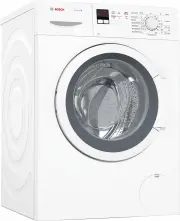
Getting to know the appliance en 15 * Getting to know the appliance Getting to know the appliance Washing machine # 6 7 ( Detergent drawer 0 Controls/display elements 8 Washing machine door with window handle 9S Open the washing machine door 9T Close the door @ Service flap
Page 16 - Control panel; programme default settings; Programme; Additional programme settings
en Getting to know the appliance 16 Control panel Control panel depending on the model # + + # ( programme default settings can be changed Overview of all programme default settings ~ " 0 Programme default settings" on page 20 0 Additional programme settings can be selected Overview of all p...
Page 17 - Display panel; Prepare the laundry; Damage to the appliance/fabrics; * depending on the model
Laundry en 17 Display panel Z Laundry Laundry Prepare the laundry Caution! Damage to the appliance/fabrics Foreign objects (e.g. coins, paper-clips, needles, nails) may damage the laundry or components in the washing machine. Therefore, note the following tips when preparing your laundry: ■ Empty po...
Page 19 - Correct selection of detergent; Saving
Detergent en 19 C Detergent Detergent Correct selection of detergent The care label is crucial for selecting the correct detergent, temperature and treatment of the laundry. Note: Only use detergents for front- loading washing machines, low suds/ detergent foam. ■ Standard detergent with optical bri...
Page 20 - rpm; Changing the preselected time:
en Programme default settings 20 0 Programme default settings Programme default settings You can find possible programme default settings in the overview; these differ depending on the model.These are displayed in the display panel after selecting the programme.You can change the default settings. T...
Page 21 - SpeedPerfect
Additional programme settings en 21 Adding laundry while the preselected time continues running: 1. Press Start/ Reload A . 2. The symbols YES and ¼ light up on the display panel. The washing machine door can be opened and laundry can be added. 3. Close the washing machine door. 4. Press the Start /...
Page 22 - Install
en Operating the appliance 22 1 Operating the appliance Operating the appliance Note: Install and connect washing machine properly. Before the 1st wash, wash once without any washing. Preparing the washing machine Notes ■ Never switch on a damaged washing machine! ■ Inform customer service! 1. Conne...
Page 23 - Placing laundry into the drum; Measure and add detergent
Operating the appliance en 23 Placing laundry into the drum : Warning Risk to life! Items of laundry pretreated with cleaning agents that contain solvents, e.g. stain remover/cleaning solvent, may cause an explosion after being loaded into the washing machine. Hand-rinse these items of laundry thoro...
Page 24 - Start the programme; II
en Operating the appliance 24 2. Add detergent and/or care products. Notes – When measuring the amount of all detergents, additives, care products and cleaning agents, always follow the manufacturer's instructions. – Dilute thick-consistency fabric softener and fabric conditioner with a little water...
Page 26 - Automatic load sensing
en Sensors 26 Notes – Do not leave any items of laundry in the drum. They may shrink in the next wash or discolour another item. – Remove any foreign objects from the drum and the rubber seal – risk of rusting. – Leave the door and detergent drawer open so that any residual water can dry away. – Alw...
Page 27 - Setting the signal; Activate the setting mode for the signal volume
Setting the signal en 27 M Setting the signal Setting the signal 1. Activate the setting mode for the signal volume Set to Ú . Press and hold the 0 button and turn one position to the right. Press and hold the button for approx. five seconds until the display elements light up. Set- ting mode is act...
Page 29 - The drain hose at the siphon; Start
Cleaning and maintenance en 29 3. Open and remove the service flap. 4. Take the drain hose out of the retainer. Remove the sealing cap, allow the detergent solution to flow out into a suitable container. Replace the sealing cap and place the drainage hose in the retainer. 5. Carefully unscrew the pu...
Page 30 - Emergency release
en Faults and what to do about them 30 6. For standard and Aqua-Secure models, clean the filter on the rear of the appliance: Remove the hose from the rear of the appliance, Remove the filter using pliers and clean the filter. 7. Connect the hose and check for leaks. 3 Faults and what to do about th...
Page 31 - Information on the display panel; Display
Faults and what to do about them en 31 Information on the display panel Display Cause/remedial action YES The washing machine door is unlocked. It is possible to add laundry. NO ■ The temperature is too high. Wait until the temperature falls. ■ Water level too high. Not possible to add laundry. If n...
Page 32 - Faults
en Faults and what to do about them 32 Faults and what to do about them Faults Cause/remedial action Water is leaking out. ■ Attach/replace the drainage hose correctly. ■ Tighten the screw connection of the supply hose. No water supply.Detergent not dispensed. ■ Start /Reload A not pressed? ■ Tap no...
Page 33 - Drum clean
Faults and what to do about them en 33 Residual water in the compartment i for care products. ■ Not a fault – the effect of the care product is not affected. ■ Clean the insert if necessary. Odours in the washing machine. Run the l Drum clean programme without laundry. Use standard detergent. The sy...
Page 34 - Weight; Product number
en After-sales service 34 4 After-sales service After-sales service If you cannot correct the fault yourself ~ "Faults and what to do about them" on page 30 please contact our after- sales service. ~ Back page We will always find an appropriate solution in order to avoid unnecessary visits b...
Page 36 - Robert Bosch Hausgeräte GmbH; Advice and repair order in the event of faults; IE
Robert Bosch Hausgeräte GmbH Carl-Wery-Straße 34 81739 München, GERMANY *9001190634* 9001190634 (9607) You can find the contact information for all countries in the attached after-sales service directory. 7 Advice and repair order in the event of faults GB 0344 892 8979 (Calls charged at local or mo...