Bonaire Durango CRC7000012 - User Manual
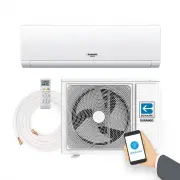
Bonaire Durango CRC7000012 Air Conditioner – User Manual, read for free online in PDF format. We hope this helps you resolve any issues you may have. If you have further questions, please contact us through the contact form.


Table of Contents:
- Page 3 – IMPORTANT SAFETY INFORMATION; READ ALL INSTRUCTIONS BEFORE USING THE SYSTEM; IM
- Page 4 – Remote Control Features and Settings; Remote Control
- Page 5 – EXTRA FUNCTION Button; EM
- Page 6 – Emergency Operation and Maintenance; Emergency Operation
- Page 7 – Before you call for service; UBL
- Page 9 – Aire Acondicionado Tipo Minisplit
- Page 11 – INFORMACION DE SEGURIDAD; LEA TODAS LAS INSTRUCCIONES ANTES DE USAR EL EQUIPO; RM
- Page 12 – Características y Ajustes del Control Remoto; Control Remoto; Botón Velocidad de Motor
- Page 13 – CARACT
- Page 14 – Operación de Emergencia y Mantenimiento; Operación de Emergencia; Agregar baterias
- Page 15 – Antes de llamar a servicio a cliente; UCI
Ductless Mini Split Air Conditioner
UCT30RWA
SAFETY INFORMATION ............. 3
REMOTE CONTROL FEATURES
AND SETTINGS ........................... 4
EMERGENCY OPERATION AND
MAINTENANCE .......................... 6
TROUBLESHOOTING TIPS ......... 7
LIMITED WARRANTY ................. 8
CRC7000012 Ductless Mini Split 12K
CRC7000018 Ductless Mini Split 18K
CRC7000024 Ductless Mini Split 24K
"Loading the manual" means you need to wait until the file loads and becomes available for online reading. Some manuals are very large, and the time they take to appear depends on your internet speed.
Summary
3 WARNING IMPORTANT SAFETY INFORMATION READ ALL INSTRUCTIONS BEFORE USING THE SYSTEM WARNING For your safety, the information in this manual must be followed to minimize the risk of fire, electricshock or personal injury. • Use this appliance only for its intended purpose as described in this Owner’...
4 R EM O T E CO NT RO L F EA T U R ES A ND SET T IN G S Remote Control Features and Settings Remote Control 1. Power Button Press the ON/OFF button on the remote control to start or stop the unit. 2. Turbo / Quiet Button The TURBO/Quiet function is used for fastest/slowest air flow in Heating or Coo...
5 Remote Control Features and Settings • When turning the unit on, the remote control willautomatically return the louver to the previous setposition. 10. FAN Button FAN mode circulates air only; there is not temperature adjustment av ailable. Use the fan speed button (7) to adjust fan speed from lo...

