BioChef KT-DE-BC-12TS-AU-BL - User Manual
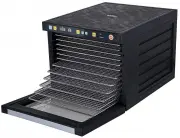
BioChef KT-DE-BC-12TS-AU-BL Food Dehydrator – User Manual, read for free online in PDF format. We hope this helps you resolve any issues you may have. If you have further questions, please contact us through the contact form.


Table of Contents:
- Page 2 – THE BIOCHEF STORY; A Healthy Choice
- Page 3 – Operation of the Control Panel; Selecting the Drying Mode
- Page 4 – Automated WARM Drying Mode
- Page 5 – Product Specifications; BCSA6
- Page 6 – History of Dehydration
- Page 7 – Cleaning and Maintenance
- Page 8 – How to set up your dehydrator; Warning; Dehydrating Food; WARNING; Choosing Food to Dehydrate
- Page 9 – Tips for Pre-Treatment of Foods; Preparation of Foods; Lemon and pineapple juice; Ascorbic acid; Steam Blanching
- Page 10 – Nuts and Seeds; PLEASE NOTE; Dehydrating Tips
- Page 14 – Jerky; Grains
- Page 15 – Troubleshooting; Displays E1
- Page 16 – Register online at warranty.vitality4life.com; Warranty Card
SAVANA
DEHYDRATOR
User Manual and Drying Guide
"Loading the manual" means you need to wait until the file loads and becomes available for online reading. Some manuals are very large, and the time they take to appear depends on your internet speed.
Summary
THE BIOCHEF STORY Vitality 4 Life was founded over 20+ years ago, based on our belief in the incredible healing power of living food, living juice, pure water, fresh air and sunshine. Vitality 4 Life houses some of the very best healthy home products from around the world and our selection criteria ...
Operation of the Control Panel Selecting the Drying Mode 1. Press the button to turn the food dehydrator on and off. 2. Press the MODE button once to activate the FAST default. Press the MODE button again to activate the REGULAR default. 3. The WARM mode automatically activates once either FAST or R...
3. Press the SET button again to adjust the time and use the + and – buttons to alter as necessary. The FAST mode is particularly beneficial for foods with a higher water content and require a heightened temperature to avoid fermentation. The duration of this mode can be increased if desired althoug...


