BAZZ MTSWFW1 - User Manual
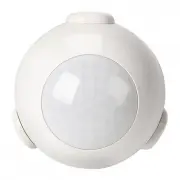
BAZZ MTSWFW1 Sensor – User Manual, read for free online in PDF format. We hope this helps you resolve any issues you may have. If you have further questions, please contact us through the contact form.


MTSWFW1
WIFI MOTION SENSOR
DÉTECTEUR DE
MOUVEMENT WIFI
INSTRUCTIONS
PRODUCT CONFIGURATION
CONFIGURATION DU PRODUIT
SPECIFICATIONS
CARACTÉRISTIQUES
Reset Button
Bouton de réinitialisation
Sticker
Autocollant
Inductive Area
Zone inductive
Screw stopper
Cheville
CR123A Battery
Pile CR123A
Screw
Vis
Holder
Support
LED Indicator Light
Voyant lumineux DEL
45 mm
1
¾
"
45 mm
1
¾
"
Battery
Piles
1X CR123A-3V
Standby Current
Courant de veille
13uA
Working Current
Courant d’utilisation
120-130mA
Wireless Encryption
Cryptage sans fil
WEP / WPA / WPA2
Encryption
Wireless Type
Type de sans fil
2.4GHz
Wireless Standard
Norme de sans fil
IEEE 802.11 b/g/n
Wireless Range
Portée du sans fil
45M
Sensitive Distance
Distance sensible
4-6M
Operating Temperature
Température de
fonctionnement
0°C ~ 40°C
(32°F ~ 104°F)
LED INDICATOR LIGHT
VOYANT LUMINEUX DEL
DEVICE STATUS
STATUT DE
L'APPAREIL
LED INDICATOR LIGHT STATE
ÉTAT DU VOYANT LUMINEUX DEL
EZ Mode
Mode EZ
LED Indicator light flashes quickly.
Le voyant lumineux DEL clignote
rapidement.
AP Mode
Mode AP
LED Indicator light flashes slowly.
Le voyant lumineux DEL clignote
lentement.
Triggered
Détection
LED Indicator light flashes rapidly,
and turn OFF after scheduled
time.
Le voyant lumineux DEL clignote
rapidement et s'éteint après le
temps programmé.
Sleeping Mode
Mode veille
LED Indicator light is off.
Le voyant lumineux DEL est éteint.
Reset
Réinitialiser
LED Indicator light lights up for
4 seconds and after 2 seconds
goes off, device is in configuration
mode.
Le voyant lumineux DEL s'allume
pendant 4 secondes et après 2
secondes s'éteint, l'appareil est en
mode configuration.
How to Open
Comment ouvrir
Front
Devant
Back
Dos
DOWNLOAD FREE APP
TÉLÉCHARGER L’APPLICATION
GRATUITE
Don’t have the APP? Download the APP.
Search for "Bazz Smart Home" to download in APP
Store or Google Play.
The free app "Bazz Smart Home" is compatible with
mobile devices IOS 8.0 and above and Android 4.0
and above.
Vous n’avez pas l’application? Télécharger la.
Rechercher "Bazz Smart Home" pour télécharger dans
l'APP Store ou Google Play.
L’application gratuite "Bazz Smart Home" est
compatible avec les appareils mobiles IOS 8.0 et plus
et Android 4.0 et plus.
Bazz Smart Home
REGISTER AND LOGIN
S'INSCRIRE ET SE CONNECTER
Open "Bazz Smart Home" app, select "Register" to
create an account. Select the right country code, enter
your email or mobile number and then set password.
You can also register through other communication
apps which are on the bottom of the page, such as
Facebook.
Note:
1. If you register by email, you will not receive a
verification code. Simply enter your password to
log in.
2. If you register by phone number, you will receive a
verification code before setting password.
Ouvrir l’application "Bazz Smart Home", sélectionner
"S’inscrire" pour créer un compte. Sélectionner le
bon code de pays, entrer votre adresse courriel
ou votre numéro de téléphone mobile, puis définir
le mot de passe. Vous pouvez aussi vous inscrire
via d’autres applications de communication qui se
trouvent au bas de la page, tel que Facebook.
Remarque:
1. Si vous vous enregistrez par courriel, vous n’allez
pas recevoir de code de vérification. Entrez
simplement votre mot de passe pour vous
connecter.
2. Si vous vous enregistrez par numéro de
téléphone, vous allez recevoir un code de
vérification avant de définir un mot de passe.
REQUIREMENTS
PRÉREQUIS
WARNING
ATTENTION
· Internet connection with a WIFI network.
· Strong WIFI signal.
· 2.4 GHz wireless frequency.
· Password protected WIFI network for security reason
(password must contain only letters and numbers
and should not be too long).
· Router with sufficient connections.
· Connexion Internet avec un réseau WIFI.
· Signal WIFI puissant.
· Fréquence sans fil de 2,4 GHz.
· Réseau WIFI protégé par un mot de passe pour des
raisons de sécurité (le mot de passe doit contenir
seulement des lettres et des chiffres et ne doit pas
être trop long).
· Routeur avec suffisamment de connexions.
· Please read all informations carefully before
installation.
· For any questions or troubleshooting please visit:
www.bazzsmarthome.com.
· This product is designed for indoor use only.
· Veuillez lire attentivement toutes les informations
avant l'installation.
· Pour toutes questions ou dépannage, visitez le site
www.bazzsmarthome.com.
· Ce produit est conçu pour un usage intérieur
seulement.
"Loading the manual" means you need to wait until the file loads and becomes available for online reading. Some manuals are very large, and the time they take to appear depends on your internet speed.