atomi smart AT1481 - User Manual
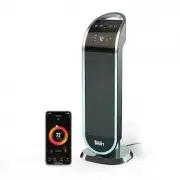
atomi smart AT1481 Heater – User Manual, read for free online in PDF format. We hope this helps you resolve any issues you may have. If you have further questions, please contact us through the contact form.


1
2
3
4
5
6
Get the app
Download the atomi smart app
from the App Store or Google Play.
Register
Follow the on-screen instructions
and register an account.
Add your smart device
Press “Add Device” or the “+” sign and choose
the smart device to install from the device list.
Connect to the network
Press “Go to Connect” and follow
the instructions on the screen.
7
Connect your smart device
Select “atomi-smart-XXXX” on the network list to connect.
If you are not automatically directed to the WiFi list,
go to SETTINGS on your smartphone and press WiFi.
v1.02/20
atomi smart
GET
Register
Go to Connect
Add Device
atomi-smart-XXXX
network-1
network-2
network-3
WiFi Settings
WiFi
Password
Confirm
Select the right network
Enter your WiFi password and “Confirm”.
Make sure you’re connected to a 2.4GHz WiFi network
(atomi Smart can’t connect to 5GHz networks).
WiFi
Plug in your smart device
And press “Continue” on the atomi smart app.
Let’s get started!
Smart WiFi
Ceramic Tower Heater
Quick Start Guide
"Loading the manual" means you need to wait until the file loads and becomes available for online reading. Some manuals are very large, and the time they take to appear depends on your internet speed.