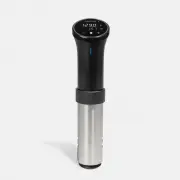
ANOVA AN525-US00 Multicooker – User Manual, read for free online in PDF format. We hope this helps you resolve any issues you may have. If you have further questions, please contact us through the contact form.
1
2
3
4
5
6
7
8
9
10
11
Table of Contents:
Page 2 – W H A T Y O U ’ L L N E E D; Sealable
Page 3 – Y O U R C O O K E R
Page 4 – S E T T I N G U P; fill a pot
Page 5 – U S I N G T H E D I S P L A Y; set or change temperature; change to fahrenheit or
Page 6 – C O N N E C T T O W I - F I; download; the Anova Culinary App on; connect; the app and follow the on-screen
Page 7 – C A R E A N D C L E A N I N G; internal components
Page 8 – F C C / I C C O M P L I A N C E
Page 9 – to reduce the risk of fire,
Page 11 – A N O VA C U L I N A R Y. C O M
Loading the manual
Quick Start Guide
"Loading the manual" means you need to wait until the file loads and becomes available for online reading. Some manuals are very large, and the time they take to appear depends on your internet speed.
Summary
Page 2 - W H A T Y O U ’ L L N E E D; Sealable
2 W H A T Y O U ’ L L N E E D Sealable bags Your pot (any pot) Something tasty
Page 3 - Y O U R C O O K E R
3 Y O U R C O O K E R MAX MIN led light modes White: idlePulsing Blue: preheatingSolid Blue: cookingRed: low water or errorPulsing White: pairing 1 2 3 5 6 7 4 1 2 3 4 5 6 7 Display LED Indicator Maximum Water Level Line Minimum Water Level Line Adjustable Clamp Removable Skirt Plug
Page 4 - S E T T I N G U P; fill a pot
4 S E T T I N G U P fill a pot • Fill a pot or container with water. • Place it on a heat-safe surface or trivet, away from counter edges. attach your cooker • Loosen the rear screw on your Anova Precision® Cooker clamp. • Fit the clamp over the edge of your pot. • Tighten the rear screw so it is sn...
Page 5 - U S I N G T H E D I S P L A Y; set or change temperature; change to fahrenheit or
5 U S I N G T H E D I S P L A Y set or change temperature • Press the Target Temperature button • Press the +/- buttons set or change cooking time • Press the Timer button • Press the +/- buttons 1 4 5 7 23 6 Current Temperature Target Temperature Timer Time/Temp Display Decrease Time/Temp Increase ...
Page 6 - C O N N E C T T O W I - F I; download; the Anova Culinary App on; connect; the app and follow the on-screen
6 C O N N E C T T O W I - F I download the Anova Culinary App on your smartphone or tablet. connect to your preferred Wi-Fi network. open the app and follow the on-screen instructions to connect. 1 2 3
Page 7 - C A R E A N D C L E A N I N G; internal components
7 C A R E A N D C L E A N I N G how to cleanstainless steel skirt • Wash with mild dish soap or place it in the dishwasher. internal components • Gently scrub the exposed metal and plastic components with a tooth brush and mild dish soap • Do not bend or displace any of the exposed components. • Wip...
Page 8 - F C C / I C C O M P L I A N C E
9 F C C / I C C O M P L I A N C E This device complies with Part 15 of the FCC Rules / Industry Canada licence- exempt RSS standard(s). Operation is subject to the following two conditions: (1) this device may not cause harmful interference, and (2) this device must accept any interference received,...
Page 9 - to reduce the risk of fire,
1 0 to reduce the risk of fire, electric shock, or injury: 1. Do not use with damaged cord or plug. 2. If appliance is not working as it should, has been dropped, damaged, left outdoors, or dropped into water, do not attempt to use the device again. Contact Anova Support at support@ anovaculinary.co...