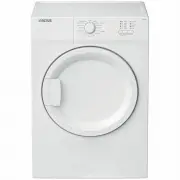
Altus ADV70W Dryer – User Manual, read for free online in PDF format. We hope this helps you resolve any issues you may have. If you have further questions, please contact us through the contact form.
1
2
3
4
5
6
7
8
9
10
11
12
13
14
15
16
17
18
19
20
Table of Contents:
Page 2 – Please read this user manual first!; Explanation of symbols; NOTE
Page 3 – years; For the products with a steam
Page 6 – cm
Page 8 – Your Dryer; Installation
Page 11 – Preparation
Page 12 – Operating the product; Preparation of drying machine
Page 13 – Programme selection and consumption table
Page 16 – Adding and removing clothes during
Page 17 – Maintenance and cleaning; Cleaning the sensors
Page 18 – Troubleshooting
Loading the manual
ADV70W
EN
Dryer
User Manual
ADV70W/221220.1733
"Loading the manual" means you need to wait until the file loads and becomes available for online reading. Some manuals are very large, and the time they take to appear depends on your internet speed.
Summary
Page 2 - Please read this user manual first!; Explanation of symbols; NOTE
2 Dryer / User Manual Please read this user manual first! Dear Customer, Thank you for prefering a Altus product. We hope that your product which has been manufactured with high quality and technology will give you the best results. We advise you to read through this manual and the other accompanyin...
Page 3 - years; For the products with a steam
3 Dryer / User Manual 1 Important instructions for safety and environment C NOTE • This section contains safety instructions that will help protect from risk of personal injury or property damage. Failure to follow these instructions shall void any warranty. 1.1 General safety A WARNING! The dryer c...
Page 6 - cm
6 Dryer / User Manual C NOTE • Use softeners and similar products in accordance with the instructions of their manufacturers. Always clean the lint filter before or after each loading. Never operate the dryer without the lint filter installed. A WARNING! • Never attempt to repair the dryer by yourse...
Page 8 - Your Dryer; Installation
8 Dryer / User Manual 2 Your Dryer 11 10 1 2 3 4 5 6 7 8 9 2.1 Overview 1. Top panel 2. Control panel 3. Loading door 4. Kick plate opening button 5. Ventilation grids 6. Adjustable legs 7. In models where the tank is placed below, the water tank is inside the toe board 8. Type label 9. Lint filter ...
Page 11 - Preparation
11 Dryer / User Manual 4 Preparation • For models with a condenser unit: clean the condenser once in a month or after every 30 operations regularly. • Clean the filter periodically.Read the Maintenance and cleaning of filters for detalied information. • For models with flue unit: comply with the flu...
Page 12 - Operating the product; Preparation of drying machine
12 Dryer / User Manual 5 Operating the product 5.1 Control Panel 1. On/Off/Programme selection button 2. Start/Pause button 3. Time Delay button 4. Audio warning level button 5.2 Symbols 5.3 Preparation of drying machine • Plug in the dryer.• Open the loading door.• Place the laundry in the drying m...
Page 13 - Programme selection and consumption table
13 Dryer / User Manual 5.4 Programme selection and consumption table EN Programmes Programme Description Capacity (kg) Spin speed in washing machine (rpm) Drying T ime (minutes) Cottons Iron Dry You may dry your cotton laundry to be ironed in this program to have them slightly damp for ease of ironi...
Page 16 - Adding and removing clothes during
16 Dryer / User Manual C NOTE • When the drying machine runs and the child lock is active, it beeps twice when the programme selection knob is turned. If the child lock is deactivated without returning the programme selection knob to its previous position, programme will terminate due to the change ...
Page 17 - Maintenance and cleaning; Cleaning the sensors
17 Dryer / User Manual 6 Maintenance and cleaning • Clean the entire inner surface of the loading door and loading door gasket with a soft damp cloth. Cleaning the sensors • There are temperature sensor in the dryer that detect whether the laundry is dry or not. To clean the sensors: • Open the load...
Page 18 - Troubleshooting
18 Dryer / User Manual 7 Troubleshooting Drying operation takes too long.Fibre filter pores might be clogged. >>> Wash the filter with warm water.Filter drawer might be clogged. >>> Clean the sponge and filter cloth (if any) in the filter drawer. (for the products with a heat pump)...