Altec Lansing ALHYBLRB001R - User Manual
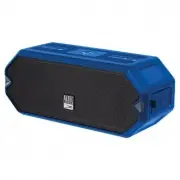
Altec Lansing ALHYBLRB001R Wireless Speaker – User Manual, read for free online in PDF format. We hope this helps you resolve any issues you may have. If you have further questions, please contact us through the contact form.

IMW1300
In the Box
A Closer Look
Charging
QUICK START GUIDE
Wireless Speaker
Powering On/
Bluetooth
Pairing
Light Change
Mode
USB-C Charging Cable
True Wireless
Pairing
Changes or modifications not expressly approved by the
party responsible for compliance could void the user’s authority to
operate the equipment. This device complies with Part 15 of the FCC
Rules. Operation is subject to the following two conditions: (1) this
device may not cause harmful interference, and (2) this device must
accept any interference received, including interference that may
cause undesired operation.
This equipment has been tested and found to comply with the
limits for a Class B digital device, pursuant to Part 15 of the FCC Rules.
T
hese limits are designed to provide reasonable protection against
harmful interference in a residential installation. This equipment
generates, uses and can radiate radio frequency energy and, if not
installed and used in accordance with the instructions, may cause
harmful interference to radio communications. However, there is no
guarantee that interference will not occur in a particular installation.
If this equipment does cause harmful interference to radio or
television reception, which can be determined by turning the
equipment off and on, the user is encouraged to try to correct the
interference by one or more of the following measures:
-- Reorient or relocate the receiving antenna.
-- Increase the separation between the equipment and receiver.
-- Connect the equipment into an outlet on a circuit different from that
to which the receiver is connected.
– Consult the dealer or an experienced radio/TV technician for help.
-
+
-
+
Volume Up
Volume Down
Play/Pause
Answer & End Call
Speaker
Controls
PRESS
ON/OFF
Next Track
Previous Track
Reject Incoming Call
PRESS & HOLD (2 sec)
Just Ask / Reset
1-2 SEC
PRESS & HOLD
Turn on the second speaker and press the
button.
Turn on the first speaker and connect It
with a Bluetooth compatible device.
(red) = Charging
Complete
(off ) = Charging
Press
To activate JUST ASK
(Siri or Google Assistant)
Disconnect Bluetooth: Press
and hold for five seconds and
the speaker will beep
Reset All connections: Press
and hold for ten seconds and
the speaker will power off
Reset- Press & Hold
Press
1-2 SEC
PRESS & HOLD
Overall battery performance varies dependent upon
use setting, and environmental conditions. For
further information, please visit
www.alteclansing.com
Reset
USB Port
Power Button
Link Button
Color Change Button
USB-C Charging
Port
Volume Down/Previous Track
Volume Up/Next Track
≈3-4 Hours
Full Charge
Place a Qi compatible device on the wireless charging pad to charge it
connected
AL HydraBlast
Paired
Solid Blue
Flashing Blue
Press and hold the button for 2-3
seconds on the first speaker.
The Link Buttons will illuminate green
indicating the speakers have paired
together.
Second Speaker
Pairing Mode
To toggle between the different light modes:
1. Multicolor slow transition
2. Single color pulse to music
3. Multi color pulse to music
4. Single color slow fade
5. Single color
6. Multicolor cycle changed
7. Multicolor fast changed
with background color
8. Multicolor slow fade
9. Four color slow fade
10. Four color rotation
with pulse to music
11. Four color rotation
12. Off
Carabiner
IMW1300 HydraBlast Everythingproof
Wireless Speaker
TM
HydraBlast Everythingproof
TM
Sakar International Inc.
195 Carter Drive
Edison, New Jersey 08817, USA
855-292-4087
www.alteclansing.com
With the speakers connected, True Wireless uses the
speaker as a left and right channel to create a
cinematic experience.
* Disconnect TWS function: power off the unit *
Flashing Green = Pairing
Solid Green = Paired
Press & Hold the button for 1-2 sec to
change the Strobe light modes.
* off Pulse to music Blink off *
* Make sure that your device is positioned correctly on your charging pad.
* Make sure that there are no other objects on the charging pad.
* Make sure to remove any phone covers before using the wireless charging.
*
When using Qi charging if the volume is >50% it will be automatically reduced to 50% to
conserve battery.
"Loading the manual" means you need to wait until the file loads and becomes available for online reading. Some manuals are very large, and the time they take to appear depends on your internet speed.


