Page 4 - Table of Contents; Contacts
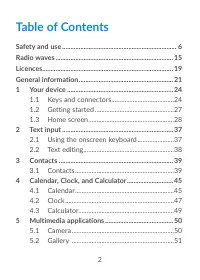
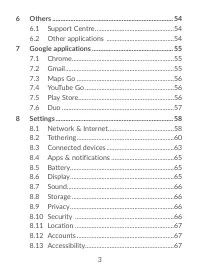
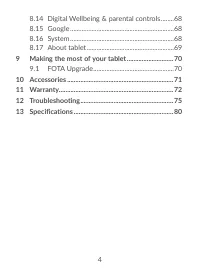
2 Table of Contents Safety and use ..................................................................... 6Radio waves ....................................................................... 15Licences ............................................................................... 19General informati...
Page 7 - PROTECT YOUR HEARING
5 PROTECT YOUR HEARING To prevent possible hearing damage, do not listen at high volume levels for long periods. Exercise caution when holding your device near your ear while the loudspeaker is in use. www.sar-tick.com This product meets applicable national SAR limits of 2.0 W/kg. The specific maxim...
Page 13 - For a non-unibody device with a non-removable
11 not charged. Please charge it first. For a non-unibody device: Observe the following precautions:- Do not attempt to open the battery (due to the risk of toxic fumes and burns); - Do not puncture, disassemble, or cause a short circuit in a battery; - Do not burn or dispose of a used battery in ho...
Page 14 - For a unibody device:
12 with locally applicable environmental regulations. For a unibody device: Observe the following precautions:- Do not attempt to open the back cover;- Do not attempt to eject, replace, or open battery;- Do not puncture the back cover of your tablet;- Do not burn or dispose of your tablet in househo...
Page 15 - Manufacturer’s name and Address:
13 Items of equipment with this symbol are not to be thrown into ordinary bins if your jurisdiction or your region has suitable recycling and collection facilities; instead they are to be taken to collection points for them to be recycled. CAUTION: RISK OF EXPLOSION IF BATTERY IS REPLACED BY AN INCO...
Page 26 - Keys and connectors
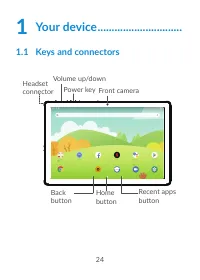
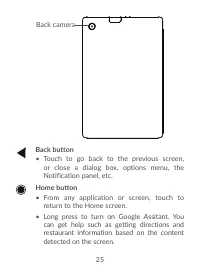
24 1 Your device .............................. 1.1 Keys and connectors Headset connector Front camera Volume up/down Power key Recent apps button Home button Back button
Page 29 - Setting up; Insert or remove your microSD card.; Charging the battery; status is indicated by a percentage displayed on screen.
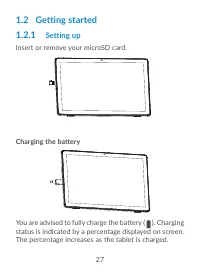
27 1.2 Getting started1.2.1 Setting up Insert or remove your microSD card. Charging the battery You are advised to fully charge the battery ( ). Charging status is indicated by a percentage displayed on screen. The percentage increases as the tablet is charged.
Page 30 - Powering on your tablet; Powering off your tablet; Power
28 To reduce power consumption and energy waste when the battery is fully charged, disconnect your charger from the plug; switch off Wi-Fi, Bluetooth or background-running applications when not in use; reduce the backlight time, etc. 1.2.2 Powering on your tablet Hold down the Power key until the ta...
Page 32 - Using the touchscreen; Touch
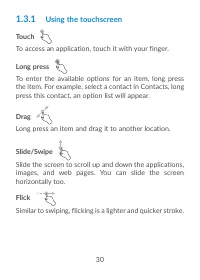
30 1.3.1 Using the touchscreen Touch To access an application, touch it with your finger. Long press To enter the available options for an item, long press the item. For example, select a contact in Contacts, long press this contact, an option list will appear. Drag Long press an item and drag it to...
Page 33 - Status bar; Notification panel
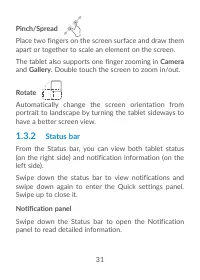
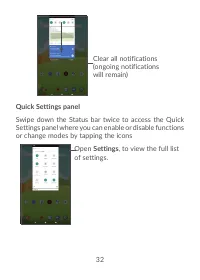
31 Pinch/Spread Place two fingers on the screen surface and draw them apart or together to scale an element on the screen.The tablet also supports one finger zooming in Camera and Gallery . Double touch the screen to zoom in/out. Rotate Automatically change the screen orientation from portrait to la...
Page 35 - Locking and unlocking your screen
33 1.3.3 Locking and unlocking your screen To protect your tablet and privacy, you can lock the tablet with a pattern, PIN, or password, etc. To create a screen unlock pattern • From the Home screen, touch Settings > Security > Screen lock . • Set your own pattern. To lock tablet screen If you...
Page 36 - Personalising your Home screen; Add
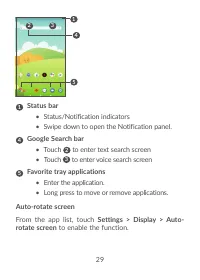
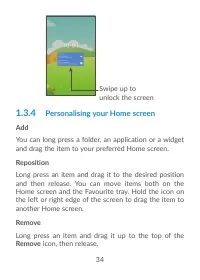
34 Swipe up to unlock the screen 1.3.4 Personalising your Home screen Add You can long press a folder, an application or a widget and drag the item to your preferred Home screen. Reposition Long press an item and drag it to the desired position and then release. You can move items both on the Home s...
Page 37 - Widgets and recently used applications
35 Create folders To improve the organisation of shortcuts or applications on the Home screen and the Favourite tray, you can add them to a folder by stacking one item on top of another. To rename a folder, open it and touch the folder’s title bar to input the new name. Wallpaper customisation Long ...
Page 38 - Clear all; Volume adjustment; Using the volume key
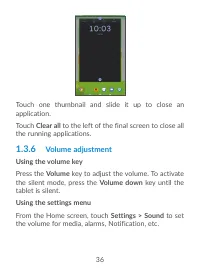
36 Touch one thumbnail and slide it up to close an application.Touch Clear all to the left of the final screen to close all the running applications. 1.3.6 Volume adjustment Using the volume key Press the Volume key to adjust the volume. To activate the silent mode, press the Volume down key until t...
Page 39 - Using the onscreen keyboard; Onscreen keyboard settings; Gboard
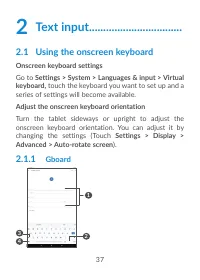
37 2 Text input ................................. 2.1 Using the onscreen keyboard Onscreen keyboard settings Go to Settings > System > Languages & input > Virtual keyboard, touch the keyboard you want to set up and a series of settings will become available. Adjust the onscreen keyboard...
Page 41 - Consult your Contacts
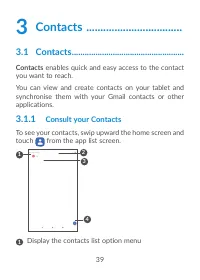
39 3 Contacts .................................. 3.1 Contacts .................................................... Contacts enables quick and easy access to the contact you want to reach. You can view and create contacts on your tablet and synchronise them with your Gmail contacts or other applicati...
Page 42 - Adding a contact
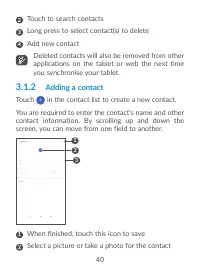
40 2 Touch to search contacts 3 Long press to select contact(s) to delete 4 Add new contact Deleted contacts will also be removed from other applications on the tablet or web the next time you synchronise your tablet. 3.1.2 Adding a contact Touch in the contact list to create a new contact.You are r...
Page 43 - Add to/Remove from Favourites; Editing your contacts; Save
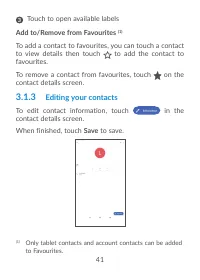
41 3 Touch to open available labels Add to/Remove from Favourites (1) To add a contact to favourites, you can touch a contact to view details then touch to add the contact to favourites. To remove a contact from favourites, touch on the contact details screen. 3.1.3 Editing your contacts To edit con...
Page 44 - To expoport and share contacts:
42 The icons available on the Quick contact panel depend on the information you have for the contact and the applications and accounts on your tablet. 3.1.4 Importing, exporting and sharing contacts This tablet enables you to import contacts from your SD card to your tablet, and export your tablet c...
Page 46 - On the; Accounts; , when activated, all changes to information on the
44 Auto-sync On the Accounts screen, touch Automatically sync data , when activated, all changes to information on the tablet or online will be automatically synchronised with each other.
Page 47 - Multimode view; Schedul; To create new events
45 4 Calendar, Clock, and Calculator ................................. 4.1 Calendar You can use Calendar to keep track of important meetings, appointments, etc.To view the calendar and create events, open Google apps folder from Home screen, then touch Calendar . 4.1.1 Multimode view You can display...
Page 48 - To delete or edit an event; Delete; Event reminder; Back
46 • When finished, touch Save from the top of the screen. To quickly create an event from the Week view screens, touch an empty spot to select a target area which will then turn , then touch the icon to create the new event. 4.1.3 To delete or edit an event To delete or edit an event, touch the eve...
Page 49 - Your tablet has a built-in clock. swipe up the Home; Clock; From the Clock screen, touch to enter the; Alarm; to enable the alarm.
47 4.2 Clock Your tablet has a built-in clock. swipe up the Home screen, then touch Clock . 4.2.1 Clock To view the world clock, touch on the Time screen.Touch to add a time zone. 4.2.2 Alarm From the Clock screen, touch to enter the Alarm screen.Turn on to enable the alarm. Touch to add a new alarm...
Page 50 - Timer; Stopwatch
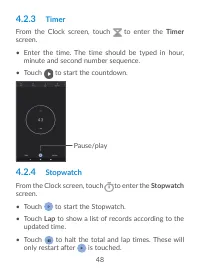
48 4.2.3 Timer From the Clock screen, touch to enter the Timer screen. • Enter the time. The time should be typed in hour, minute and second number sequence. • Touch to start the countdown. Pause/play 4.2.4 Stopwatch From the Clock screen, touch to enter the Stopwatch screen. • Touch to start the St...
Page 51 - Adjust Clock settings
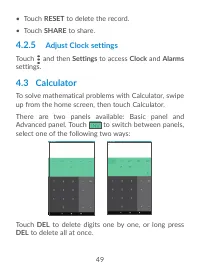
49 • Touch RESET to delete the record. • Touch SHARE to share. 4.2.5 Adjust Clock settings Touch and then Settings to access Clock and Alarms settings. 4.3 Calculator To solve mathematical problems with Calculator, swipe up from the home screen, then touch Calculator.There are two panels available: ...
Page 55 - On; Photos; screen, long press a picture or video to
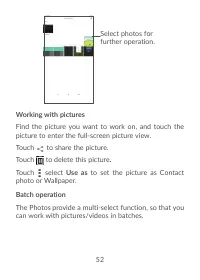
53 On Photos screen, long press a picture or video to activate batch operation mode, then touch videos/ pictures you want to work with. Touch to delete selected files. Touch to share selected files.
Page 56 - Support Centre; Other applications
54 6 Others ................................... 6.1 Support Centre Support Centre helps you to learn more about Hot FAQs, operation instructions, troubleshooting, etc. You can also feedback your comments to us through it. 6.2 Other applications (1) The previous applications in this section are prein...
Page 61 - Data usage
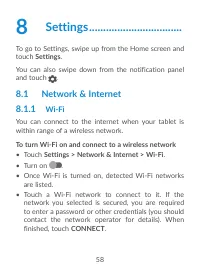
59 To add a Wi-Fi network When Wi-Fi is on, you can add new Wi-Fi networks according to your preference. • Touch Settings > Network & Internet > Wi-Fi . • Touch Add network > advanced option > Hidden network , and select Yes . • Enter the name of the network and any required network ...
Page 62 - VPN; To add a VPN
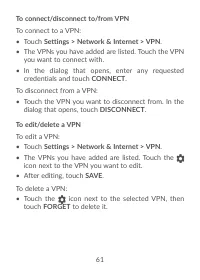
60 8.2 Tethering To share your tablet's data connection via USB and Bluetooth, or as a mobile hotspot, go to Settings > Network & Internet > Tethering to activate these functions. 8.2.1 VPN Virtual private networks (VPNs) allow you to connect to the resources inside a secured local network...
Page 64 - Turn on; Aeroplane mode; to simultaneously disable; Private DNS; Touch to select private DNS mode.
62 8.2.2 Aeroplane mode Turn on Aeroplane mode to simultaneously disable all wireless connections including Wi-Fi, Bluetooth and more. 8.2.3 Private DNS Touch to select private DNS mode.
Page 65 - Connected devices
63 8.3 Connected devices Bluetooth is a short-range wireless communication technology that you can use to exchange data, or connect to other Bluetooth devices for various uses. To turn on Bluetooth • Touch Settings > Connected devices> Connection preferences > Bluetooth . • Turn on Bluetoot...
Page 66 - Cast; Settings > Connected devices> Connection; Printing
64 • Touch + Pair new device . • Touch a Bluetooth device you want to pair your tablet with in the list. • In the dialog that pops up, touch PAIR to confirm. • If the pairing is successful, your tablet will be connected to the device. To unpair from a Bluetooth device • Touch beside the device you w...
Page 67 - Files received via Bluetooth; Notifications
65 8.3.3 Files received via Bluetooth Touch to check the files which received via Bluetooth. 8.4 Apps & notifications Touch to view details about the applications installed on your tablet, to manage their data usage or force them to stop. In the Notifications menu, you can configure whether to b...
Page 69 - Add account
67 You can also set Device administrations, Screen pinning, etc. in Settings > Security. 8.11 Location Tap to set whether to allow an app to access your device's location. You can set allowing continual access, or only while the app is in use. 8.12 Accounts Touch to add, remove, and manage your e...
Page 70 - controls; Gestures
68 8.14 Digital Wellbeing & parental controls In this menu you can find how much time you have spent on the tablet and even on each app. You can customise the time limit for using the tablet so that have a healthy and balanced life. In addition, parents are able to restrict their children's usag...
Page 72 - Making the most of your
70 9 Making the most of your tablet ..................................... 9.1 FOTA Upgrade Use the FOTA (Firmware Over The Air) Upgrade tool to update your tablet's software. To access Updates , from the app list, touch Settings > System > System updates . If you want to update the system, tou...
Page 73 - Standard accessories; accessories included along with your device.
71 10 Accessories .......................... Standard accessories 1. Charger2. USB Cable3.Quick Start Guide3. Product safety information leaflet4. LCD sticker • Accessories depend on countries.• Only use the alcatel batteries, chargers, and accessories included along with your device.
Page 83 - Audio supported formats :; ADPCM; Battery; microSDTM memory card
81 Audio supported formats : WAV, MP3, MP2, AAC, AMR-NB, ARM-WB, MIDI, Vorbis, APE, AAC-plus v1, AAC-plus v2, FLAC, WMA, ADPCM Battery (1) : Capacity: 4080mAh Expansion Slot : microSD™ memory card (Availability of microSD card depends on market) Note: Specifications are subject to change without pri...