AKKO 3087 - User Manual

The Akko 3108/3087 keyboard models–including their variants like the backlit versions (e.g., 3108S/3087S)–cover a broad range of functionality in this manual, focusing on user setup, customization, and troubleshooting. The document details technical specifications such as mechanical design, multimedia key support, and full-key anti-ghosting, emphasizing hardware-based features like Akko Macro V1.0 for programmable macros without software dependencies. It also addresses system functions (e.g., shortcuts for media control or Windows commands) and backlight customization options, including brightness adjustments and preset lighting modes. Additionally, the manual includes warranty information and after-sales service guidelines, outlining repair policies and contact details for support.
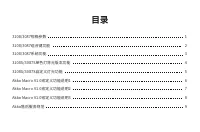
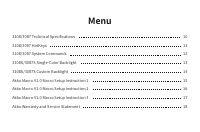
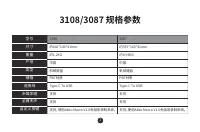
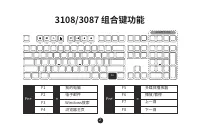
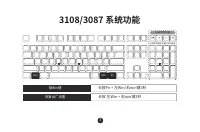
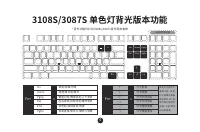
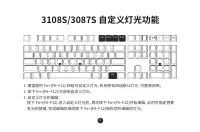
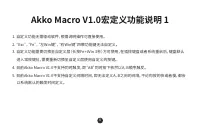
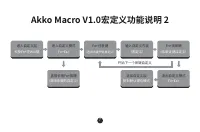
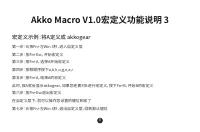
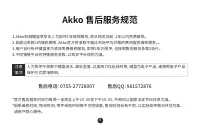
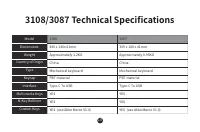
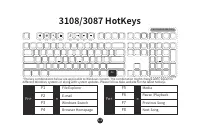
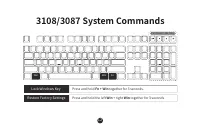
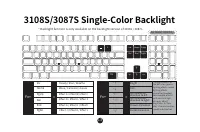
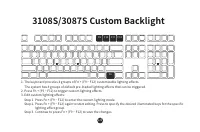
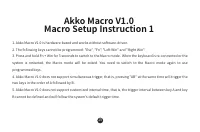
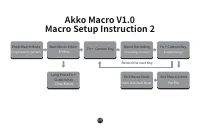
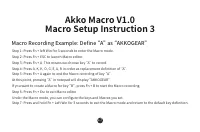
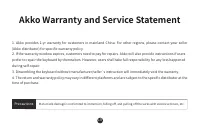

Table of Contents:
- Page 1 – Product Identification and Support Information
- Page 2 – Instruction Manual Table of Contents
- Page 3 – Keyboard Model Specifications and Setup Outline
- Page 4 – Keyboard Physical Specifications Comparison
- Page 5 – Multimedia and System Shortcuts
- Page 6 – Keyboard System Functions and Layout
- Page 7 – Single-Color Backlight Functionality
- Page 8 – Customizable Backlighting Modes
- Page 9 – Macro Definition Limitations
- Page 10 – Macro Customization Process
- Page 11 – Setting Up Macros via Function Keys
- Page 12 – After-Sales Service and Warranty Policy
- Page 13 – Detailed Technical Specifications
- Page 14 – Hotkey Functions for Application Control
- Page 15 – System Command Shortcuts
- Page 16 – Backlight Adjustment and Availability
- Page 17 – Custom Backlighting Effects Editing
- Page 18 – Macro Setup Prerequisites
- Page 19 – Step-by-Step Macro Recording
- Page 20 – Recording a Specific Macro Sequence
- Page 21 – Warranty, Service, and Damage Policy
- Page 22 – Company Contact Information
用 户 手 册
/
User Manual
"Loading the manual" means you need to wait until the file loads and becomes available for online reading. Some manuals are very large, and the time they take to appear depends on your internet speed.
Was this manual helpful?
About this manual
- Brand
- AKKO
- Model
- 3087
- Document type
- User Manual
- Category
- Keyboard
- Language(s)
- English
- Pages
- 22
- File size
- 542.1 KB
- Format
Summary
Identification details for the Akko keyboard models, including brand logo, model numbers, and support resources.
Table of contents listing sections covering specifications, system functions, backlight features, macro programming, and after-sales service for Akko keyboard models.
Table of contents detailing technical specifications, hotkeys, system commands, backlight settings, macro setup instructions, and warranty information for the 3108/3087 and 3108S/3087S models.