AIRCARE 5D6 700 - User Manual

This user manual covers the Aircare Evaporative Humidifier Mini-Console, particularly its 5D6700 models, focusing on setup, operation, maintenance, and troubleshooting. The document includes essential safety guidelines, component assembly instructions, optimal placement tips, and procedures for cleaning, error code interpretation (such as CL and CF), and wick replacement to ensure proper humidification function. It also addresses common user questions about humidity levels, water additives, and warranty details.
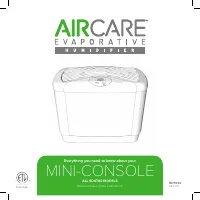


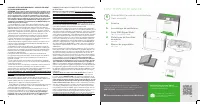
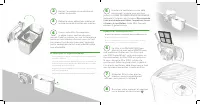
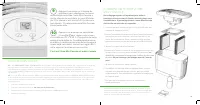


Table of Contents:
- Page 1 – Product Identification and Support Information
- Page 2 – Safety Instructions and Included Components
- Page 3 – Initial Setup Procedures
- Page 4 – Operation, Maintenance, and Error Codes
- Page 5 – Frequently Asked Questions
- Page 6 – Assembly Components and Warranty Details
- Page 7 – Humidifier Setup and Placement
- Page 8 – Detailed Maintenance and Cleaning
- Page 9 – Troubleshooting and Product Information
- Page 10 – Appliance Components and Warranty
- Page 11 – Final Setup and Water Management
- Page 12 – Advanced Operation and Unit Care
- Page 13 – Operation Troubleshooting and Support
Read and save these instructions
MINI-CONSOLE
Everything you need to know about your
ALL 5D6700 MODELS
1B73534
08/2022
"Loading the manual" means you need to wait until the file loads and becomes available for online reading. Some manuals are very large, and the time they take to appear depends on your internet speed.
Was this manual helpful?
About this manual
- Brand
- AIRCARE
- Model
- 5D6 700
- Document type
- User Manual
- Category
- Humidifier
- Language(s)
- English
- Pages
- 13
- File size
- 1.6 MB
- Format
Summary
Identification details for the Aircare Evaporative Humidifier Mini-Console, including model information and support resources.
Safety guidelines for humidifier operation, warranty terms, service procedures, and a list of components included in the Mini-Console package.
Step-by-step instructions for setting up the Mini-Console humidifier, including component removal, positioning, water filling, filter installation, and powering on.
Ask a question
Related manuals
More AIRCARE Humidifiers models
 AIRCARE 4DTS 900 User Manual
 AIRCARE 696 400HB User Manual
 AIRCARE 831000 User Manual
 AIRCARE 836000HB User Manual
 AIRCARE D46 720 User Manual
 AIRCARE EP9800 User Manual
 AIRCARE H12 400HB User Manual
 AIRCARE H12600 User Manual
 AIRCARE HD1409 User Manual
 AIRCARE HD3120DCN User Manual
 AIRCARE MA0800 User Manual
 AIRCARE MA1201 User Manual