Page 2 - Inhalt
Deutsch Inhalt Übersicht der Bedienelemente ...... Seite 3 Bedienungsanleitung ....................... Seite 4 Technische Daten .............................. Seite 14 Garantie ............................................... Seite 15 Entsorgung ......................................... Seite 16 Nede...
Page 3 - Übersicht der Bedienelemente
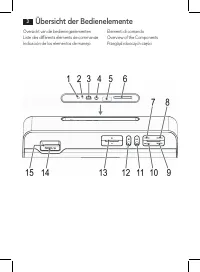
Overzicht van de bedieningselementenListe des différents éléments de commandeIndicación de los elementos de manejo Elementi di comandoOverview of the ComponentsPrzegląd roboczych części Übersicht der Bedienelemente 3
Page 4 - Deutsch; Bedienungsanleitung; Symbole in dieser Bedienungsanleitung; Hebt Tipps und Informationen für Sie hervor.; Sicherheitshinweise
Deutsch 4 Bedienungsanleitung Vielen Dank, dass Sie sich für unser Produkt entschieden haben. Wir wünschen Ihnen viel Freude mit dem Gerät. Symbole in dieser Bedienungsanleitung Wichtige Hinweise für Ihre Sicherheit sind besonders gekennzeichnet. Beachten Sie diese Hinweise unbedingt, um Unfälle und...
Page 5 - Kinder und gebrechliche Personen; Lassen Sie kleine Kinder nicht mit Folie spielen. Es besteht; Spezielle Sicherheitshinweise für dieses Gerät; Vermeiden Sie Hörschäden durch zu hohe Lautstärke.; 5 Betriebskontrollleuchte
Deutsch 5 • Reparieren Sie das Gerät nicht selbst, sondern suchen Sie einen autorisierten Fach - mann auf. Kinder und gebrechliche Personen Zur Sicherheit Ihrer Kinder lassen Sie keine Verpackungsteile (Plastikbeutel, Karton, Styro-por etc.) erreichbar liegen. WARNUNG! Lassen Sie kleine Kinder nicht...
Page 6 - Lieferumfang; Vor der Erstbenutzung; hierfür vor, wie unter; Eingebauten Akku aufladen; Ist der Akku vollständig geladen, erlischt die Kontrollleuchte.; Standort
Deutsch 6 Lieferumfang (ohne Abbildung) 1 Ladekabel (Typ A USB auf Mini-B USB)1 Audiokabel (2x 3,5mm Stereo-Klinkenstecker) Vor der Erstbenutzung 1. Vor dem ersten Gebrauch muss der Akku des Gerätes aufgeladen werden. Gehen Sie hierfür vor, wie unter „Eingebauten Akku aufladen“ beschrieben. Eingebau...
Page 7 - Allgemeine Bedienung; Automatische Dimmung des Displays; Drücken Sie die; Reset durchführen; puter, bevor Sie das Gerät zurücksetzen.
Deutsch 7 Allgemeine Bedienung Gerät aus- /einschalten Mit der POWER/ Taste (14) können Sie das Gerät zwischen Standby- und Betriebs- Modus umschalten. Im Betrieb leuchtet die Kontrollleuchte in der POWER/ Taste. Automatische Dimmung des Displays Die Beleuchtung des Displays schaltet sich automatisc...
Page 8 - Uhrzeit einstellen; Automatisch nach Radiosender suchen:; Gerät bis zum nächsten bzw. vorherigen Radiosender.
Deutsch 8 Uhrzeit einstellen 1. Drücken Sie wiederholt die „M“ Taste (12), bis im Display das Symbol „ “ angezeigt wird. 2. Drücken Sie die Taste (11). Die Stunden beginnen zu blinken. 3. Stellen Sie die Stunden mit den Tasten /SEEK+ / /SEEK- Taste (9/10) ein. 4. Drücken Sie erneut die Taste. Die Mi...
Page 9 - Gespeicherte Radiosender anwählen; Musikdateien wiedergeben; Kabelgebunden; cientific and
Deutsch 9 Gespeicherte Radiosender anwählen Drücken Sie kurz die 10+/CH- bzw. 100+/CH+ Taste (7/8), um die gespeicherten Radiosen - der anzuwählen. Musikdateien wiedergeben Sie haben vier Möglichkeiten mit dem Gerät eigene Musikdateien wiederzugeben: Kabelgebunden, Kabellos via Bluetooth, über den U...
Page 10 - Wenn Ihr Abspielgerät das A2DP Profil (
Deutsch 10 Wenn Ihr Abspielgerät das A2DP Profil ( A dvanced A udio D istribution P rofile) unterstützt und eine Musikplayer-Funktion aufweist, können Sie auch drahtlos Musik zum Gerät übertragen. Beim A2DP Profil handelt es sich um ein herstellerübergreifendes Bluetooth-Profil. Per Streaming werden...
Page 11 - Ihres Abspielgerätes vollständig geladen ist.; keine
Deutsch 11 HINWEIS: • Je nach Gerätehersteller müssen Sie die Anmeldung (PAIRING) erneut durchführen, um die Geräte zu verbinden. • Die Bluetooth-Kompatibilität kann nicht für zukünftig erscheinende Abspielgeräte (z.B. Mobiltelefone) gewährleistet werden. • Um eine optimale Verbindung zu gewährleist...
Page 12 - • Schließen Sie ein USB Speichermedium immer; direkt; an den USB Anschluss an, um; nicht; zum Aufladen von externen Geräten geeignet.; Beschreibung der USB/SD Bedientasten
Deutsch 12 HINWEIS: • Schließen Sie ein USB Speichermedium immer direkt an den USB Anschluss an, um etwaige Betriebsstörungen vorzubeugen. • Der USB Anschluss ist nicht zum Aufladen von externen Geräten geeignet. ACHTUNG: Bevor Sie das USB Speichermedium entfernen, schalten Sie das Gerät mit der „M“...
Page 13 - Wartung und Reinigung; Tauchen Sie das Gerät nicht ins Wasser!; Störungsbehebung; Symptome; Akku leer
Deutsch 13 Wiedergabe unterbrechen (11) • Drücken Sie die Taste kurz, um die Wiedergabe zu unterbrechen. • Drücken Sie die Taste erneut, um die Wiedergabe fortzuführen. Musikanwahl (7/8/9/10) • Drücken Sie die 10+/CH- Taste, um zehn Musiktitel weiter zu springen. Sollten weniger Musiktitel auf dem S...
Page 14 - Überprüfen Sie, ob die; Technische Daten; Bluetooth
Deutsch 14 Symptome Mögliche Ursache Lösung Lautsprecher lässt sich nicht verbinden Anmeldung funktioniert nicht Überprüfen Sie, ob die Audioquelle das A2DP Protokoll unterstürzt. Audioquelle ist ausgeschaltet Schalten Sie die Audioquelle ein Bluetooth ist an der Audioquelle ausgeschaltet. Schalten ...
Page 15 - Hinweis zur Richtlinienkonformität; Geprüft für den Betrieb in Deutschland.; Garantie; SLI; ervice
Deutsch 15 Hinweis zur Richtlinienkonformität Hiermit erklärt die Firma ETV – Elektro-Technische Vertriebsgesellschaft mbH, dass sich das Gerät BSS 4807 in Übereinstimmung mit den grundlegenden Anforderungen und den anderen relevanten Vorschriften der R&TTE Richtlinie (1999/5/EG), der europäisch...
Page 16 - Entsorgung; Batterieentsorgung; Geben Sie das Gerät am Ende der Lebensdauer nicht in den normalen
Deutsch 16 Entsorgung Batterieentsorgung Das Gerät enthält einen wiederaufladbaren Akku. Verbrauchte Batterien und Akkumulatoren (Akkus) gehören nicht in den Hausmüll.Die Batterien/Akkus müssen entnommen werden, bevor das Produkt in die Entsorgung geht. Wenden Sie sich hierfür an qualifiziertes Fach...
Page 17 - Nederlands; Gebruiksaanwijzing; Symbolen in deze bedieningshandleiding; Kenmerkt tips en informatie voor u.; Veiligheidsinstructies; • Gebruik het appar
Nederlands 17 Gebruiksaanwijzing Dank u voor het kiezen van ons product. We hopen dat u veel plezier aan het gebruik van het apparaat zult beleven. Symbolen in deze bedieningshandleiding Belangrijke aanwijzingen voor uw veiligheid zijn speciaal gekenmerkt. Neem deze aanwij-zingen strikt in acht om o...
Page 18 - Kinderen en gebrekkige personen; Laat kleine kinderen niet met de folie spelen. Er bestaat; gevaar voor verstikking!; Speciale veiligheidsmaatregelen voor dit systeem; dit kan ze beschadigen.; Overzicht van de bedieningselementen; 5 Indicatorlampje voor ingeschakeld stand
Nederlands 18 • Repareer het apparaat niet zelf, maar neem contact op met een geautoriseerde speci - alist. Kinderen en gebrekkige personen Laat om veiligheidsredenen geen verpakkingsdelen (plasticzak, doos, piepschuim, enz.) binnen het bereik van uw kinderen liggen. WAARSCHUWING! Laat kleine kinder...
Page 19 - Meegeleverde onderdelen; Voor het eerste gebruik; “Opladen; Opladen Ingebouwde Batterij; zijn, anders zal de batterij van het apparaat weer leeglopen.; Lokatie
Nederlands 19 Meegeleverde onderdelen (niet getoond) 1 Oplader kabel (Type A USB naar Mini-B USB)1 Audio kabel (2x 3,5 mm stereo tulp aansluiting) Voor het eerste gebruik 1. Laad voor het eerste gebruik de batterij op. Voor details zie hoofdstuk “Opladen Ingebouwde Batterij”. Opladen Ingebouwde Batt...
Page 20 - Algemene bediening; Apparaat in /uitschakelen; stand. Tijdens gebruik gaat het indicatorlampje in de POWER/; Automatisch dimmen van het display
Nederlands 20 Algemene bediening Apparaat in /uitschakelen U kunt de POWER/ toets (14) gebruiken om te schakelen tussen standby en de aan- stand. Tijdens gebruik gaat het indicatorlampje in de POWER/ toets branden. Automatisch dimmen van het display Na ongeveer 10 seconden gaan de verlichte schakela...
Page 21 - De tijd instellen; Automatisch naar radiostations zoeken:; Aanwezige radio-presets worden overschreven.
Nederlands 21 De tijd instellen 1. Druk herhaaldelijk op de “M”-toets (12) totdat het “ “ symbool op het display ver- schijnt. 2. Druk op de -toets (11). Het uur gaat knipperen. 3. Stel het uur in met de /SEEK+ / /SEEK- toetsen (9/10). 4. Druk opnieuw op de toets. De minuten gaan knipperen. 5. Stel ...
Page 22 - Selecteer de vooraf ingestelde radiostations; Muziekbestanden afspelen; Via een kabel; cientific en
Nederlands 22 Selecteer de vooraf ingestelde radiostations Druk kort op de 10+/CH- en/of de 100+/CH+ toets (7/8) om de voorkeurzender te selecte - ren. Muziekbestanden afspelen U hebt vier mogelijkheden met dit apparaat om uw eigen muziek af te spelen: met de voedingskabel, draadloos via Bluetooth, ...
Page 23 - het model en de softwareversie van het apparaat.
Nederlands 23 Doordat er meerdere fabrikanten, modellen en softwareversies bestaan kan volledige functionaliteit niet worden gegarandeerd. • Op apparaten inloggen (Pairing) Voordat u via het apparaat naar muziek kunt luisteren dient u de luidsprekers te pairen.1. Zorg ervoor dat de Bluetooth-functie...
Page 24 - geen; • Een USB-apparaat altijd; rechtstreeks; ontworpen voor het opladen van externe apparaten.
Nederlands 24 OPMERKING: • Om audiogegevens te kunnen sturen, dient Bluetooth ingeschakeld te blijven op uw speler. Bestudeer de gebruiksaanwijzing van uw speler. • Als een mobiele telefoon van waaraf u muziek afspeelt een gesprek ontvangt wordt de muziek onderbroken. Het geluid wordt echter niet vi...
Page 25 - niet; op een storing in het apparaat.; Beschrijving van de USB/SD bedieningstoetsen; OPMERKING: Automatische dimmen van het display
Nederlands 25 Houder voor SD/MMC geheugenkaart (6) Dit apparaat is ontworpen op basis van de nieuwste technologische ontwikkeling op het gebied van geheugenkaarten. Door het grote aantal verschillende geheugenkaarten kun-nen wij echter niet garanderen dat het apparaat compatibel is met alle geheugen...
Page 26 - Onderhoud en Reiniging; Dompel het apparaat nooit onder in water!; Probleemoplossing; Symptomen; Batterije leeg
Nederlands 26 Onderhoud en Reiniging LET OP: Dompel het apparaat nooit onder in water! • Er bevinden zich geen onderdelen in het apparaat die door een gebruiker kunnen worden onderhouden. • Reinig de luidspreker met een vochtige doek zonder schoonmaakmiddel. Probleemoplossing Symptomen Mogelijke oor...
Page 27 - Technische gegevens; Verwijdering; Batterijen verwijdering; te gooien. Raadpleeg hiervoor een gekwalificeerde specialist.; Mileubescherming
Nederlands 27 Technische gegevens Model: .......................................................................................................................................BSS 4807 Audioverbinding: ......................................................................................3,5 mm stere...
Page 28 - Français; Mode d’emploi; Symboles de ce mode d’emploi; Indique les risques pour l’appareil ou tout autre appareil.; Consignes de sécurité; fatigue matérielle. En cas de dégat, n’utilisez plus l’appareil.
Français 28 Mode d’emploi Merci d’avoir choisi notre produit. Nous espérons que vous saurez profiter votre appareil. Symboles de ce mode d’emploi Les informations importantes pour votre sécurité sont particulièrement indiquées. Veillez à bien respecter ces indications afin d’éviter tout risque d’acc...
Page 29 - Enfants et personnes fragiles; Ne pas laisser les jeunes enfants jouer avec le film. Il y a; risque d’étouffement !; Consignes de sécurité spéciales du système; endommagerait les membranes.; Aperçu des éléments de fonctionnement; 5 Voyant du mode de fonctionnement
Français 29 Enfants et personnes fragiles Par mesure de sécurité vis-à-vis des enfants, ne laissez pas les emballages (sac en plasti-que, carton, polystyrène) à leur portée. AVERTISSEMENT ! Ne pas laisser les jeunes enfants jouer avec le film. Il y a risque d’étouffement ! Consignes de sécurité spéc...
Page 30 - Pièces incluses; Avant la première utilisation; chapitre; Recharger la Batterie intégrée; Une fois la batterie complètement pleine, le voyant disparaît.; Emplacement
Français 30 Pièces incluses (non illustré) 1 Câble chargeur (Type A USB vers Mini-B USB)1 Câble audio (2x 3,5 mm connecteur synchro stéréo) Avant la première utilisation 1. Rechargez la batterie pendant avant la première utilisation Voir les détails dans le chapitre “Recharger la Batterie Intégrée“....
Page 31 - Fonctionnement général; Activation/désactivation de l’appareil; Avec la touche POWER/; Atténuation automatique de l’écran; sur un bouton pour allumer à nouveau l’écran pendant 10 secondes.; Volume; Appuyez sur le bouton; Réinitialisation; de le réinitialiser.
Français 31 Fonctionnement général Activation/désactivation de l’appareil Avec la touche POWER/ (14), vous pouvez régler l’appareil sur le mode veille ou le mode de fonctionnement. Lorsque l’appareil fonctionne, le voyant s’allume dans le bouton POWER / . Atténuation automatique de l’écran Au bout d...
Page 32 - Réglage de l’heure; une nouvelle fois pour enregistrer l’heure.; Mode radio; Recherche automatique des stations de radio :; Toutes les stations de radio préréglées sont écrasées.; Rechercher manuellement une station de radio et la prérégler :; c) Maintenez le bouton
Français 32 Réglage de l’heure 1. Appuyez plusieurs fois sur le bouton “M” (12) jusqu’à ce que le symbole “ “ s’affiche. 2. Appuyez sur le bouton (11). Les heures commencent à clignoter. 3. Réglez les heures à l’aide des boutons /SEEK+ / /SEEK- (9/10). 4. Appuyez à nouveau sur le bouton . Les minute...
Page 33 - Sélectionner la station de radio préréglée; station de radio préréglée.; Lire des fichiers audio; câble via Bluetooth ou le port USB.; Avec le câble; cientific et
Français 33 Sélectionner la station de radio préréglée Appuyez brièvement sur le bouton 10+/CH- et/ou 100+/CH+ (7/8) pour sélectionner la station de radio préréglée. Lire des fichiers audio Vous disposez de trois options pour lire vos fichiers audio avec l’appareil : avec ou sans câble via Bluetooth...
Page 34 - l’appareil, le modèle et la version du logiciel.
Français 34 • Se connecter aux appareils (Pairage) Avant d’écouter de la musique avec l’appareil, vous devez appairer les appareils.1. N‘oubliez pas d’activer la fonction Bluetooth de votre lecteur (p. ex. téléphone porta - ble). Pour cela, consultez le mode d’emploi de votre lecteur. 2. Appuyez plu...
Page 35 - instant avant l’arrêt du rétroéclairage de l’écran.; directement; • Le port USB; n’est pas; conçu pour mettre les appareils externes en charge.
Français 35 NOTE : • Si un téléphone portable sur lequel vous jouez de la musique reçoit un appel, la mu - sique sera interrompue. Toutefois, le son ne sera pas retransmis par le haut-parleur. Une fois l’appel terminé, les appareils se reconnectent à nouveau et la lecture conti-nue. Le volume augmen...
Page 36 - vient; pas; contact orientée vers le bas.; Description des boutons de fonctionnement USB/SD; NOTE : Atténuation automatique de l’écran
Français 36 tes mémoire différentes sur le marché, l’appareil ne peut pas garantir une entière compa-tibilité avec toutes les cartes mémoire. Pour cette raison, dans certains cas, des problèmes peuvent surgir pendant la lecture de la musique contenue sur certaines cartes mémoire. Ce problème ne vien...
Page 37 - Entretien et nettoyage; Symptôme
Français 37 Entretien et nettoyage ATTENTION : N’immergez jamais l’appareil dans l’eau ! • Aucune pièce à l’intérieur de l’appareil ne peut être entretenue pas l’utilisateur.• Nettoyez le haut-parleur avec un chiffon légèrement humide et sans produit de net - toyage. Dépannage Symptôme Raison possib...
Page 38 - Données techniques; Alimentation électrique :; dernières règles de sécurité.; Elimination; Elimination de la pile
Français 38 Données techniques Modèle : ....................................................................................................................................BSS 4807 Connexion audio : ...................................................................................Connecteur stéréo ...
Page 39 - Español; Instrucciones de servicio; Símbolos en este manual de instrucciones; Indica los posibles riesgos para el aparato u otros objetos.; Instrucciones de seguridad; está destinado para el uso profesional.
Español 39 Instrucciones de servicio Le agradecemos la confianza depositada en este producto y esperamos que disfrute de su uso. Símbolos en este manual de instrucciones Advertencias importantes para su seguridad están señaladas en especial. Siga estas adver - tencias incondicionalmente, para evitar...
Page 40 - Niños y personas débiles; No deje jugar a los niños con la lámina.; ¡Existe peligro de asfixia!; Instrucciones de seguridad específicas para este sistema; Evite daños al oído por exceso de volumen.; Resumen de los elementos operativos; Restablecer valores de fábrica por defecto (Reinicio)
Español 40 Niños y personas débiles Para la seguridad de sus niños no deje material de embalaje (Bolsas de plástico, cartón, poliestireno etc.) a su alcance. ¡AVISO! No deje jugar a los niños con la lámina. ¡Existe peligro de asfixia! Instrucciones de seguridad específicas para este sistema AVISO: E...
Page 41 - Piezas suministradas; Cable de cargador (Tipo A a mini B USB); Primeros pasos; Cargue la batería antes del primer uso. Consulte el apartado; Carga de la batería integrada; Cuando la batería esté totalmente cargada se apagará el testigo.; Ubicación
Español 41 Piezas suministradas (no se muestran) 1 Cable de cargador (Tipo A a mini B USB) 1 Cable de audio (2 conectores estéreos de 3,5 mm de fijación) Primeros pasos 1. Cargue la batería antes del primer uso. Consulte el apartado “Carga de la batería integrada”. Carga de la batería integrada El r...
Page 42 - Funcionamiento general; Encender/apagar el dispositivo; (14) puede cambiar la unidad entre los modos de espera y operati-; Suavizado automático de la pantalla; Los botones de uso solamente funcionan con la pantalla encendida.; Volumen; Pulse el botón; Reinicio
Español 42 Funcionamiento general Encender/apagar el dispositivo Con la tecla POWER/ (14) puede cambiar la unidad entre los modos de espera y operati- vo. Cuando esté funcionando, el testigo se encenderá en el botón POWER/ . Suavizado automático de la pantalla Pasados aproximadamente 10 segundos, la...
Page 43 - Configurar hora; Búsqueda automática de emisoras:
Español 43 Configurar hora 1. Pulse repetidamente el botón “M” (12) hasta que se muestre el símbolo “ “ en pantalla. 2. Pulse el botón (11). Parpadearán las horas. 3. Establezca las horas con los botones /SEEK+ / /SEEK- (9/10). 4. Pulse el botón (11) de nuevo. Parpadearán los minutos. 5. Establezca ...
Page 44 - Seleccionar una emisora memorizada; Reproducir archivos de música; Con cable; cientific y
Español 44 Seleccionar una emisora memorizada Pulse brevemente el botón 10+/CH- y/o 100+/CH+ (7/8) para seleccionar la emisora memorizada. Reproducir archivos de música Al usar el dispositivo tiene cuatro opciones de reproducción de sus archivos de música: con un cable de audio, inalámbricamente por...
Page 45 - Registro en dispositivos (Emparejamiento); modelo y la versión de software.
Español 45 Debido a los diversos fabricantes de dispositivos, modelos y versiones de software, no puede garantizarse una total funcionalidad. • Registro en dispositivos (Emparejamiento) Antes de escuchar música a través de la unidad, deberá emparejar los dispositivo.1. Asegúrese de que la función Bl...
Page 46 - • Conecte siempre un medio de almacenamiento USB; directamente; • El puerto USB
Español 46 NOTA: • Para poder transferir datos de audio, el Bluetooth debe estar activado en su repro - ductor. Consulte el manual del reproductor. • Si el teléfono móvil en el que está reproduciendo música recibe una llamada, la música se interrumpirá. Sin embargo el sonido no se reproducirá a trav...
Page 47 - música con ciertas tarjetas de memoria. Esto; Descripción de botones de uso de USB/SD; NOTA: Suavizado automático de la pantalla
Español 47 Ranura de tarjeta de memoria SD/MMC (6) Este dispositivo se ha desarrollado de acuerdo con los últimos avances técnicos en tarjetas de memoria. Por desgracia, debido a la gran diversidad de tarjetas en el mercado, el dis-positivo no puede garantizar una total compatibilidad con todas las ...
Page 48 - Mantenimiento y limpieza; ¡Nunca sumerja la unidad en agua!; Solución de problemas; Síntoma; Active la fuente de audio.
Español 48 Mantenimiento y limpieza ATENCIÓN: ¡Nunca sumerja la unidad en agua! • El dispositivo no contiene piezas en su interior que requieran mantenimiento por parte del usuario. • Limpie el altavoz con un paño ligeramente húmedo sin ningún producto de limpieza. Solución de problemas Síntoma Posi...
Page 49 - Datos técnicos; litio polímero de 3,7 V; ñado de acuerdo con las normativas de seguridad más recientes.; Eliminación; Eliminación de batería
Español 49 Datos técnicos Modelo: .....................................................................................................................................BSS 4807 Conexión audio: ..........................................................................................toma estéreo de 3,...
Page 50 - Italiano; Istruzioni per l’uso; Simboli per questo manuale di istruzioni per l’ uso; Indica possibili pericoli per l’ apparecchio o altri oggetti.; Istruzioni di sicurezza
Italiano 50 Istruzioni per l’uso Grazie per aver scelto il nostro prodotto. Vi auguriamo un buon utilizzo del dispositivo. Simboli per questo manuale di istruzioni per l’ uso Le indicazioni importanti per la propria sicurezza sono indicati appropriatamente. Osserva-re assolutamente queste indicazion...
Page 51 - Bambini e persone fragili; Non lasciar giocare i bambini piccoli con la pellicola.; Pericolo di soffocamento!; Istruzioni speciali di sicurezza per questo sistema; Evitare danni all‘udito dovuti al volume troppo alto.; Panoramic degli elementi in funzione; 5 Spia modo funzionamento
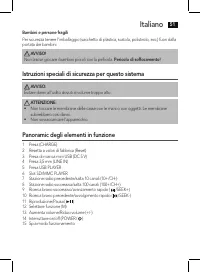
Italiano 51 Bambini e persone fragili Per sicurezza tenere l’imballaggio (sacchetto di plastica, scatola, polistirolo, ecc,) fuori dalla portata dei bambini. AVVISO! Non lasciar giocare i bambini piccoli con la pellicola. Pericolo di soffocamento! Istruzioni speciali di sicurezza per questo sistema ...
Page 52 - Accessori inclusi; Prima dell’uso; “Caricamento della batteria integrata“.; Caricamento della batteria integrata; Quando la batteria è carica, la spia si spegne; Posizionamento
Italiano 52 Accessori inclusi (non in figura) 1 Cavo per ricarica (da USB A a USB Mini-B)1 Cavo audio (2 x 3,5 mm stereo con connettore a spinotto) Prima dell’uso 1. Caricare la batteria prima del primo utilizzo. Vedere ulteriori informazioni nel capitolo “Caricamento della batteria integrata“. Cari...
Page 53 - Funzioni Generali; Accendere/spegnere il dispositivo; Premere il tasto; Resettaggio
Italiano 53 Funzioni Generali Accendere/spegnere il dispositivo Con il tasto POWER/ (14) , è possibile impostare l’unità in modalità standby e di eserci- zio. Quando è attiva, la spia si accende nel tasto POWER/ . Oscuramento automatico del display Dopo circa 10 secondi, il display si spegne automat...
Page 54 - Impostazione orario; Ricerca automatico di stazioni radio:
Italiano 54 Impostazione orario 1. Premere ripetutamente il tasto “M” (12) finché il display non mostra il simbolo “ “.2. Premere il tasto (11). L’orario comincia a lampeggiare. 3. Impostare l’orario con i tasti /SEEK+ / /SEEK- (9/10). 4. Premere nuovamente il tasto I minuti cominciano a lampeggiare...
Page 55 - Selezionare la stazione radio preimpostata; Riproduzione di file musicali; Con il cavo; Se il dispositivo di riproduzione supporta il profilo A2DP (
Italiano 55 Selezionare la stazione radio preimpostata Premere brevemente il tasto 10+/CH- e/o il tasto 100+/CH+ (7/8) per selezionare la stazio - ne radio preimpostata. Riproduzione di file musicali Con l’apparecchio, è possible selezionare quattro opzioni diverse per riprodurre i file musi-cali: c...
Page 56 - modello e della versione software.
Italiano 56 • Logging su dispositivi (Accoppiamento) Prima di poter ascoltare la musica tramite l’apparecchio, è necessario accoppiare gli appa-recchi.1. Controllare che la funzione Bluetooth sia attivata nel lettore (per es. il telefono cellula- re). A questo scopo, fare riferimento al manuale istr...
Page 57 - Non; • Collegare sempre un supporto di memoria USB; direttamente; • La porta USB; non
Italiano 57 NOTA: • Se un telefono cellulare sul quale si sta riproducendo musica riceve una chiamata, la musica viene interrotta. L’audio però non viene riprodotto attraverso l’altoparlante. Al termine della chiamata, i dispositivi sono connessi nuovamente tra loro e la riprodu-zione continua. Il v...
Page 58 - si tratta di anomalia dell’apparecchio.; Descrizione dei tasti di funzionamento USB/SD; NOTA: oscuramento automatico del display; meno di 10 brani, l’apparecchio passa al primo brano.; Manutenzione e pulizia; Non immergere mai l’apparecchio in acqua!
Italiano 58 Per questo motivo, in pochi casi, possono insorgere probelmi nella riproduzione musicale da alcune memory card. Non si tratta di anomalia dell’apparecchio. 1. Inserire un SD o una MMC memory card nello slot card con il contatto verso il basso.2. Se la riproduzione non si avvia automatica...
Page 59 - Ricerca dei guasti; Sintomi
Italiano 59 • Pulire l’altoparlante con un panno leggermente umido e senza detersivi. Ricerca dei guasti Sintomi Possibile causa Soluzione Non è possibile accende-re l’altoparlante Batteria scarica Caricare la batteria ( Pag. 52 ) Nessun segnale audio durante il collegamento Bluetooth L’altoparlante...
Page 60 - Dati tecnici; mAh; Smaltimento; Smaltimento batterie
Italiano 60 Dati tecnici Modello: ....................................................................................................................................BSS 4807Collegamento: ......................................................................................... spinotto stereo da 3,5...
Page 61 - English; Instruction Manual; Symbols in these Instructions for Use; This refers to possible hazards to the machine or other objects.; Safety instructions; This appliance is not fit for commercial use.
English 61 Instruction Manual Thank you for choosing our product. We hope you will enjoy using the appliance. Symbols in these Instructions for Use Important information for your safety is specially marked. It is essential to comply with these instructions in order to avoid accidents and prevent dam...
Page 62 - Children and Frail Individuals; Do not allow small children to play with the foil as there is a; Special safety instructions for this system; Avoid damage to your ears by turning the volume up too high.; Overview of the operating elements; 5 Operating mode indicator lamp
English 62 Children and Frail Individuals In order to ensure your children’s safety, please keep all packaging (plastic bags, boxes, polystyrene etc.) out of their reach. WARNING! Caution! Do not allow small children to play with the foil as there is a danger of suffoca- tion! Special safety instruc...
Page 63 - Supplied parts; Before First Use; Charge the battery before first use. See details in chapter “; Charge Integrated Battery; switched on, since otherwise the device’s battery will empty again.; Location; operate the unit is suitable.
English 63 Supplied parts (not shown) 1 Charger cable (Type A USB to Mini-B USB)1 Audio cable (2x 3.5 mm stereo cinch connector) Before First Use 1. Charge the battery before first use. See details in chapter “ Charge Integrated Battery ”. Charge Integrated Battery The player is powered by the integ...
Page 64 - General Operation; mode. When operational, the indicator lamp lights up in the POWER/; Automatic dimming of the display; mode flashes on the display. Press; Resetting; Setting the time
English 64 General Operation Switch device on/off With the POWER/ button (14) you can switch the unit between standby and operating mode. When operational, the indicator lamp lights up in the POWER/ button. Automatic dimming of the display After approx. 10 seconds, the display’s illumination switche...
Page 65 - button again. The minutes will start to flash.; Radio mode; Automatically search for radio stations:; Any preset radio stations will be overwritten.; To look for a radio station manually and preset it:; keep searching up to the next and/or previous radio station.; Select the preset radio station
English 65 2. Press the button (11). The hours will start to flash. 3. Set the hours using the /SEEK+ / /SEEK- buttons (9/10). 4. Press the button again. The minutes will start to flash. 5. Set the minutes using the /SEEK+ / /SEEK- button. 6. Press the button once more in order to save the time. NOT...
Page 66 - Playing back music files; By cable
English 66 Playing back music files Using the device, you have four options to playback your own music files: with a mains cable, wireless via Bluetooth, via the USB port or the memory card slot. By cable 1. Connect the 3.5 mm stereo RCA cable to an external audio source. If required, use a suitable...
Page 67 - adjust the volume of the external unit to a comfortable level.
English 67 2. Press the “M” button (12) repeatedly, until “BT” is shown on the display. NOTE: If you have connected an audio cable to the LINE IN socket (4), the device cannot be switched to BT mode. 3. Chose the Bluetooth menu in your player and register the device in your player. For this, refer t...
Page 68 - • Always; directly; • The USB port is; not; designed for charging external devices.; not
English 68 USB port (5) This device has been developed in line with the latest technical advances in the USB field. The wide range of different USB storage devices of all types which are currently on the market, unfortunately do not allow us to guarantee full compatibility with all USB storage devic...
Page 69 - Description of the USB/SD operating buttons; NOTE: Automatic dimming of the display; The operating buttons only work when the display is illuminated.; Pause; on the storage device, the device skips to the first track.; Maintenance and Cleaning; Never immerse the unit in water!
English 69 For operation, please refer to the section “Description of the USB/SD controls”. CAUTION: Before removing the storage device, switch the device to another mode using the “M” button (12). Description of the USB/SD operating buttons NOTE: Automatic dimming of the display The operating butto...
Page 70 - Troubleshooting; Symptoms; source supports the A2DP
English 70 Troubleshooting Symptoms Possible cause Solution Cannot switch the speaker on Battery empty Charge the battery ( Page 63 No audio signal during Bluetooth connection Speaker is switched off Switch the speaker on. Speaker is not paired to the audio source. Check whether the connection exist...
Page 71 - Technical Specifications; Disposal; Battery disposal
English 71 Technical Specifications Model: .......................................................................................................................................BSS 4807 Audio connection: ........................................................................................3.5 mm ...
Page 72 - Język polski; Instrukcje użytkowania; Symbole w niniejszej instrukcji użytkowania; Wyświetla wskazówki i informacje.; Instrukcje bezpieczeństwa; czonym celu. Nie wolno używać go w celach komercyjnych.
Język polski 72 Instrukcje użytkowania Dziękujemy za wybór naszego produktu. Mamy nadzieję, że użytkowanie urządzenia przy-niesie Państwu satysfakcję. Symbole w niniejszej instrukcji użytkowania Ważne informacje dotyczące bezpieczeństwa są specjalnie oznaczone. Ważne jest dosto-sowanie się do tych i...
Page 73 - Dzieci i osoby niepełnosprawne fizycznie; Szczególne instrukcje bezpieczeństwa dla tego systemu; • Nie przeładowywać urządzenia.; Przegląd roboczych częsci; 5 Kontrolka trybu roboczego
Język polski 73 • Nie naprawiać urządzenia samodzielnie, skonsultować się z uprawnionym i wyspecjali - zowanym fachowcem. Dzieci i osoby niepełnosprawne fizycznie Aby zapewnić bezpieczeństwo dzieci, prosimy trzymać wszelkie opakowania (plastikowe torby, pudełka, polistyren, itp.) poza ich zasięgiem....
Page 74 - Dostarczone części; Przed pierwszym użyciem; Ładowanie; Ładowanie zintegrowanej baterii; Nigdy nie pozostawiać urządzenia bez nadzoru podczas ładowania.; Lokalizacja
Język polski 74 Dostarczone części (niepokazane) 1 Kabel ładowarki (typ A USB do Mini-B USB)1 Kabel audio (2x złącze cinch 3.5 mm stereo) Przed pierwszym użyciem 1. Naładować baterię przed pierwszym użyciem. Patrz szczegóły w rozdziale „ Ładowanie zintegrowanej baterii ”. Ładowanie zintegrowanej bat...
Page 75 - Ogólne funkcjonowanie; Włączanie/ wyłączanie urządzenia; Nacisnąć przycisk; Zerowanie
Język polski 75 Ogólne funkcjonowanie Włączanie/ wyłączanie urządzenia Za pomocą POWER/ przycisku (14), można przełączać urządzenie między trybem czuwa- nia a roboczym. Podczas pracy zapala się kontrolka dla przycisku POWER/ . Automatyczne ściemnienie wyświetlacza Po ok. 10 sekundach, podświetlenie ...
Page 76 - Ustawienie czasu; Automatyczne wyszukiwanie stacji radiowych:
Język polski 76 Ustawienie czasu 1. Kilkakrotnie nacisnąć przycisk „M” (12) aż symbol „ ” pojawi się na wyświetlaczu.2. Nacisnąć przycisk (11). Zaczynają migać godziny. 3. Ustawić godziny za pomocą przycisków /SEEK+ / /SEEK- (9/10). 4. Nacisnąć przycisk ponownie. Zaczynają migać minuty. 5. Ustawić m...
Page 77 - Odtwarzanie plików muzycznych; Połączenie kablowe; wnętrznego źródła dźwięku.; Bezprzewodowo przez Bluetooth; Jeśli urządzenie odtwarzające obsługuje profil A2DP (ang.
Język polski 77 Odtwarzanie plików muzycznych Mamy cztery opcje do odtwarzania własnych plików muzycznych z urządzenia: za pomo-cą kabla sieciowego, bezprzewodowo poprzez Bluetooth, przez port USB lub slot karty pa-mięci. Połączenie kablowe 1. Podłącz kabel stereo RCA 3,5 mm do zewnętrznego źródła d...
Page 78 - czu odtwarzacza pojawi się urządzenie „BSS 4807”.
Język polski 78 Ze względu na różnych producentów, różne modele i wersje oprogramowania urządzeń, nie można zagwarantować pełnej funkcjonalności. • Logowanie urządzeń (parowanie) Przed rozpoczęciem słuchania muzyki za pomocą tego urządzenia, urządzenia należy naj-pierw sparować.1. Sprawdź, czy funkc...
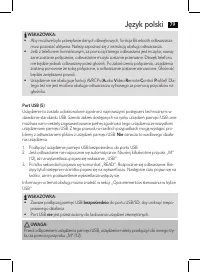
Page 79 - • Urządzenie nie obsługuje funkcji AVRCPs (; Nie; • Zawsze podłączaj pamięć USB; bezpośrednio; • Port USB; nie
Język polski 79 WSKAZÓWKA: • Aby możliwe było przesyłanie danych dźwiękowych, funkcja Bluetooth odtwarzacza musi pozostać aktywna. Należy zapoznać się z instrukcją obsługi odtwarzacza. • Jeśli z telefonem komórkowym, za pomocą którego odtwarzana jest muzyka, nawią - zane zostanie połączenie, odtwarz...
Page 80 - Opis przycisków roboczych USB/SD; WSKAZÓWKA: Automatyczne ściemnienie wyświetlacza; • Nacisnąć przycisk
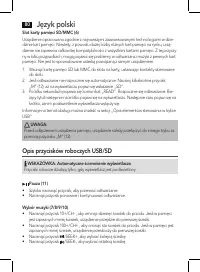
Język polski 80 Slot karty pamięci SD/MMC (6) Urządzenie opracowano zgodnie z najnowszymi zaawansowanymi technologiami w dzie-dzinie kart pamięci. Niestety, z powodu dużej liczby różnych kart pamięci na rynku, urzą-dzenie nie zapewnia całkowitej kompatybilności z wszystkimi kartami pamięci. Z tej pr...
Page 81 - Konserwacja i czyszczenie; Nigdy nie zanurzać urządzenia w wodzie!; Usuwanie usterek; Symptomy; strona
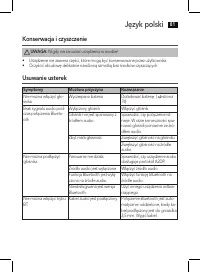
Język polski 81 Konserwacja i czyszczenie UWAGA: Nigdy nie zanurzać urządzenia w wodzie! • Urządzenie nie zawiera części, które mogą być konserwowane przez użytkownika.• Oczyścić obudowę delikatnie nawilżoną szmatką bez środków czyszczących. Usuwanie usterek Symptomy Możliwa przyczyna Rozwiązanie Ni...
Page 82 - Specyfikacje techniczne; Ogólne warunki gwarancji
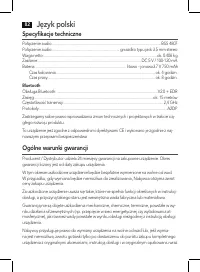
Język polski 82 Specyfikacje techniczne Połączenie audio: ....................................................................................................................BSS 4807Połączenie audio: ....................................................................... gniazdko typu jack 3.5 mm st...
Page 83 - Utylizacja; Ochrona środowiska
Język polski 83 z dowodem zakupu i prawidłowo wypełnioną kartą gwarancyjną (pieczątka sklepu, data sprzedaży urządzenia). Gwarancja oraz zawarte w niej warunki obowiązują na terenie Rzeczpospolitej Polskiej. Niniejsza gwarancja nie wyłącza, nie ogranicza ani nie zawiesza uprawnień Nabywcy wyni-kając...