Page 3 - Information for your safety and; Safety instructions
iii Information for your safety and comfort Safety instructions Read these instructions carefully. Keep this document for future reference. Follow all warnings and instructions marked on the product. Turning the product off before cleaning Unplug this product from the wall outlet before cleaning. Do...
Page 6 - Additional safety information
vi Telephone line safety • Disconnect all telephone lines from the equipment when not in use and/or before servicing. • To avoid the remote risk of electric shock from lightning, do not connect the telephone line to this equipment during lightning or thunderstorms. Warning! For safety reasons, do no...
Page 7 - Vehicles
vii Pacemakers. Pacemaker manufacturers recommend that a minimum separation of 15.3 centimeters (6 inches) be maintained between wireless devices and a pacemaker to avoid potential interference with the pacemaker. These recommendations are consistent with the independent research by and recommendati...
Page 8 - Emergency calls
viii Emergency calls Warning: You cannot make emergency calls through this device. To make an emergency call you shall dial out through your mobile phone or other telephone call system. Disposal instructions Do not throw this electronic device into the trash when discarding. To minimize pollution an...
Page 9 - Tips and information for comfortable use
ix ENERGY STAR is a government program (public/private partnership) that gives people the power to protect the environment in a cost effective way and without sacrificing quality or product features. Products that earn the ENERGY STAR prevent greenhouse gas emissions by meeting strict energy efficie...
Page 12 - First things first; Your guides; Basic care and tips for using your computer; Turning your computer on and off
xii First things first We would like to thank you for making an Acer notebook your choice for meeting your mobile computing needs. Your guides To help you use your Acer notebook, we have designed a set of guides: Basic care and tips for using your computer Turning your computer on and off To turn on...
Page 13 - Taking care of your computer
xiii To turn the power off, do any of the following: • Use the Windows shutdown commandClick on Start, Turn Off Computer, then click on Turn Off. • Use the power buttonYou can also shut down the computer by closing the display cover, or by pressing the sleep hotkey <Fn> + <F4>. Note: If ...
Page 14 - Taking care of your battery pack
xiv Taking care of your battery pack Here are some ways to take care of your battery pack: • Use only batteries of the same kind as replacements. Turn the power off before removing or replacing batteries. • Do not tamper with batteries. Keep them away from children. • Dispose of used batteries accor...
Page 15 - Contents
Information for your safety and comfort iii Safety instructions iii Additional safety information vi Operating environment vi Medical devices vi Vehicles vii Potentially explosive environments vii Emergency calls viii Disposal instructions viii Tips and information for comfortable use ix First thing...
Page 19 - Acer Empowering Technology; Empowering Technology password
1 Empowe ring Tech nology Acer Empowering Technology Acer's innovative Empowering Technology toolbar makes it easy for you to access frequently used functions and manage your new Acer computer. Displayed by default in the upper-right corner of your screen, it features the following handy utilities: ...
Page 20 - Acer eDataSecurity Management
2 Em po w eri ng Te ch no lo g y Acer eDataSecurity Management (for selected models) Acer eDataSecurity Management is a handy file encryption utility that protects your files from being accessed by unauthorized persons. It is conveniently integrated with Windows Explorer as a shell extension for qui...
Page 21 - Acer eLock Management
3 Empowe ring Tech nology Acer eLock Management (for selected models) Acer eLock Management is a security utility that allows you to lock your removable data, optical and floppy drives to ensure that data can't be stolen while your notebook is unattended. • Removable data devices — includes USB disk...
Page 23 - Acer ePerformance Management
5 Empowe ring Tech nology Acer ePerformance Management Acer ePerformance Management is a system optimization tool that boosts the performance of your Acer computer. It provides an express optimization method to release unused memory and disk space quickly. The user can also enable advanced options f...
Page 24 - Acer eRecovery Management
6 Em po w eri ng Te ch no lo g y Acer eRecovery Management Acer eRecovery Management is a powerful utility that does away with the need for recovery disks provided by the manufacturer. The Acer eRecovery Management utility occupies space in a hidden partition on your system's hard drive. By default,...
Page 26 - Acer eSettings Management
8 Em po w eri ng Te ch no lo g y Acer eSettings Management Acer eSettings Management allows you to inspect hardware specifications, change BIOS passwords or other Windows settings, and to monitor the system health status. Acer eSettings Management also: • Provides a simple graphical user interface f...
Page 27 - Acer ePower Management
9 Empowe ring Tech nology Acer ePower Management Acer ePower Management features a straightforward user interface. To launch it, select Acer ePower Management from the Empowering Technology interface. AC mode (Adapter mode) The default setting is "Maximum Performance." You can adjust CPU spe...
Page 30 - Acer ePresentation Management
12 Em po w eri ng Te ch no lo g y Acer ePresentation Management Acer ePresentation Management lets you project your computer's display to an external device or projector using the hot key: Fn + F5. . If auto-detection hardware is implemented in the system and the external display supports it, your s...
Page 31 - Your Acer notebook tour; Front view
13 Eng lis h Your Acer notebook tour After setting up your computer as illustrated in the Just for Starters... poster, let us show you around your new Acer notebook. Front view # Item Description 1 Built-in camera 310,000 pixel web camera for video communication (for selected models). 2 Display scre...
Page 33 - Closed front view
15 Eng lis h Closed front view # Icon Item Description 1 Speakers Left and right speakers deliver stereo audio output. 2 Bluetooth communication button/indicator Enables/disables the Bluetooth function. Indicates the status of Bluetooth communication (for selected models). 3 Wireless communication b...
Page 34 - Left view
16 English Left view # Icon Item Description 1 Kensington lock slot Connects to a Kensington-compatible computer security lock. 2 Ventilation slots Enable the computer to stay cool, even after prolonged use. 3 USB 2.0 port Connect to USB 2.0 devices (e.g., USB mouse, USB camera). 4 Ethernet (RJ-45) ...
Page 35 - Right view
17 Eng lis h Right view # Item Description 1 Optical drive Internal optical drive; accepts CDs or DVDs. 2 Optical disk access indicator Lights up when the optical drive is active. 3 Optical drive eject button Ejects the optical disk from the drive. 4 Emergency eject hole Ejects the optical drive tra...
Page 36 - Rear view
18 English Rear view # Icon Item Description 1 Modem (RJ-11) port Connects to a phone line. 2 Two USB 2.0 ports Connect to USB 2.0 devices (e.g., USB mouse, USB camera). 3 RF-in jack Accepts input signals from analog/digital TV-tuner devices (for selected models). 4 AV-in port Accepts input signals ...
Page 37 - Base view
19 Eng lis h Base view # Item Description 1 Hard disk bay Houses the computer's hard disk (secured with screws). 2 Memory compartment Houses the computer's main memory. 3 Ventilation slots and cooling fan Enable the computer to stay cool, even after prolonged use.Note: Do not cover or obstruct the o...
Page 38 - Specifications
20 English Specifications Operating system • Windows Vista ™ Capable • Windows Vista ™ Premium Ready • Genuine Windows ® XP Professional (Service Pack 2) Platform • AMD Turion ™ 64 X2 dual-core TL-50/TL-52/TL-56/TL- 60/TL-62 processor or higher with 512 KB/1 MB L2 cache, supporting AMD PowerNow! ™ T...
Page 44 - Indicators
26 English Indicators The computer has serveral easy-to-read status indicators. The front panel indicators are visible even when the computer cover is closed up. 1. Charging: The light shows amber when the battery is charging. 2. Fully charged: The light shows green when in AC mode. Icon Function De...
Page 46 - Touchpad; Touchpad basics
28 English Touchpad The built-in touchpad is a pointing device that senses movement on its surface. This means the cursor responds as you move your finger across the surface of the touchpad. The central location on the palmrest provides optimum comfort and support. Touchpad basics The following item...
Page 48 - Using the keyboard; Lock keys and embedded numeric keypad
30 English Using the keyboard The keyboard has full-sized keys and an embedded numeric keypad, separate cursor, lock, Windows, function and special keys. Lock keys and embedded numeric keypad The keyboard has three lock keys which you can toggle on and off. The embedded numeric keypad functions like...
Page 49 - Windows keys
31 Eng lis h Windows keys The keyboard has two keys that perform Windows-specific functions. Hotkeys The computer employs hotkeys or key combinations to access most of the computer's controls like screen brightness, volume output and the BIOS utility.To activate hotkeys, press and hold the <Fn>...
Page 51 - Special keys
33 Eng lis h Special keys You can locate the Euro symbol and the US dollar sign at the upper-center and/or bottom-right of your keyboard. The Euro symbol 1 Open a text editor or word processor. 2 Either press < > at the bottom-right of the keyboard, or hold <Alt Gr> and then press the &l...
Page 52 - drive tray
34 English Ejecting the optical (CD or DVD) drive tray Press the drive eject button to eject the optical drive tray when the computer is on. Insert a clip to the emergency eject hole to eject the optical drive tray when the computer is off. Using a computer security lock The notebook comes with a Ke...
Page 53 - Audio; Adjusting the volume
35 Eng lis h Audio The computer comes with 32-bit High-Definition audio, and built-in stereo speakers. Adjusting the volume Adjusting the volume on the computer is as easy as pressing some buttons. See "Hotkeys" on page 31 for more information on adjusting the speaker volume.
Page 54 - Using the system utilities
36 English Using the system utilities Note: The system utilities work under Microsoft Windows XP only. Acer GridVista (dual-display compatible) Note: This feature is only available on certain models. To enable the dual monitor feature of your notebook, first ensure that the second monitor is connect...
Page 55 - Launch Manager
37 Eng lis h Acer GridVista is simple to set up:1 Run Acer GridVista and select your preferred screen configuration for each display from the taskbar. 2 Drag and drop each window into the appropriate grid. 3 Enjoy the convenience of a well-organized desktop. Note: Please ensure that the resolution s...
Page 56 - Norton AntiVirus
38 English Norton AntiVirus Norton AntiVirus is an anti-virus software that finds and repairs infected files, and protects against viruses to keep your computer data safe and secure. How do I check for viruses? A Full System Scan scans all files on your computer. To perform a system scan:1 Start Nor...
Page 57 - Frequently asked questions
39 Eng lis h Frequently asked questions The following is a list of possible situations that may arise during the use of your computer. Easy solutions are provided for each one. I turned on the power, but the computer does not start or boot up. Look at the power indicator: • If it is not lit, no powe...
Page 60 - Requesting service; Before you call
42 English To start the recovery process:1 Restart the system. 2 While the Acer logo is showing, press <Alt> + <F10> at the same time to enter the recovery process. 3 Refer to the onscreen instructions to perform system recovery. Important! This feature occupies 4 to 5 GB in a hidden par...
Page 63 - Remote functions
45 Eng lis h Remote functions *TeleText regions only. **Dependent on individual DVD content. # Item Description 1 Live TV Launch Live TV mode 2 Power Turn off; sleep (depending on mode) 3 Menu Launch DVD menu screen 4 Language Open DVD language menu** 5 Record Record TV 6 Rewind Rewind through media...
Page 64 - Finding and playing content; Settings
46 English Finding and playing content Clicking a button on the Arcade home page opens the corresponding feature's home page. The content pages have buttons on the left and a content browsing area on the right. If a button shows one of several choices, such as sort order, the current setting is show...
Page 65 - Arcade controls; Navigation controls
47 Eng lis h In Audio Settings:Use "Speaker Environment" to choose between "Headphones," "SPDIF," "2" or more speakers depending on your audio equipment."Output Mode" should be set to "Stereo" if you are listening to speakers, "Dolby Surround,"...
Page 66 - Virtual keyboard
48 English Note: When playing DVDs and watching TV, there are additional controls added to the right of the volume controls. These are discussed in more detail in the Cinema and TV sections of this guide. Virtual keyboard Whenever you are required to enter search information, or name a file, DVD or ...
Page 67 - Cinema
49 Eng lis h Cinema If your computer came with a DVD drive, you can play movies from DVDs and video CDs (VCDs) with the Cinema function of Acer Arcade. This player has the features and controls of a typical DVD player.When you insert a disk into the DVD drive, the movie begins playing automatically....
Page 68 - Album; Editing Pictures
50 English Album Acer Arcade lets you view digital photos individually or as a slide show, from any available drive on your computer. Click the Album button on the Arcade Home page to show the Album main page. The content area on the right shows both individual pictures and folders. Click on a folde...
Page 69 - Video; Playing a video file
51 Eng lis h To add background music to a slide show, click on the "Slide Show Music" option. The Slide Show Music page will ask you to choose music from your personal music library.Click Load Default Settings to return your settings to their default values. Video To open the Video function,...
Page 70 - Editing video; Music
52 English Editing video Acer Arcade offers the capability to edit captured video clips, photos and footage from a camcorder into a movie. You can also select a movie style, and add special transition effects and music to create the perfect home movie.To edit a movie, click Advanced, and then select...
Page 71 - Time-shift functionality
53 Eng lis h TV (for selected models) Arcade allows you to watch TV from your computer. Click the TV button on the home page to show the TV main page.The Live TV option plays TV on screen. Press Escape at any time to return to Arcade.When you watch TV, additional buttons appear on the playback contr...
Page 72 - Recorded TV
54 English Note: Since the TV content you watch always lags slightly behind the live TV broadcast, going to the end of the instant replay recording is as close to watching live TV as Arcade permits. Recorded TV The "Recorded TV" page shows recorded TV files. A thumbnail image shows the first...
Page 73 - Using TeleText functions
55 Eng lis h Signal settings Click on Capture Device to select between an analog or digital input for your TV signal.Select TV Source to choose the source of the signal.The Region option allows you to select the country or region where your cable provider is located.You can also enable and disable t...
Page 74 - Make DVDs
56 English Note: The snapshot function is available when TeleText is running. Make DVDs Acer Arcade provides an easy and complete solution for recording data, audio, photos or videos. You can burn and share any combination of data, music, photos or videos onto a CD or DVD — direct from Make DVD mode...
Page 75 - Taking your notebook PC with you; Disconnecting from the desktop; Moving around; Preparing the computer
57 Eng lis h Taking your notebook PC with you This section gives you tips and hints to consider when moving around or traveling with your computer. Disconnecting from the desktop Follow these steps to disconnect your computer from external accessories: 1 Save any open files. 2 Remove any media, flop...
Page 76 - What to bring to meetings; Taking the computer home
58 English Note: If the Sleep indicator is off, the computer has entered Hibernation mode and is turned off. If the power indicator is off but the Sleep indicator is on, the computer has entered Sleep mode. In both cases, press and release the power button to turn the computer back on. Note that the...
Page 77 - Special considerations; Traveling with the computer
59 Eng lis h Special considerations Follow these guidelines to protect your computer while traveling to and from work: • Minimize the effects of temperature changes by keeping the computer with you. • If you need to stop for an extended period of time and cannot carry the computer with you, leave th...
Page 78 - Traveling internationally with the computer
60 English Special considerations In addition to the guidelines for taking the computer home, follow these guidelines to protect your computer while traveling: • Always take the computer as carry-on luggage. • If possible, have the computer inspected by hand. Airport security X-ray machines are safe...
Page 79 - Securing your computer; Using a computer security lock
61 Eng lis h Securing your computer Your computer is a valuable investment that you need to take care of. Learn how to protect and take care of your computer. Security features include hardware and software locks — a security notch and passwords. Using a computer security lock The notebook comes wit...
Page 80 - Entering passwords
62 English Entering passwords When a password is set, a password prompt appears in the center of the display screen. • When the Supervisor Password is set, a prompt appears when you press <F2> to enter the BIOS utility at boot-up. • Type the Supervisor Password and press <Enter> to acces...
Page 81 - Expanding through options; Connectivity options
63 Eng lis h Expanding through options Your notebook PC offers you a complete mobile computing experience. Connectivity options Ports allow you to connect peripheral devices to your computer as you would with a desktop PC. For instructions on how to connect different external devices to the computer...
Page 82 - Built-in network feature
64 English Built-in network feature The built-in network feature allows you to connect your computer to an Ethernet-based network. To use the network feature, connect an Ethernet cable from the Ethernet (RJ-45) port on the chassis of the computer to a network jack or hub on your network. Fast Infrar...
Page 84 - PC Card slot
66 English PC Card slot The Type II PC Card slot of the computer accepts PC Cards that enhance the usability and expandability of the computer. These cards should have a PC Card logo on them. PC Cards (formerly PCMCIA) are add-on cards for portable computers, giving you expansion possibilities long ...
Page 86 - Installing memory; BIOS utility
68 English Installing memory Follow these steps to install memory: 1 Turn off the computer, unplug the AC adapter (if connected) and remove the battery pack. Then turn the computer over to access its base. 2 Remove the screws from the memory cover; then lift up and remove the memory cover. 3 (a) Ins...
Page 87 - Password
69 Eng lis h Enable disk-to-disk recovery To enable disk-to-disk recovery (hard disk recovery), activate the BIOS utility, then select Main from the categories listed at the top of the screen. Find D2D Recovery at the bottom of the screen and use the <F5> and <F6> keys to set this value ...
Page 88 - Using software; Playing DVD movies
70 English Using software Playing DVD movies When the DVD drive module is installed in the optical drive bay, you can play DVD movies on your computer. 1 Eject the DVD disk. Important! When you launch the DVD player for the first time, the program asks you to enter the region code. DVD disks are div...
Page 89 - Power management
71 Eng lis h Power management This computer has a built-in power management unit that monitors system activity. System activity refers to any activity involving one or more of the following devices: keyboard, mouse, hard disk, peripherals connected to the computer, and video memory. If no activity i...
Page 91 - Create factory default image CD; Re-install bundled software without CD
73 Eng lis h Create factory default image CD When the System CD and Recovery CD are not available, you can create them by using this feature.1 Boot to Windows XP. 2 Press <Alt> + <F10> to open the Acer eRecovery Management utility. 3 Enter the password to proceed. The default password is...
Page 92 - Change password
74 English Change password Acer eRecovery Management and Acer disk-to-disk recovery are protected by a password that can be changed by the user. Follow the steps below to change the password in Acer eRecovery Management.1 Boot to Windows XP. 2 Press <Alt> + <F10> to open the Acer eRecove...
Page 93 - Troubleshooting; Troubleshooting tips
75 Eng lish Eng lis h Troubleshooting This chapter shows you how to deal with common system problems. Read it before calling a technician if a problem occurs. Solutions to more serious problems require opening up the computer. Do not attempt to open the computer yourself; contact your dealer or auth...
Page 94 - Regulations and safety notices; FCC notice; Notice: Shielded cables
76 English Regulations and safety notices FCC notice This device has been tested and found to comply with the limits for a Class B digital device pursuant to Part 15 of the FCC rules. These limits are designed to provide reasonable protection against harmful interference in a residential installatio...
Page 95 - Notice: Canadian users; Remarque à l'intention des utilisateurs canadiens; Modem notices; Notice for USA
77 Eng lish Eng lis h and (2) this device must accept any interference received, including interference that may cause undesired operation. Notice: Canadian users This Class B digital apparatus complies with Canadian ICES-003. Remarque à l'intention des utilisateurs canadiens Cet appareil numérique ...
Page 96 - List of applicable countries
78 English Your telephone company may make changes in its facilities, equipment, operations, or procedures that could affect the proper functioning of your equipment. If they do, you will be notified in advance to give you an opportunity to maintain uninterrupted telephone service.If this equipment ...
Page 97 - Notice for New Zealand
79 Eng lish Eng lis h Notice for New Zealand 1 The grant of a Telepermit for any item of terminal equipment indicates only that Telecom has accepted that the item complies with minimum conditions for connection to its network. It indicates no endorsement of the product by Telecom, nor does it provid...
Page 98 - Laser compliance statement
80 English Laser compliance statement The CD or DVD drive used with this computer is a laser product. The CD or DVD drive's classification label (shown below) is located on the drive.CLASS 1 LASER PRODUCTCAUTION: INVISIBLE LASER RADIATION WHEN OPEN. AVOID EXPOSURE TO BEAM.APPAREIL A LASER DE CLASSE ...
Page 99 - Radio device regulatory notice
81 Eng lish Eng lis h Radio device regulatory notice Note: Below regulatory information is for models with wireless LAN and/or Bluetooth only. General This product complies with the radio frequency and safety standards of any country or region in which it has been approved for wireless use. Dependin...
Page 101 - The FCC RF safety requirement
83 Eng lish Eng lis h List of applicable countries EU member states as of May 2004 are: Belgium, Denmark, Germany, Greece, Spain, France, Ireland, Italy, Luxembourg, the Netherlands, Austria, Portugal, Finland, Sweden, United Kingdom Estonia, Latvia, Lithuania, Poland, Hungary, Czech Republic, Slova...
Page 103 - Federal Communications Comission
85 Eng lish Eng lis h Federal Communications Comission Declaration of Conformity This device complies with Part 15 of the FCC Rules. Operation is subject to the following two conditions: (1) This device may not cause harmful interference, and (2) This device must accept any interference received, in...
Page 105 - LCD panel ergonomic specifications
87 Eng lish Eng lis h Council Decision 98/482/EC (CTR21) for pan- European single terminal connection to the Public Switched Telephone Network (PSTN). RoHS Directive 2002/95/EC on the Restriction of the Use of certain Hazardous Substances in Electrical and Electronic Equipment LCD panel ergonomic sp...
Page 106 - Index
88 English Index A AC adapter caring for xiii audio 35 adjusting the volume 35troubleshooting 40 B battery pack caring for xiv BIOS utility 68brightness hotkeys 32 C caps lock 30 on indicator 26 care AC adapter xiiibattery pack xivcomputer xiii CD-ROM ejecting manually 40troubleshooting 40 cleaning ...





 Acer TravelMate 4050 User Manual
 Acer TravelMate 4280 User Manual
 Acer TravelMate 4500 User Manual
 Acer TravelMate 4720 User Manual
 Acer TravelMate 5310 User Manual
 Acer TravelMate 5320 User Manual
 Acer TravelMate 5520 User Manual
 Acer TravelMate 6292 User Manual
 Acer TravelMate 6492 User Manual
 Acer TravelMate 7720 User Manual
 Acer TravelMate 8100 User Manual
 Acer TravelMate B117-M User Manual
 Acer TravelMate C210 User Manual
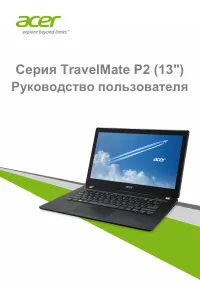 Acer TravelMate P236-M User Manual
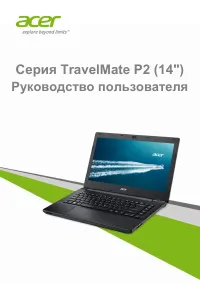 Acer TravelMate P246-M User Manual
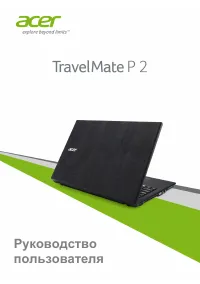 Acer TravelMate P257-M User Manual
 Acer Aspire 1690 Manual