Acer G226HQLBBD - Manual
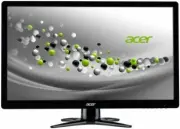
Acer G226HQLBBD Monitor – Manual, read for free online in PDF format. We hope this helps you resolve any issues you may have. If you have further questions, please contact us through the contact form.


Table of Contents:
- Page 3 – S a f e t y i n s t r u c t i o n s
- Page 6 – LCD Monitor; U N P A C K I N G; User Manual; HDMI cable
- Page 7 – SCRE EN P OSITION ADJUSTME NT; Removing the Base; Attaching
- Page 8 – Do not expose the monitor to rain, excessive moisture, or dust.; CLE ANING YOUR MONITOR; Always unplug the monitor before cleaning.
- Page 9 – blinking blue
- Page 10 – CONNE C TOR P IN ASSIGNMENT; olor
- Page 11 – 4-Pin Color Display Signal Cable*
- Page 12 – Standard Timing Table
- Page 15 – I N S T A L L A T I O N; a properly; Connect one end of the 19-pin HDMI cable to the back of the
- Page 16 – AUTO; OSD functions; Press this botton to activate the OSD menu.; INPUT; Input Key; seconds for the image to appear.
- Page 17 – Step 1: Press “ “ Key to open the Acer eColor Management OSD and; F ea t u r e s an d Be n e f i t s; Step 3: Press “ AUTO “ Key to confirm the mode and exit the eColor menu.; ECO; Adjusts the settings to reduce power
- Page 18 – A d j u s t i n g the OSD set t i n g s; A d j u s t i n g the p i c t u r e q u a l i t y
- Page 22 – T R O U B L E S H O O T I N G; linking blue
- Page 23 – DVI mode
- Page 24 – Declaration of Conformity; Acer Incorporated; Hereby declare that:; Lead
- Page 25 – Federal Communications Commission; Monitor
TABLE OF CONTENTS
Special notes on LCD monitors .................................................. 1
Information for your safety and
comfort .................................. 2
Unpacking ................................................................................... 5
Attaching/Removing the base .................................................... 6
Screen position adjustment ........................................................ 6
Connecting the power cord ....................................................... 7
Safety precaution ....................................................................... 7
Cleaning your monitor ............................................................... 7
Power saving ............................................................................... 8
DDC .............................................................................................. 8
Connector Pin Assignment ......................................................... 9
Standard Timing Table..................................................................11
Installation.....................................................................................
User controls..................................................................................
Troubleshooting............................................................................
14
15
21
"Loading the manual" means you need to wait until the file loads and becomes available for online reading. Some manuals are very large, and the time they take to appear depends on your internet speed.
Summary
EN-2 Information for your safety and comfort S a f e t y i n s t r u c t i o n s Read these instructions carefully. Keep this document for future reference. Follow all warnings and instructions marked on the product. C A U TI O N fo r a c c es si b il ity Be sure that the power outlet you plug the p...
EN-5 LCD Monitor U N P A C K I N G Please check the following items are present when you unpack the box,and save the packing materials in case you will need to ship or transportthe monitor in future. User Manual AC Power Cord D-Sub Cable Quick Start Guide DVI Cable AC Adapter (Optional...
EN-6 SCRE EN P OSITION ADJUSTME NT In oder to optimize the best viewing position, you can adjust the tilt ofthe monitor by using both of your hands to hold the edges of the monitoras shown in the figure below.The monitor can be adjusted to 15 degrees up or 5 degrees down as indi-cated by arrow below...